Welcome to the Onshape forum! Ask questions and join in the discussions about everything Onshape.
First time visiting? Here are some places to start:- Looking for a certain topic? Check out the categories filter or use Search (upper right).
- Need support? Ask a question to our Community Support category.
- Please submit support tickets for bugs but you can request improvements in the Product Feedback category.
- Be respectful, on topic and if you see a problem, Flag it.
If you would like to contact our Community Manager personally, feel free to send a private message or an email.
Phantom sketches! SCARY

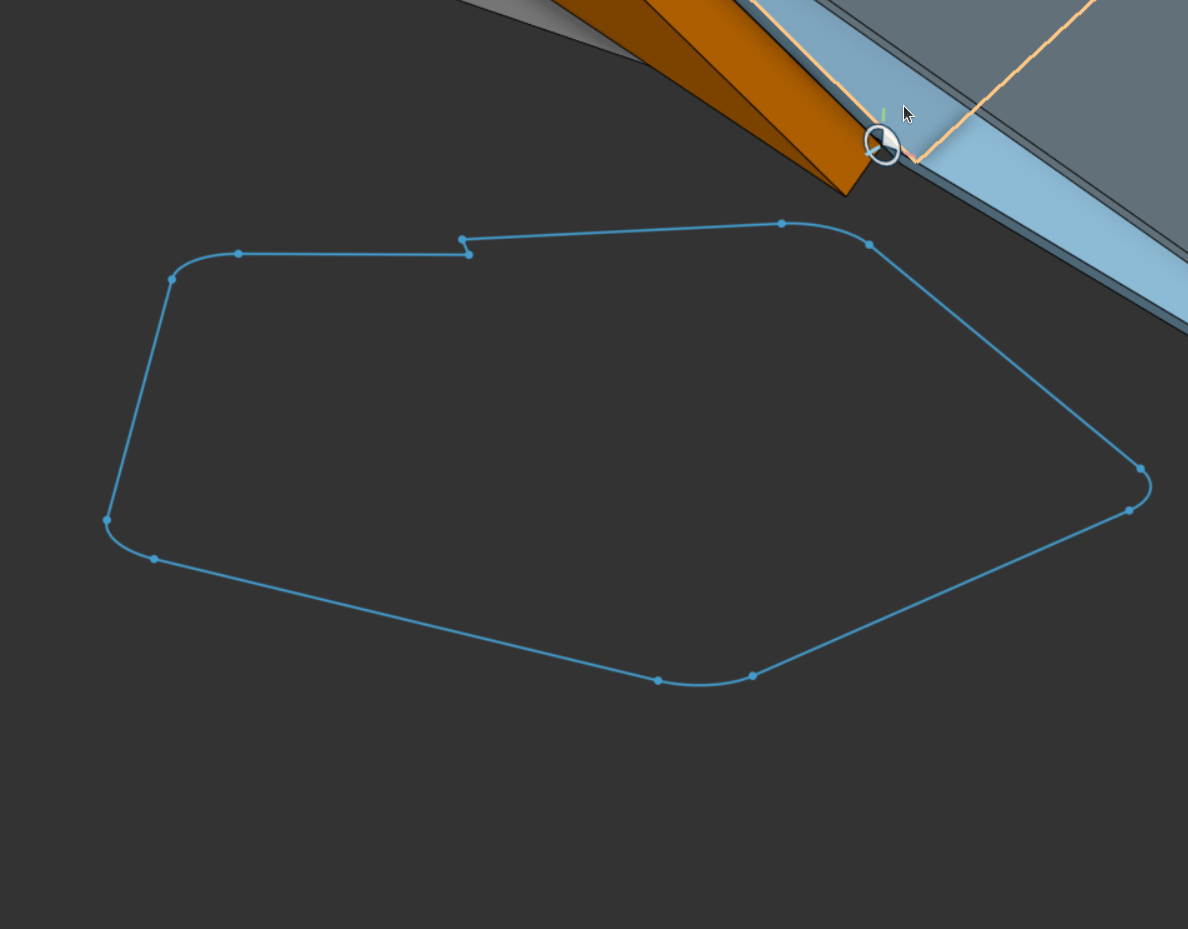
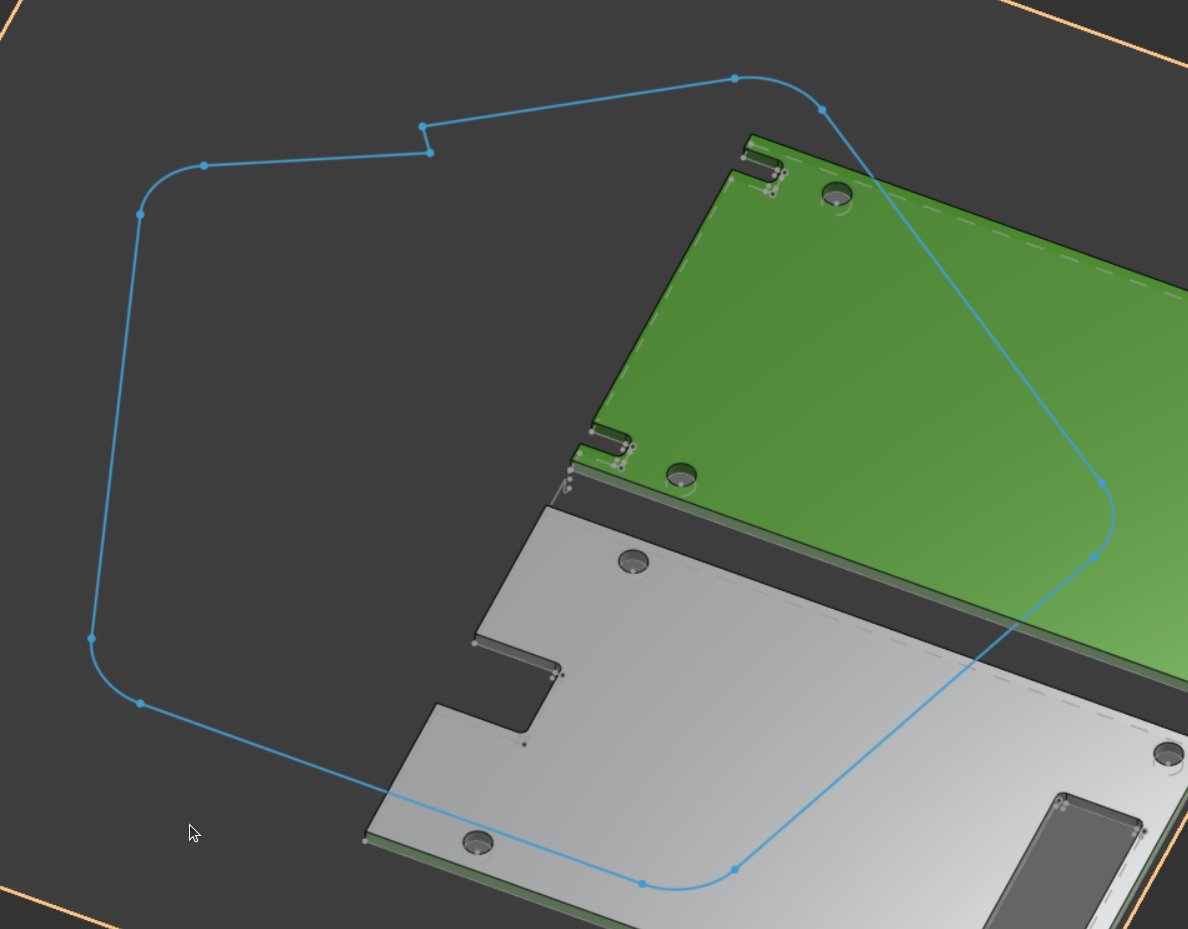
Anybody else seeing phantom sketches from different document? The sketch in blue below is from a completely different document. Can't select it, it's just floating there. The two documents are not related at all.
So, I thought maybe it's just some sort of graphics glitch. I'll close that doc and open another one to clear out whatever is going on. I open a third doc, and there it is. The same phantom sketch.
What's going on here?!
Best Answer
-
Refreshing browser fixed it.
0
Answers
-
I saw this recently on a stream by Wintergatan. Not sure what the root cause is but a document refresh seemed to clear it up. @mlaflecheCAD you were in the chat on that stream, any chance you have some insights for this visual bug?
0 -
Refreshing browser fixed it.
0 -
I’ve seen this a little now and then, Ctrl/cmd+D > Clear local display cache, then hard tab refresh (ctrl/cmd+shift+r usually) fixes it every time.
I have a feeling this is one of those tricky bugs as there don’t seem to be anything particular that reproduce it.0 -
Yes @Derek_Van_Allen_BD saw that too. I am chatting with our graphics team. Glad to see a refresh fixed it live.
Regards,Mike LaFleche @mlaflecheCAD0 -
Thanks to Wintergatan's livestream, I believe I am able to see the source of the issue. It appears that the preview graphics for the "Use" sketch tool get stuck in the scenegraph if the Use tool is aborted before the preview is displayed. I've filed a bug to address that issue.
5 -
So I'm guessing that this - admittedly rare - bug which has been around for years has been marked "can't reproduce" a number of times? And now hopefully it's well enough documented to track it down?
Simon Gatrall | Product Development, Engineering, Design, Onshape | Ex- IDEO, PCH, Unagi, Carbon | LinkedIn
2




