Welcome to the Onshape forum! Ask questions and join in the discussions about everything Onshape.
First time visiting? Here are some places to start:
- Looking for a certain topic? Check out the categories filter or use Search (upper right).
- Need support? Ask a question to our Community Support category.
- Please submit support tickets for bugs but you can request improvements in the Product Feedback category.
- Be respectful, on topic and if you see a problem, Flag it.
If you would like to contact our Community Manager personally, feel free to send a private message or an email.
How to drive Surface (Face) names via Configuration?

I am looking for a way to explicitly name a Surface entity (Face) based on the active Configuration.
The Workflow:
Sketch -> Extrude -> Fillet (Base geometry).
Offset Surface (Zero offset): I extract a specific face from the solid to use as a master surface for downstream Derives.
The Goal: I need the Name of this resulting Surface/Face to change based on my Configuration Table (e.g., Surface_Concept_A_(width), Surface_Concept_B_(width)).
Thanks for any help!
Best Answers
-
There's a Part Name feature script that should do that for you. Here's an example I made a while ago for a battery.
Battery: https://cad.onshape.com/documents/cdac3bd62fd1cc23d2ad852d/w/39aea9c5f1ba08cd159fe8db/e/2b39c493419e25836f778ce0
Part Name feature script: https://cad.onshape.com/documents/f4d470584fdeef9603415532/v/7d0c0b30a8b73bbd6ed13b01/e/c2cde0fc0eb4a05cb0b32b5b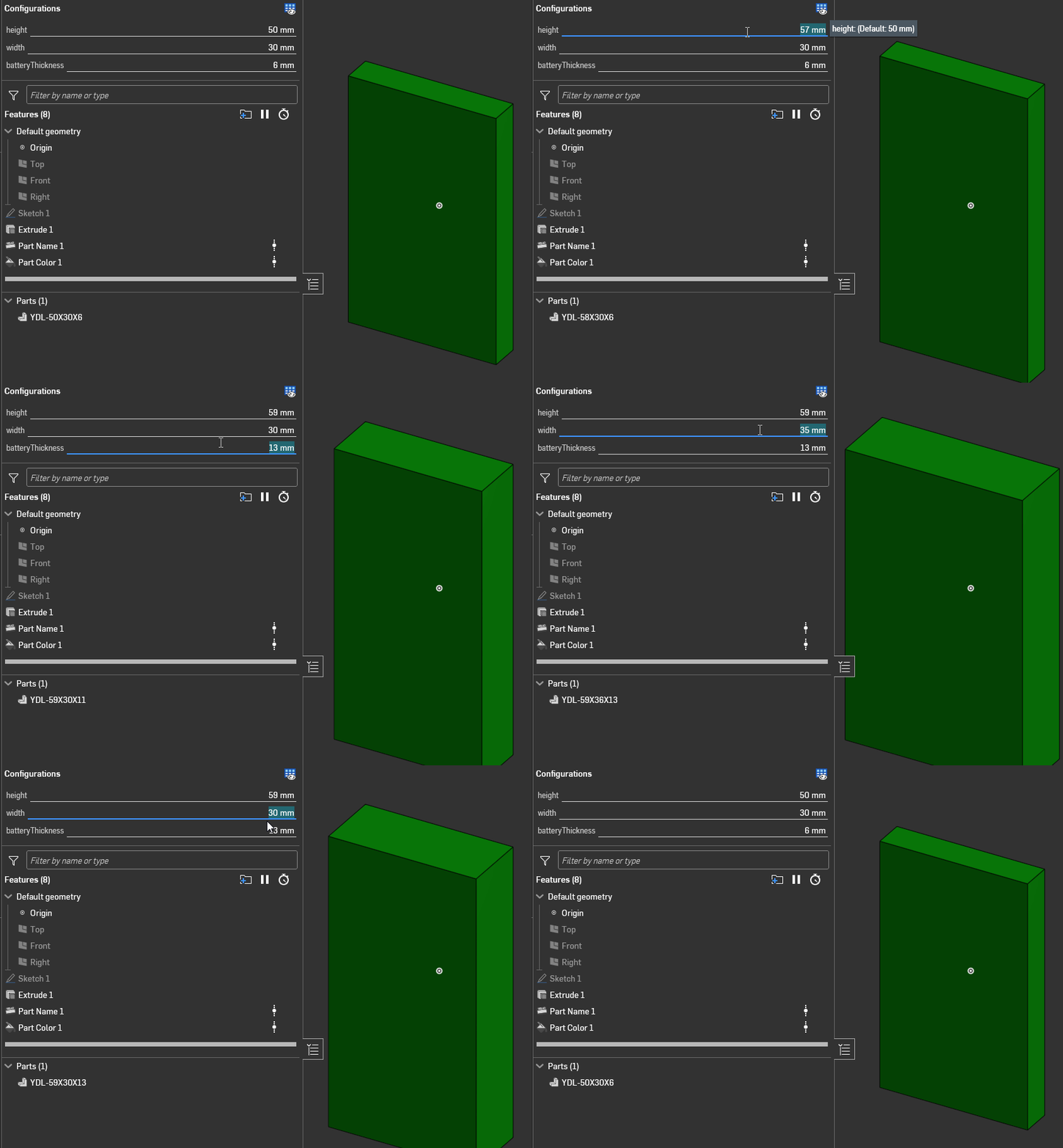
Ramon Yip | glassboard.com
0 -
I've also been using "set property" FS:
Alongside the "var to string":
And found it provides a lot of flexibility
1


Answers
-
There's a Part Name feature script that should do that for you. Here's an example I made a while ago for a battery.
Battery: https://cad.onshape.com/documents/cdac3bd62fd1cc23d2ad852d/w/39aea9c5f1ba08cd159fe8db/e/2b39c493419e25836f778ce0
Part Name feature script: https://cad.onshape.com/documents/f4d470584fdeef9603415532/v/7d0c0b30a8b73bbd6ed13b01/e/c2cde0fc0eb4a05cb0b32b5b
Ramon Yip | glassboard.com
0 -
I've also been using "set property" FS:
Alongside the "var to string":
And found it provides a lot of flexibility
1 -
Almost forgot. One reminder: If you want to use the Part Name FS, or Set Property, for that matter, you shouldn't assign any of those properties manually, as there's no way to override them using a script.
Ramon Yip | glassboard.com
1 -
To add to @ry_gb, if you have already set properties manually, you will need to click the "reset all" button for these scripts to work.
1 -
Yes, thank you both!
The first solution seems more suitable "to my current Onshape knowledge level"
Thank you for the second solution and for the Reset All. I hadn't but had read the warning on another post. It's useful to have the reminder here too.0