Welcome to the Onshape forum! Ask questions and join in the discussions about everything Onshape.
First time visiting? Here are some places to start:
- Looking for a certain topic? Check out the categories filter or use Search (upper right).
- Need support? Ask a question to our Community Support category.
- Please submit support tickets for bugs but you can request improvements in the Product Feedback category.
- Be respectful, on topic and if you see a problem, Flag it.
If you would like to contact our Community Manager personally, feel free to send a private message or an email.
Feature pattern with relative positions

Hi,
I wondered if something like this is possible: say you have a "linear" pattern, but instead of setting the distance (and direction), I can simply select a face or mate connector where that same feature should be applied. Maybe even a list.
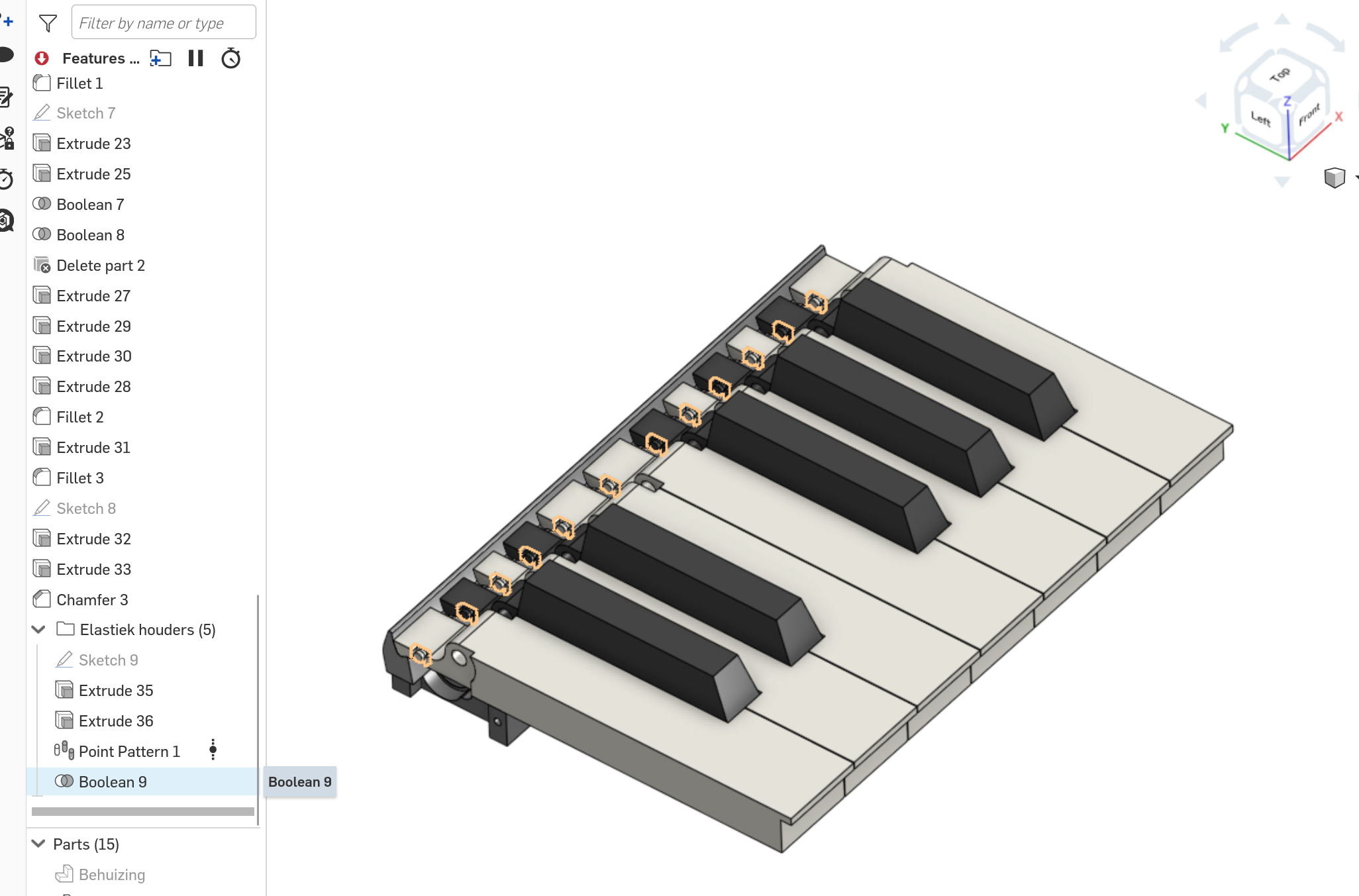
To give an idea, in following part studio, in folder "Elastiek houders", I have to repeat a feature but with irregular distance, so linear pattern isn't an option. Instead I redid that same (Extrude 35) feature 12 times.
Maybe you can show me a way to do this, or should I take a completely different approach?
Thanks!
Ryan
Answers
-
In the meantime I stumbled upon the point pattern, which does pretty much exactly what I was looking for. I would have liked to repeat said pattern across multiple parts/bodies within that part studio, which the custom Point Pattern feature does not seem to support. I managed to do it by creating a new body, and applying it as a part pattern, which I then subtracted.
 0
0