Welcome to the Onshape forum! Ask questions and join in the discussions about everything Onshape.
First time visiting? Here are some places to start:- Looking for a certain topic? Check out the categories filter or use Search (upper right).
- Need support? Ask a question to our Community Support category.
- Please submit support tickets for bugs but you can request improvements in the Product Feedback category.
- Be respectful, on topic and if you see a problem, Flag it.
If you would like to contact our Community Manager personally, feel free to send a private message or an email.
How to manage my school structure

Hello!
I started as the only Onshape user at my school, but we have grown quickly and now have 20 teachers using the platform!
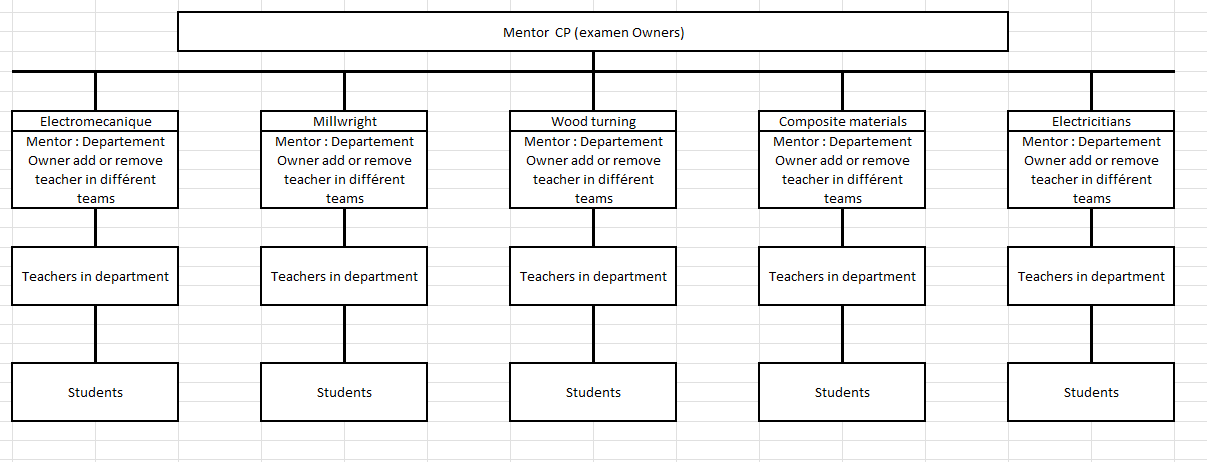
My school now needs to formalize how we handle drawing exams. We need to move exam documents to specific administrators or "organizers" who can then manage the permissions (who can view or modify the drawings) for the students.
We are currently using the Onshape Free EDU plan.
Is it possible to set up this type of workflow or folder management on the EDU plan? I am open to any suggestions or workarounds you might have!
Comments
-
0
-
That's awesome that your school now has 20 teachers using Onshape!
I can't think of anything within the Onshape sharing and permissions scheme that is hierarchical, like you're describing. The best approximation might be for the top level admin to own all of the exam documents and keep them in a folder. They could create a Team and add the relevant teachers to that team. The admin could then share the exam document folder with the teacher Team with the necessary permissions — maybe just view and copy. Teachers could then create copies to add to assignments (using Classes & Assignments) for students.
0
