Welcome to the Onshape forum! Ask questions and join in the discussions about everything Onshape.
First time visiting? Here are some places to start:- Looking for a certain topic? Check out the categories filter or use Search (upper right).
- Need support? Ask a question to our Community Support category.
- Please submit support tickets for bugs but you can request improvements in the Product Feedback category.
- Be respectful, on topic and if you see a problem, Flag it.
If you would like to contact our Community Manager personally, feel free to send a private message or an email.
Changing the numbers in a list in a drawing note

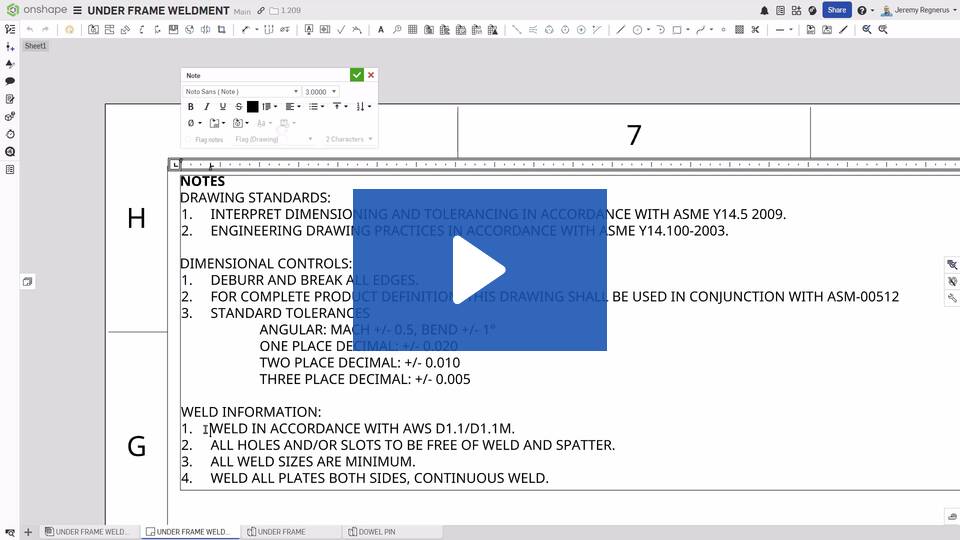
Hi all. I remember in a recent Onshape update (but can't remember which) we got the ability to manually adjust the numbering of lists in note on Drawings, but I cannot recall how to do it. I tried looking in Help, and the AI advisor offered the following;
"In Onshape, you can easily modify numbered lists in notes by manually overriding the default numbering sequence. When creating multiple numbered lists, you can restart the numbering at any point or choose a completely different numbering scheme. The platform intelligently understands your numbering intentions, allowing you to start a new list from one or enter a custom sequence like 101, 201, 301. This feature is particularly useful for creating documentation with categorized or group note numbering that follows specific company standards."
However, it does not explain how you can chance what the numbers are. Can anyone point me in the right direction?
Best Answer
-
Thanks @PeteYodis; that's the right update and video, but it never explained how to do it.
I did figure it out though! In case it's helpful for anyone else;
- create the numbered list
- move the cursor to the first character of your list line you want to change (excluding the numbering)
- backspace to remove the space, point/stop, and any characters you don't want
- type out your new numbering, followed by a point/stop, then press Tab to turn it back into a list line
1
Answers
-
-
Thanks @PeteYodis; that's the right update and video, but it never explained how to do it.
I did figure it out though! In case it's helpful for anyone else;
- create the numbered list
- move the cursor to the first character of your list line you want to change (excluding the numbering)
- backspace to remove the space, point/stop, and any characters you don't want
- type out your new numbering, followed by a point/stop, then press Tab to turn it back into a list line
1