Welcome to the Onshape forum! Ask questions and join in the discussions about everything Onshape.
First time visiting? Here are some places to start:- Looking for a certain topic? Check out the categories filter or use Search (upper right).
- Need support? Ask a question to our Community Support category.
- Please submit support tickets for bugs but you can request improvements in the Product Feedback category.
- Be respectful, on topic and if you see a problem, Flag it.
If you would like to contact our Community Manager personally, feel free to send a private message or an email.
Is it possible to duplicate tapped holes when mirroring a part?

I'm fairly new to OnShape and CAD in general so please excuse me if I use the wrong terms.
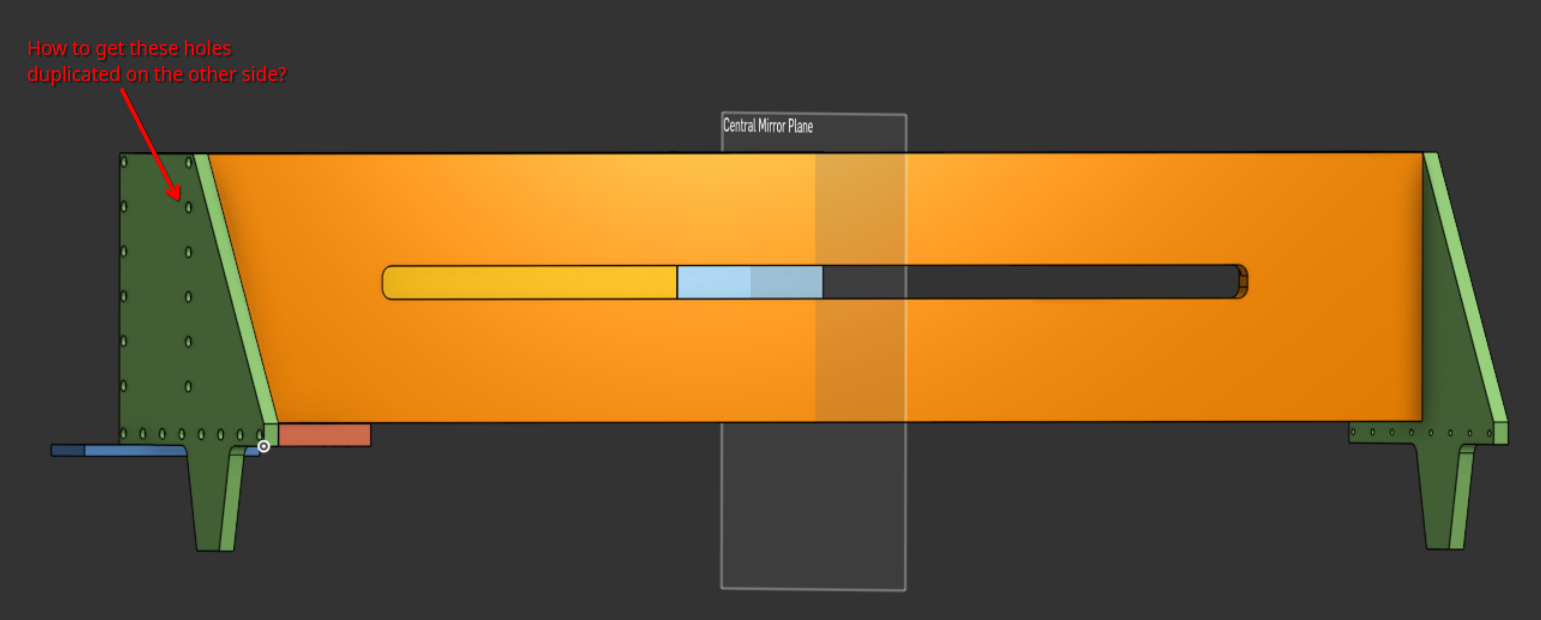
I'm building a CNC machine, the image below shows the gantry. I've mirrored the left side plate over the to the right.
On the left side plate I've added a number of counterbore holes. The threads are in the edge of the orange front plate. When I mirror the left side plate the holes in the side plate mirror but no holes appear on the right hand side of the orange front plate.
I think I understand why, the mirror is mirroring the entity not all the operations so it couldn't possibly know it needs to drill holes on the right hand side of the front plate.
I can draw points for all the holes I need on the right hand side but that doesn't feel like a good solution (it fails the don't repeat yourself test).
Thanks for any help.
Answers
-
Assuming you are in a Part Studio, in Onshape, you can mirror Parts, Features, and Faces. In this case, a part mirror will do exactly that: bring the green part over to the other side. It won't mirror the hole feature that created the holes in the green and orange parts. If you mirror the feature, what will do it.
0 -
Thanks Matt, that got me part of the way there. I recall learning about mirroring features in the tutorial now that you've reminded me.
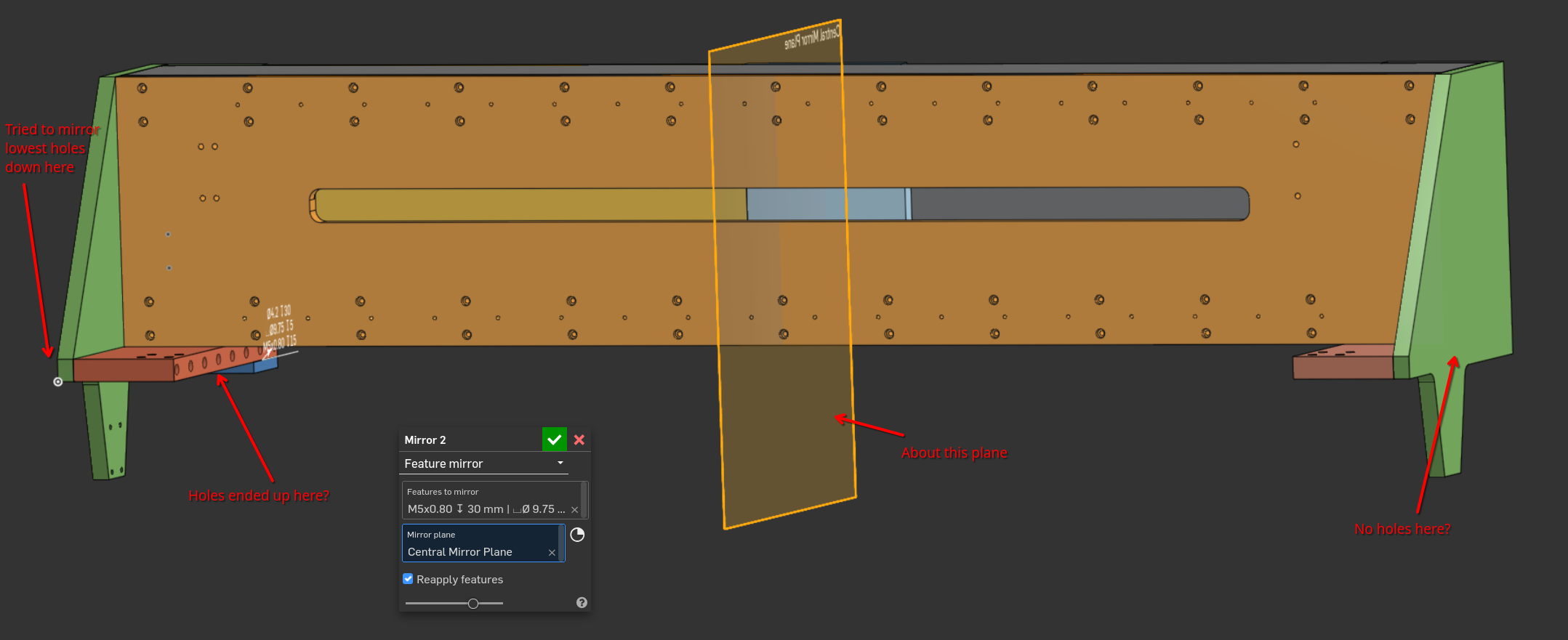
However, I've hit a second problem. When I mirror about the central plane I have drawn the holes appear in the wrong place. They appear in the red part on the left hand side rather than the right hand green part. I've tried selecting a number of different planes as the mirror plane and the holes always appear there.
 0
0 -
Try going into the hole feature and make sure that both green parts are included in the Merge scope.
1
