Welcome to the Onshape forum! Ask questions and join in the discussions about everything Onshape.
First time visiting? Here are some places to start:- Looking for a certain topic? Check out the categories filter or use Search (upper right).
- Need support? Ask a question to our Community Support category.
- Please submit support tickets for bugs but you can request improvements in the Product Feedback category.
- Be respectful, on topic and if you see a problem, Flag it.
If you would like to contact our Community Manager personally, feel free to send a private message or an email.
Couple of problems with a sketched part

Hi, I am a relative novice in need of some technical support and the community comes highly recommended…
This is two problems rolled into one, but it's with the same document and I think the problems might be related. The document is here;
Essentially, what I am trying to do here is construct a few matching metal parts with mating slots and tongues that will function as stiffening braces in another design I am working on. I was able to construct the first, smaller, brace without too much hardship. I extruded it, transformed a copy into place to make sure that it fit, and everything was fine. Then I began work on a larger and slightly more complex piece, and problems began.
Problem 1; Sketch "Aux brace stiffener sketch" throws errors and no longer solves. At some point during my work, this previously completed sketch threw an error and now reports an inability to solve. I am not sure when this happened but I think it was when I adjusted the lengths of the overhangs at the ends (the dimension that is defined as 20mm) once I had completed the transformation and was tuning the various lengths of parts to give me a good fit between tongues and slots. I cannot tell why it is unable to solve now. I think it is over-constrained somehow and deleting a single equality dependency on the width of any of the tongues fixes it, but I am unsure why it fixes it. Insight would be appreciated.
Problem 2; Sketch "Aux long brace stiffener 1" cannot be extruded. I don't know why. You will see in the document that I have re-constructed the sketch of the part to be extruded to see if I built the first example incorrectly (I was thinking I had somehow failed to close the loop or something); apparently not. The extruder simply does not work, I cannot select anything to extrude. Really no idea on this one, but I wonder if it is related to Problem 1. Insight would be appreciated.
Regards,
Spike
Best Answer
-
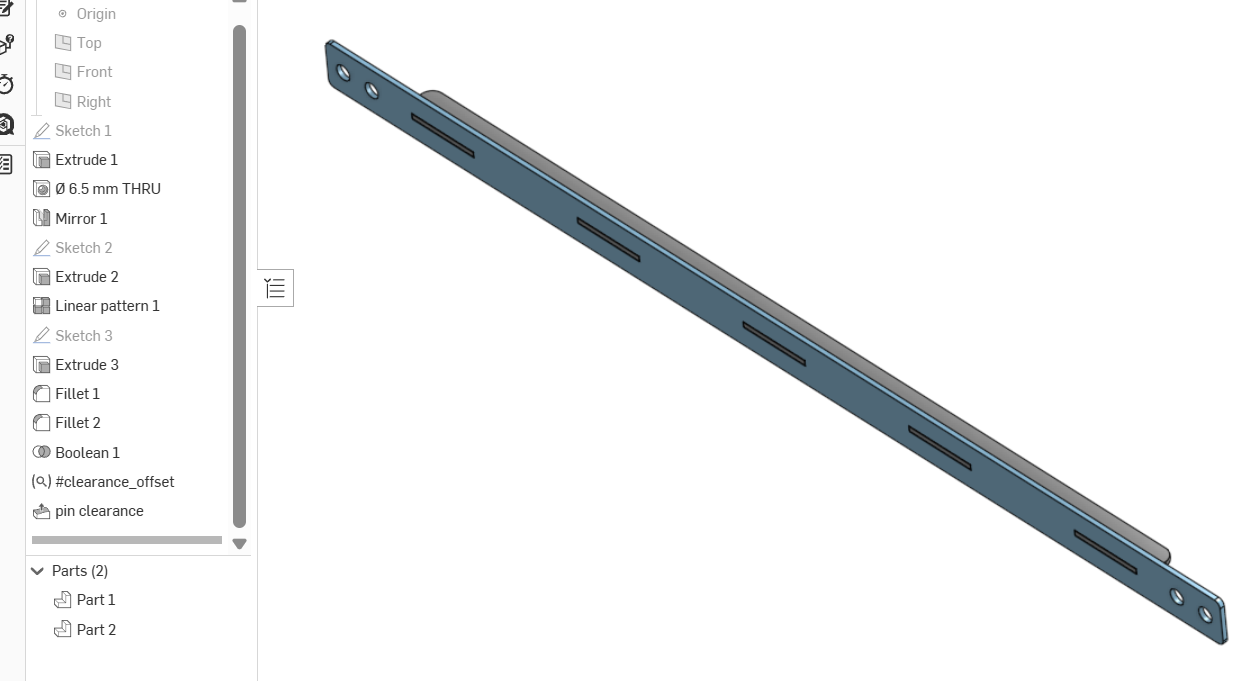
As mentioned before there a lot of details in your sketches. Some of which are heavy on the details an use more time. Such as using fillet tool on solid corners instead of drawing radiuses in sketches. Note that I used an array to make slots in part 1 instead of sketching al the slots. Pins on back brace use a single boolean/subtract to make cut outs and a move face to get some assembly clearance.
Best bet is to go through learning center to learn more tools so that your sketches aren't so busy. It should help a lot to
clarify basic design as well s speeding up your over all document.
 0
0

Answers
-
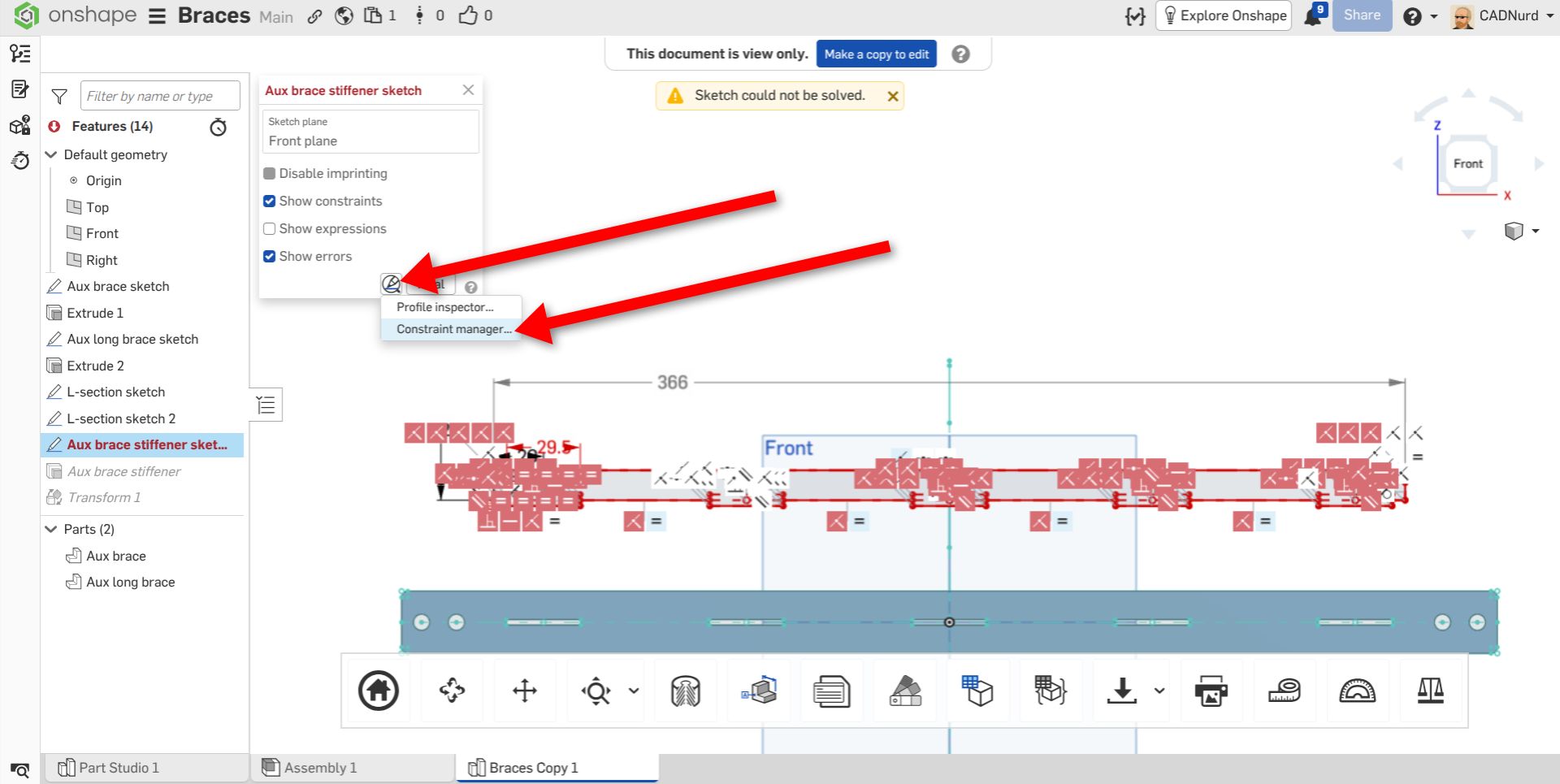
I've had a look - Your 'Problem 1' sketch looks like it has far too many constraints for some reason. Have a look at the 'Constraint Manager' - a slightly hidden feature of the Sketch tool.
Unemployed Onshaper- Operating on European time - More of me here ➤➤ https://linktr.ee/Liam.G0 -
As @CADNurd mentions, the issue is over constraining sketches. While it often feels unintuitive, my recommendation would be to break this complicated sketch into several smaller ones. For instance, it looks as if your tabs/tongues could be one sketch with just one rectangle and then use a linear pattern to repeat instances of the 'feature'. The cleaner your sketches are, the more robust your models will be.
0 -
As mentioned before there a lot of details in your sketches. Some of which are heavy on the details an use more time. Such as using fillet tool on solid corners instead of drawing radiuses in sketches. Note that I used an array to make slots in part 1 instead of sketching al the slots. Pins on back brace use a single boolean/subtract to make cut outs and a move face to get some assembly clearance.
Best bet is to go through learning center to learn more tools so that your sketches aren't so busy. It should help a lot to
clarify basic design as well s speeding up your over all document.
0

