Welcome to the Onshape forum! Ask questions and join in the discussions about everything Onshape.
First time visiting? Here are some places to start:- Looking for a certain topic? Check out the categories filter or use Search (upper right).
- Need support? Ask a question to our Community Support category.
- Please submit support tickets for bugs but you can request improvements in the Product Feedback category.
- Be respectful, on topic and if you see a problem, Flag it.
If you would like to contact our Community Manager personally, feel free to send a private message or an email.
Part Studio intermittently becomes very slow when editing features
 razi_berg
Member Posts: 1 EDU
razi_berg
Member Posts: 1 EDU
I’m working on a Part Studio with about 147 features, and feature editing sometimes becomes extremely slow.
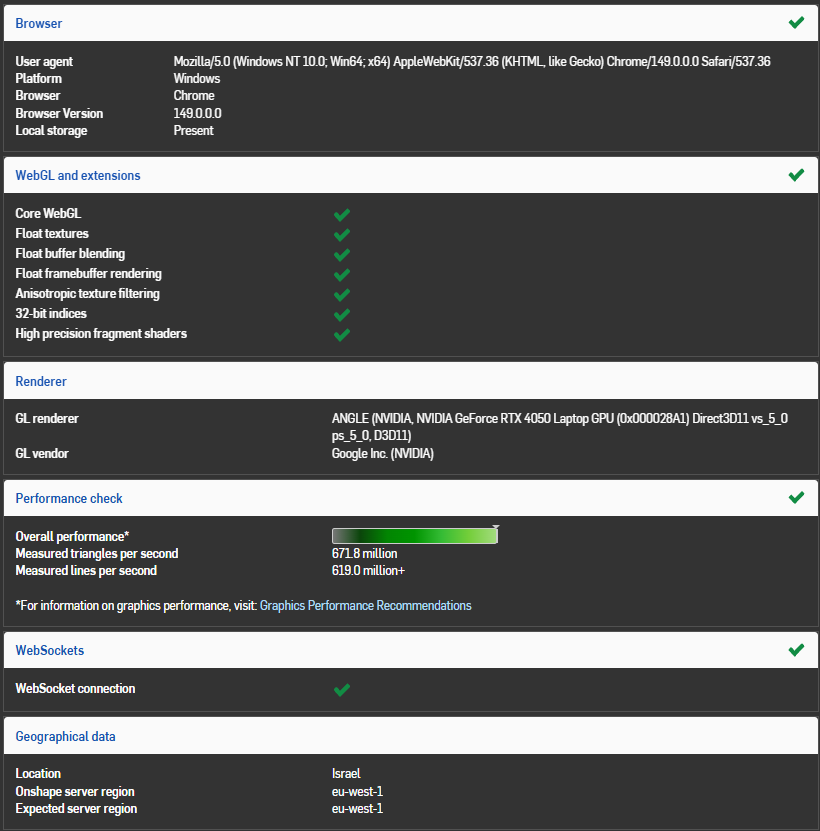
The issue is not graphics performance. Panning, rotating, and zooming are smooth, and the Onshape performance check reports good GPU/WebGL performance.
The slowdown happens while creating or modifying features. For example, when creating a chamfer:
- I select one edge, and Onshape pauses for several seconds.
- I select another edge, and it pauses again.
- I change the chamfer dimension, and it pauses again.
This can happen between nearly every click or parameter change.
What is strange is that the problem is intermittent. The same Part Studio can be very slow, then become completely smooth a few minutes later without any major change to the model.
Answers
Document link didn't come through, could you try to send it again?
You may have already, but you could try clearing your browser cache. Could be due to heavy Derived features slowing rebuild.