Welcome to the Onshape forum! Ask questions and join in the discussions about everything Onshape.
First time visiting? Here are some places to start:- Looking for a certain topic? Check out the categories filter or use Search (upper right).
- Need support? Ask a question to our Community Support category.
- Please submit support tickets for bugs but you can request improvements in the Product Feedback category.
- Be respectful, on topic and if you see a problem, Flag it.
If you would like to contact our Community Manager personally, feel free to send a private message or an email.
Loft feature creating weird ridges.

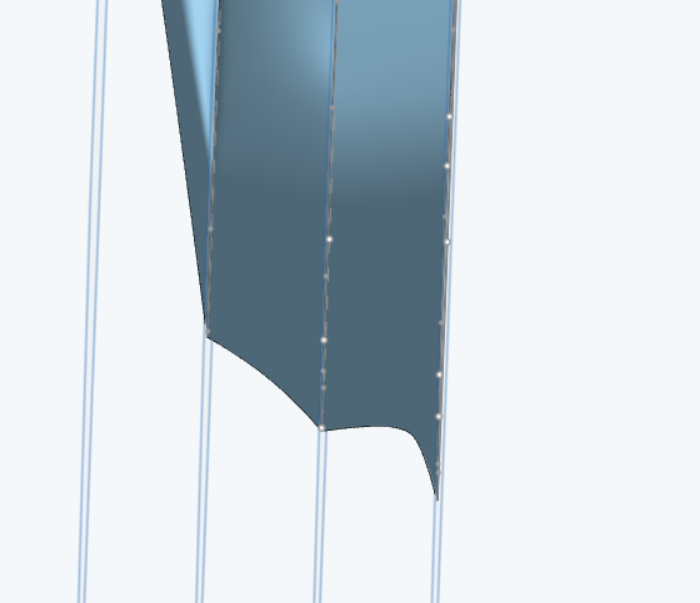
I'm trying to create a model by lofting multiple surfaces together as like slices of the 3d model but for some reason it doesn't smoothly loft so it creates these weird ridges. Anybody know a fix?
Answers
-
There are a few problems:
- Your sketched curves are not that smooth. The standard spline tool in sketcher is really only good when you have a lot of points that you have to go through, and you don't care about curve smoothness/fairness. Using Bézier curves would be much better. You would likely need to split up the model into more basic shapes like a fuselage, canopy, tail, wing, etc.
- You have too many sections and they are too different in the number of points and shape.
- You don't have guide curves and you didn't use connections to help Onshape understand what you might intend.
- You used a loft for each section and you used loft instead of boundary or even fill.
I tried just fixing #3 with a single loft using connections, and I can get a loft which is slightly less bad, but the connections are hard to manage and it still doesn't produce a good surface.
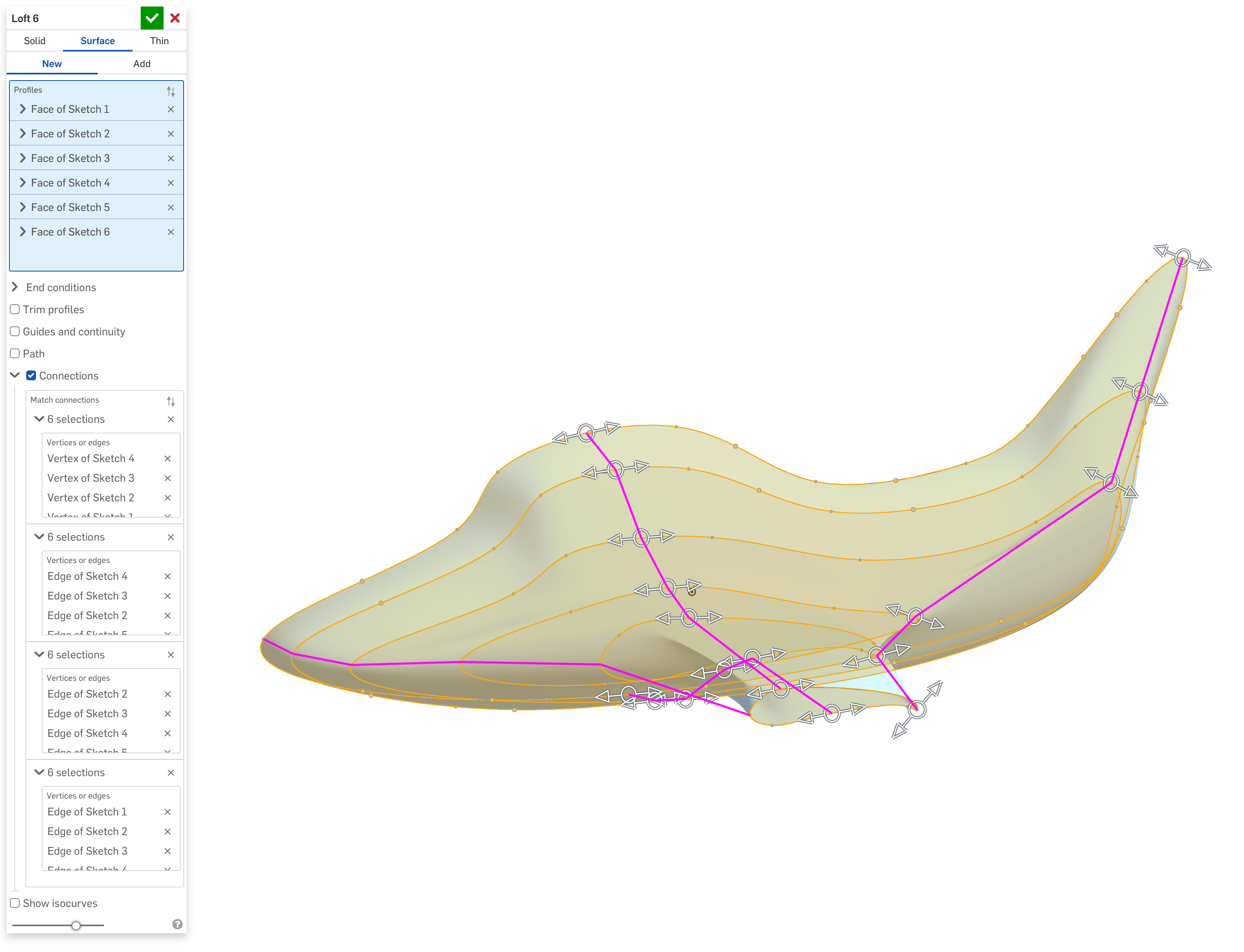
It really depends on what your goal is. The surfacing tools in Onshape can produce high quality results, but a shape like this is going to be a very challenging project without a lot of experience.
If you're going after something that's just going to be 3D printed that's more of a toy-like shape, you might be better off with a polygonal/subdivision tool like Blender or Nomad Sculpt.
Simon Gatrall | Product Development, Engineering, Design, Onshape | Ex- IDEO, PCH, Unagi, Carbon | LinkedIn
0
