Welcome to the Onshape forum! Ask questions and join in the discussions about everything Onshape.
First time visiting? Here are some places to start:- Looking for a certain topic? Check out the categories filter or use Search (upper right).
- Need support? Ask a question to our Community Support category.
- Please submit support tickets for bugs but you can request improvements in the Product Feedback category.
- Be respectful, on topic and if you see a problem, Flag it.
If you would like to contact our Community Manager personally, feel free to send a private message or an email.
I FOLLOW INSTRUCTIONS BUT THEY ARE VAGUE

i can not get past the second lesson and i can not find ananswer to WHY??…
Answers
-
Ummm...a little more detail needed.
What lesson? What is the second step? How is it failing ?
Lots of lessons in the learning center.
Engineering textbook: https://hwh.stephenteacher.com/txtbook.html0 -
It's really hard to help when you don't provide any details. What instructions are you trying to follow? What is the second lesson, and what is it asking you to do? And what trouble are you having doing it? That information along with a link to your document would be helpful.
0 -
i am very new and also very old…I am not good at navagating all the web pages and trying to keep things together and also make them understanable. I have created an account and have attempted a couple of the learning exercises there is a stepped drawing of a macine Vise that is trying to teach me about this program but when i follow the steps and click on the last verify i get an error message that has to do with "MASS INCORRECT"?? Ihave run through it many times looking for something i may have missed but have found nothing there are only 3 commands I will attempt to do a screen copy…
0 -
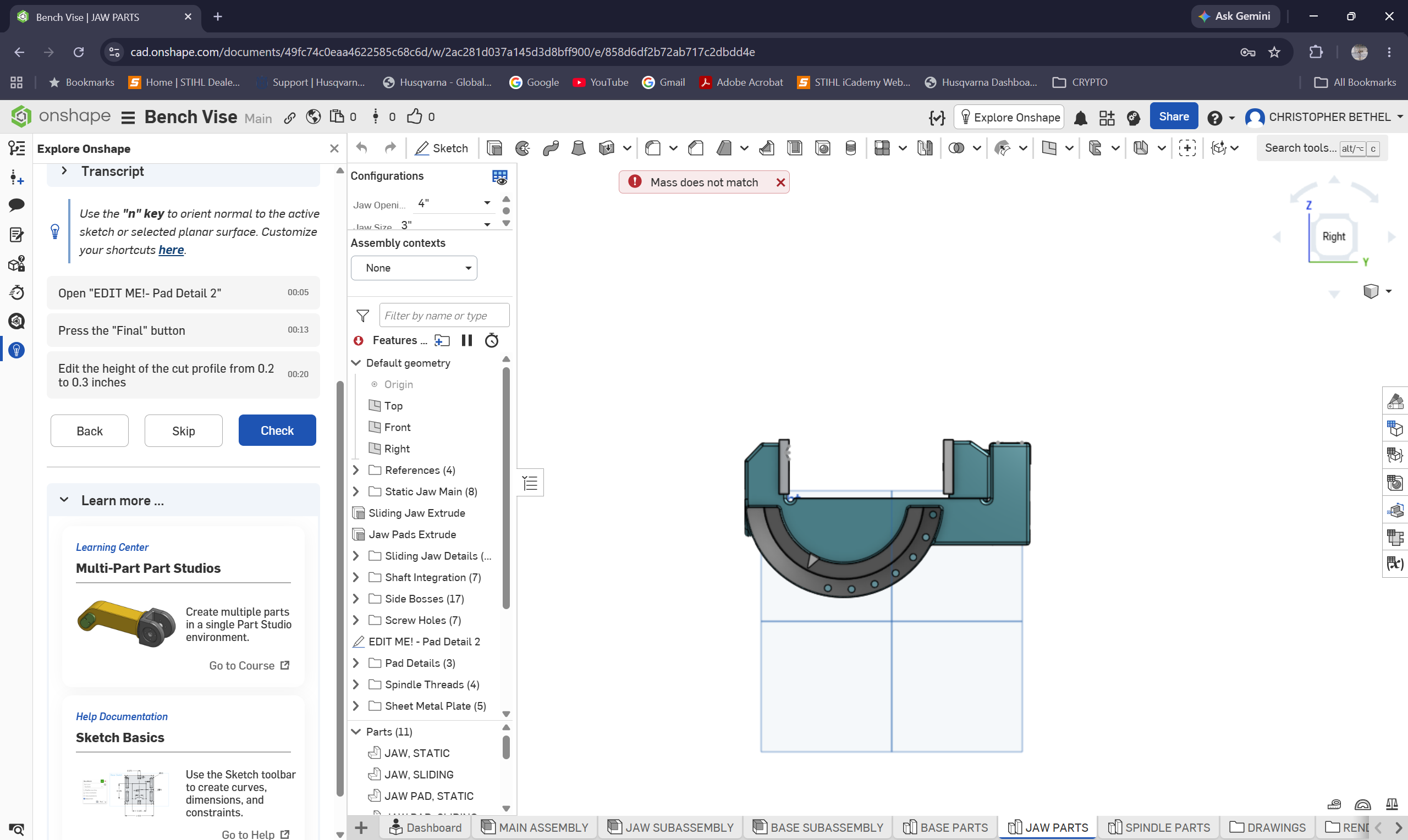
THIS is what i get when i click on the Blue "CHECK" Button
0
