Welcome to the Onshape forum! Ask questions and join in the discussions about everything Onshape.
First time visiting? Here are some places to start:
- Looking for a certain topic? Check out the categories filter or use Search (upper right).
- Need support? Ask a question to our Community Support category.
- Please submit support tickets for bugs but you can request improvements in the Product Feedback category.
- Be respectful, on topic and if you see a problem, Flag it.
If you would like to contact our Community Manager personally, feel free to send a private message or an email.
How to easily add spacing for a glue layer after designing a large and complex model

Hi All,
I am just facing a huge issue that I didn't account for.
I am using Onshape to design a motorhome habitat box and I designed everything without considering a significant glue layer. I'm just in the process of verifying my dimensions before creating manufacturing drawings and I read this note in the glue specs that it needs a 2mm glue layer to be as elastic as required and last. A search confirms that people use all kind of devices like tile spacers to make sure that the parts are 2 mm apart when glueing.
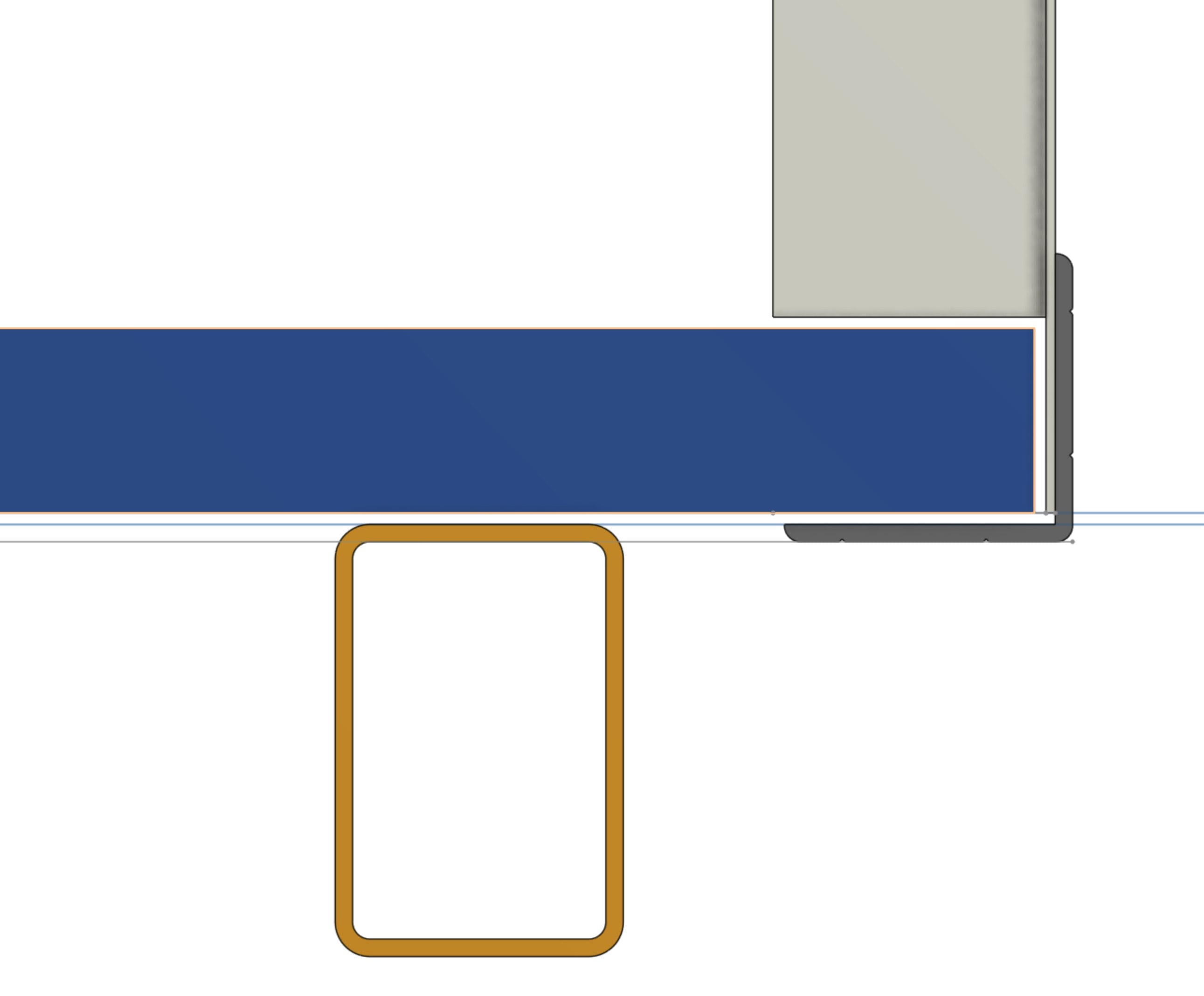
My model does not recognise this so I am currently starting to add that space from the bottom up and it is getting messy very quickly. I have attaced a screenshot to show the situation. It shows a galvanised steel frame on the bottom, a bottom panel on top, a front panel glued to the bottom panel using the rebate method and an outside aluminium trim to provide the structural strength.
As you can see, I managed to lift the bottom panel of the frame by off-setting the planes. I have introduced a variable called #gluethickness in order to be consistent with my spacings.
I managed to introduce the glue spacings between the panels by using offsets in the boolean feature and the "move face" feature.
I'm now stuck at "pushing" the outside aluminium trim out because my front panel can't just be moved inwards and the frame lines can't be easily moved outwards. The sketch doesn't account for something like that. Changing the sketch will destroy all the reference faces for everyting that comes afterwards. I'll basically have to redesign the lot.
Worst of all, by the time I'm finished, the model will look awful and checking dimensions or altering something will be a nightmare as none of the surfaces touch each other. They all have an offset. Nothing will be connected anymore.
How would you approach the introduction of a glue layer that is recognisable as a glue layer in the model?