Welcome to the Onshape forum! Ask questions and join in the discussions about everything Onshape.
First time visiting? Here are some places to start:- Looking for a certain topic? Check out the categories filter or use Search (upper right).
- Need support? Ask a question to our Community Support category.
- Please submit support tickets for bugs but you can request improvements in the Product Feedback category.
- Be respectful, on topic and if you see a problem, Flag it.
If you would like to contact our Community Manager personally, feel free to send a private message or an email.
How to draw and colorize on a surface

I want to achieve something like this:
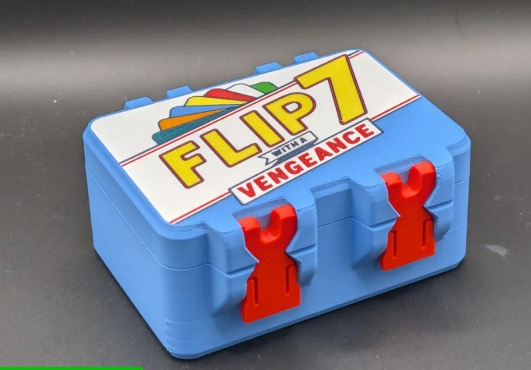
Meaning I want to add a logo on a surface which I can freely colorize in the slicer (add colors to the seperate parts). How can I achieve this in onshape? I guess one way would be remove via extrude-function and the readd as a new part via extrude, but isnt there an easier way? Whats the best practice here? I'm lost… :-(
Answers
-
I'm not sure it would survive an export to the slicer, but the decal function would be best if you could get an image file of the graphic you want. If not, you could sketch out every shape you want all in one sketch, then use the split tool and split the face using that one sketch, and color with face appearances. Example. Still not sure whether this would be visible in a slicer, it might be best to freehand in the slicer itself. If you need separate parts for each color then I would do something similar to your way; an extrude new then Boolean subtract (keeping tools).
0