Welcome to the Onshape forum! Ask questions and join in the discussions about everything Onshape.
First time visiting? Here are some places to start:
- Looking for a certain topic? Check out the categories filter or use Search (upper right).
- Need support? Ask a question to our Community Support category.
- Please submit support tickets for bugs but you can request improvements in the Product Feedback category.
- Be respectful, on topic and if you see a problem, Flag it.
If you would like to contact our Community Manager personally, feel free to send a private message or an email.
Can't break one specific corner – why is this?

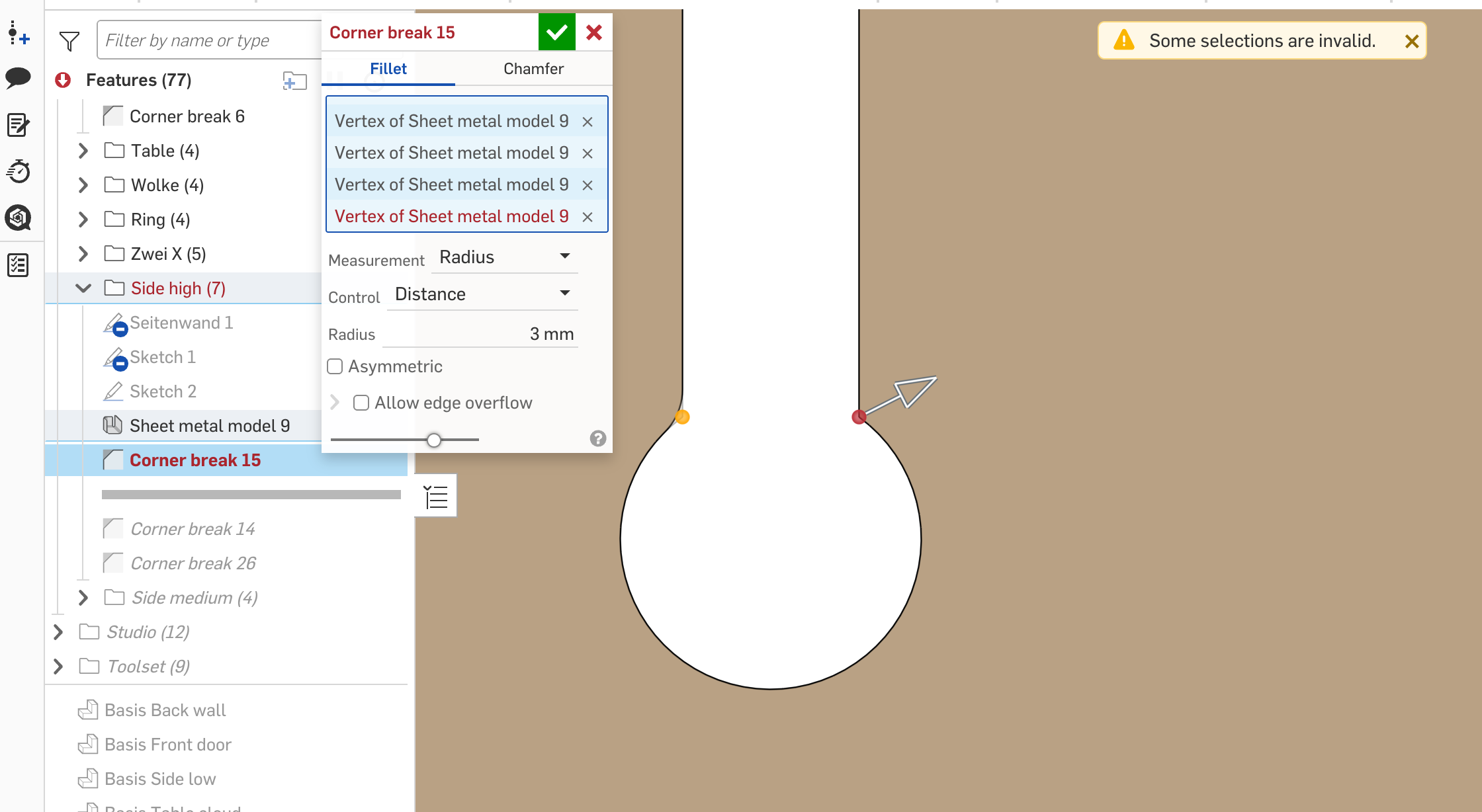
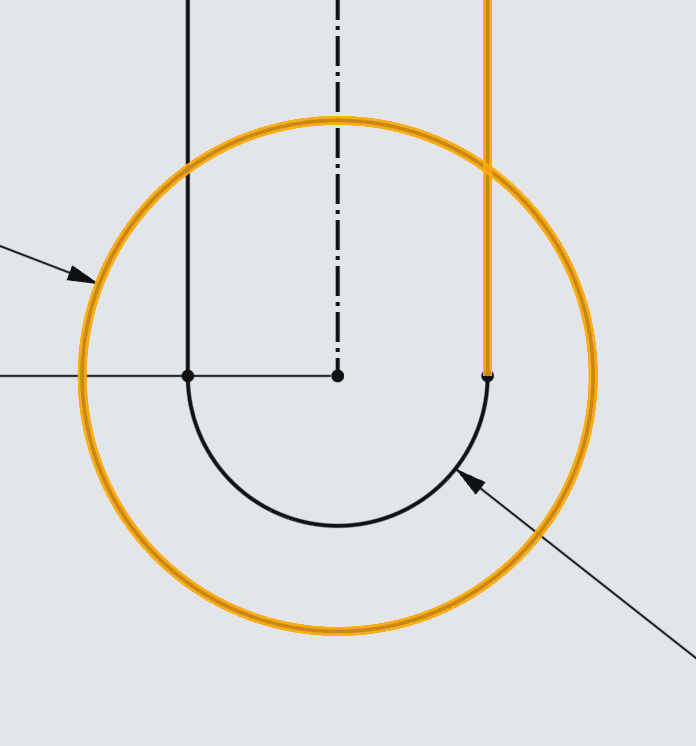
I have a sheet metal and did some corner breaks. But somehow only one edge is not resolving, even if the same geometry on the other side works as expected. Can someone maybe help me find what the real issue is here? The same issue happens also when I use fillet instead of corner breaks… The underlying geometry is very simple (see attachment) – Many thanks!
Answers
-
If the vertex selection doesn’t work, try using the edge or a standard fillet. Also flag this model to support. I’ve definitely run into bugs like this. @ilya_baran is interested in seeing them.
Simon Gatrall | Product Development, Engineering, Design, Onshape | Ex- IDEO, PCH, Unagi, Carbon | LinkedIn
0 -
On review I see you tried a standard fillet.
One trick when fillets are failing in cases like this: try constructing the initial shape with an arc instead of a circle. Maybe even two concentric equal radius arcs. Sometimes Parasolid gets confused when adding fillets to the same cylindrical surface on two sides of a mirror plane.
Simon Gatrall | Product Development, Engineering, Design, Onshape | Ex- IDEO, PCH, Unagi, Carbon | LinkedIn
0 -
Thank you for your feedback!
I already tried selecting the edge instead of the verex or using a standard fillet instead of corner break and both of these did not work.
Your second comment sounds interesting and somewhat plausible. Only strange thing is that other occurrencies of the exact same setup in the same file were no problem at all.
I now tried your tips, first using one arc instead of a circle:
Did not work for the corner break, regardless of whether I selected the vertex or the edge.
But that did make it work for the standard fillet. ✅ 🥳
Then I tried your second suggestion of using two arcs:
Still no luck for the corner break, both for vertex and edge.
Standard fillet works here too.
How does flagging work? I mean I will do a workaround for finishing the project. But should I simply duplicate the workspace with the error and flag that? How could I assign @ilya_baran to have a look?0
