Welcome to the Onshape forum! Ask questions and join in the discussions about everything Onshape.
First time visiting? Here are some places to start:- Looking for a certain topic? Check out the categories filter or use Search (upper right).
- Need support? Ask a question to our Community Support category.
- Please submit support tickets for bugs but you can request improvements in the Product Feedback category.
- Be respectful, on topic and if you see a problem, Flag it.
If you would like to contact our Community Manager personally, feel free to send a private message or an email.
Routing Curve - How do you get the length value to a drawing?

I do not need the full power of the Cable/Wire custom feature.
I just need to supply cable lengths for the cable manufacturer and programmers
I figured out how to do Routing Curve and it was perfect.
Was able to quickly create routes that connected multiple Items and routed the same path every time.
The trick is to start with the short wire path first. Fast, clean, just what was need.
I have found no way to get the length of each route communicated in a print.
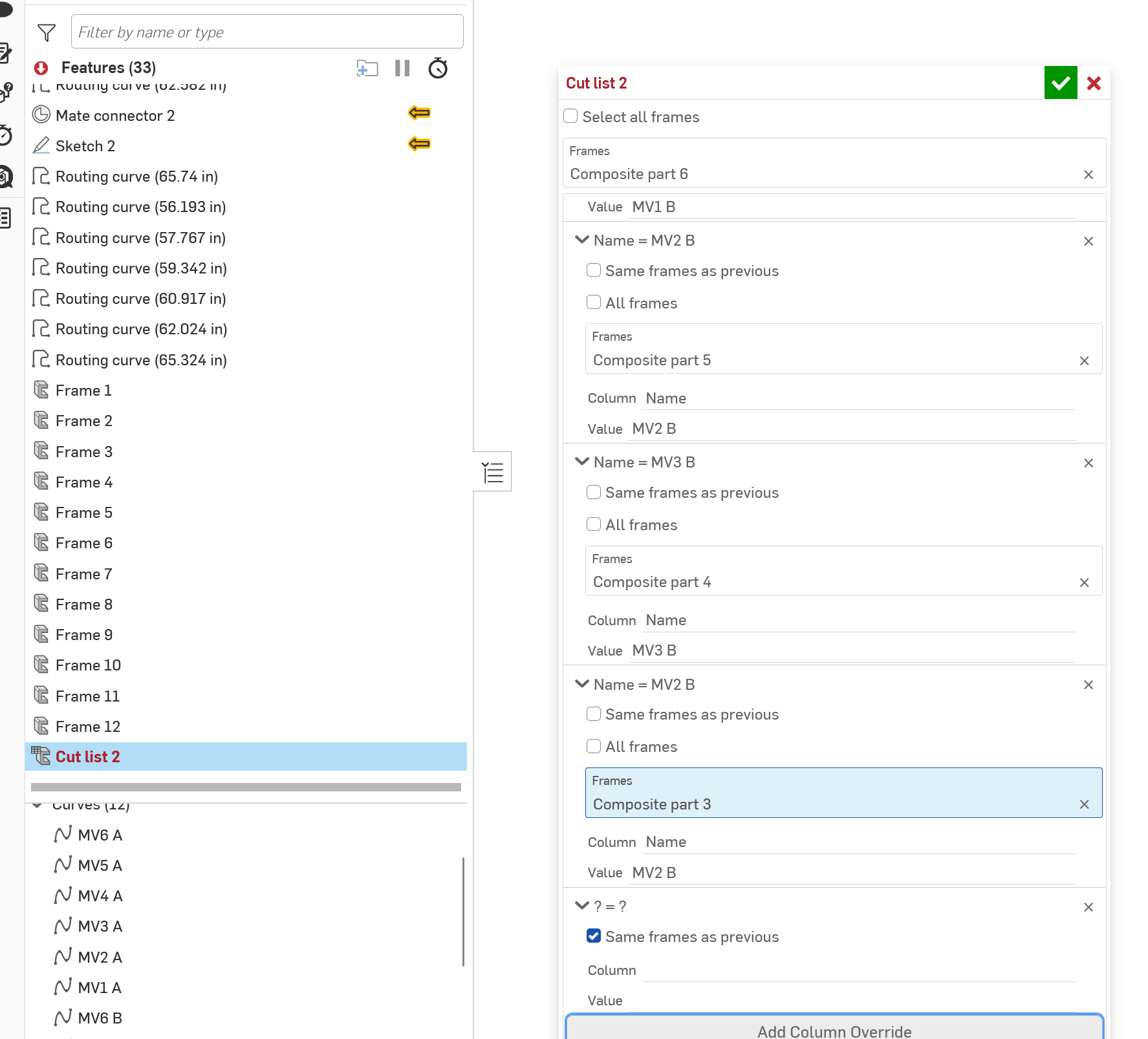
I even used Frame and and Frame Table, which allowed me the ability to place a balloon marker with the Item, and length, but to get an identifier on each cable set, you must add a column and then add and individual name one at a time.
Is there any other way?
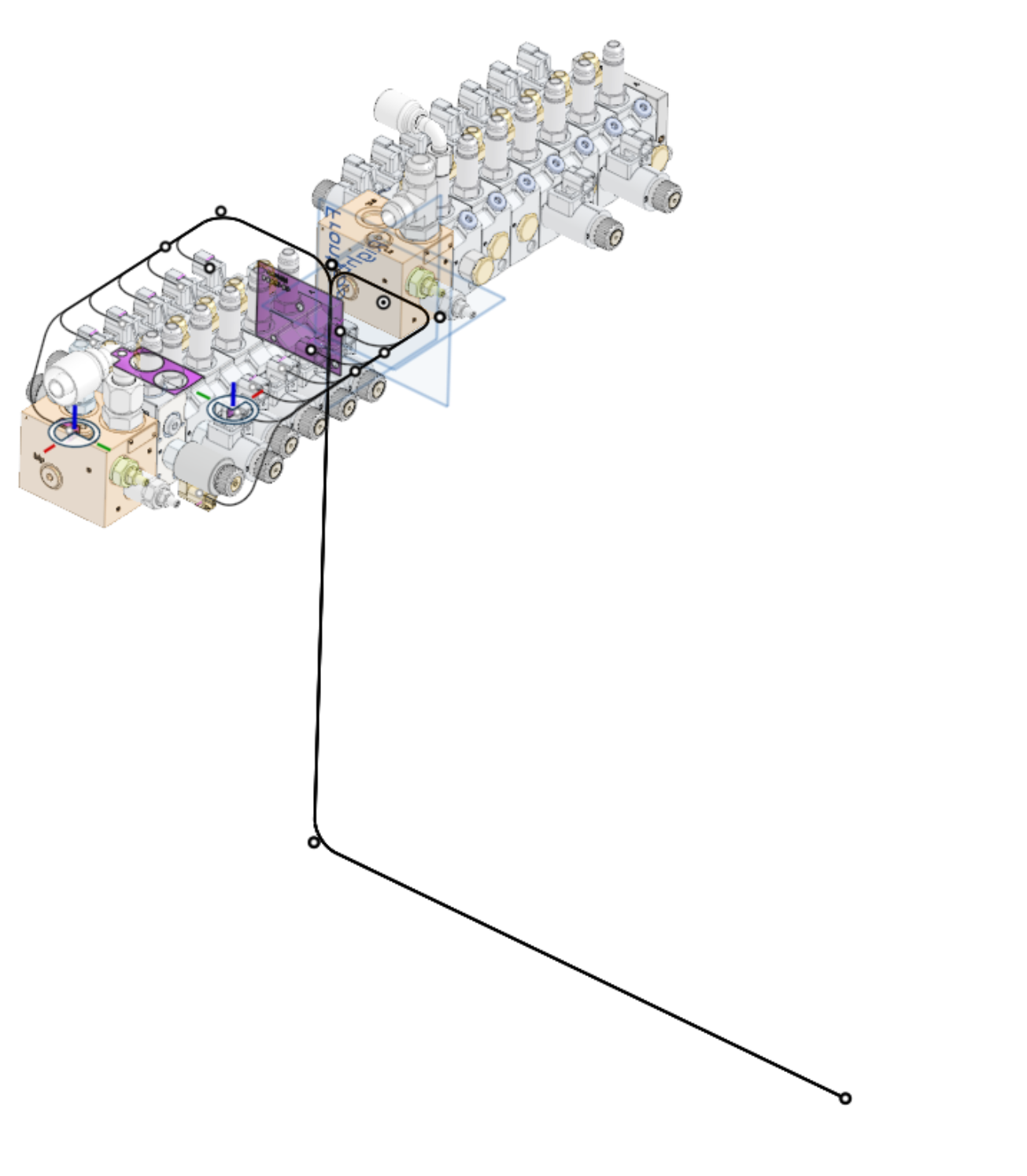
Sweet, but currently useless.
Here is the Routing Created as a Frame Part.
Note the Frame did not capture the defined name of the Curve. This will be another 12 steps to rename every Frame.
Also, See the Length of the Curves in the original creation.
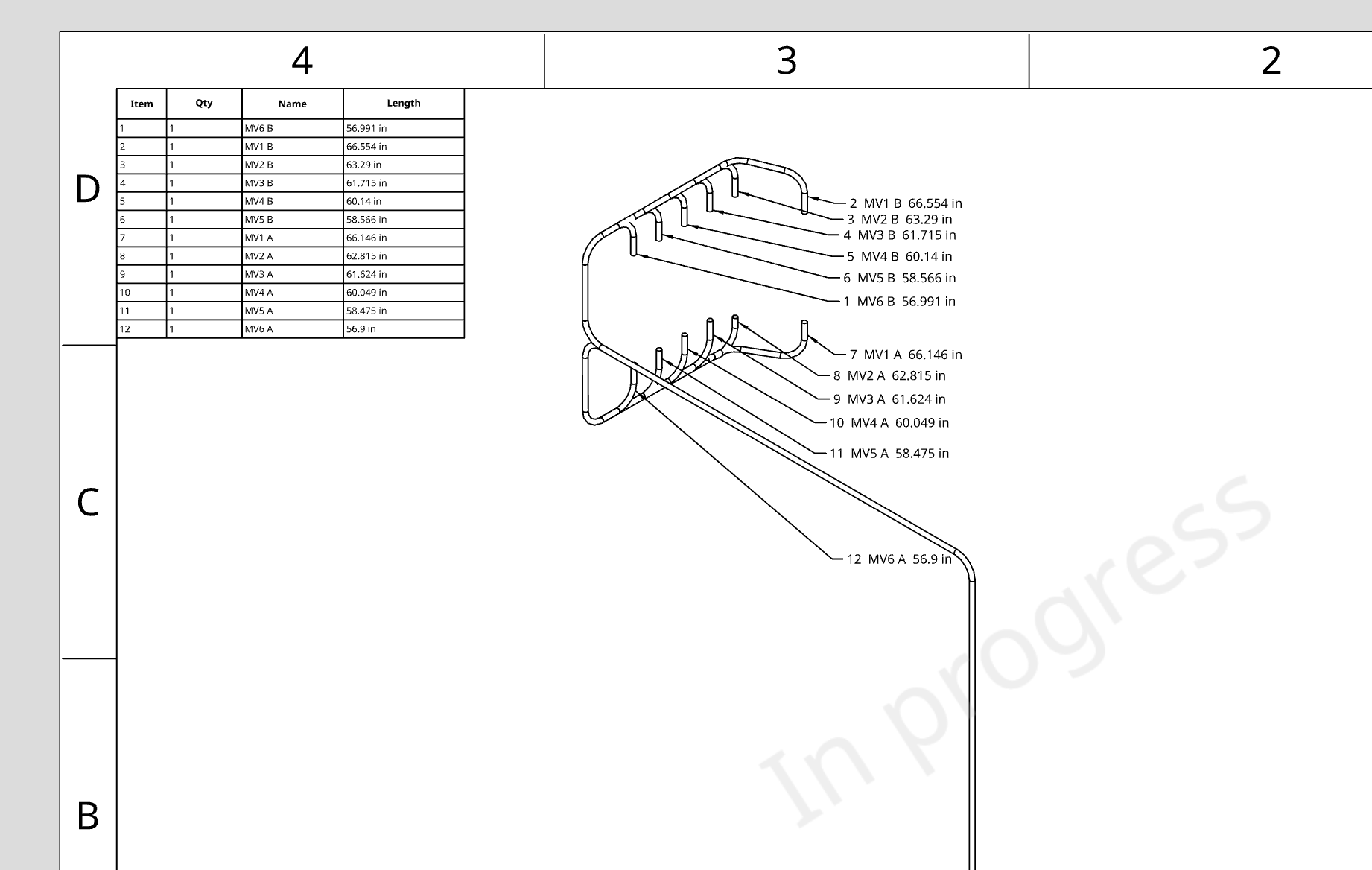
Now all I need is to be able to point to the feature in the drawing with a balloon and provide the Item #, the name of the Curve, and the length.
Next I will create the Frame Table. Is there a better way?
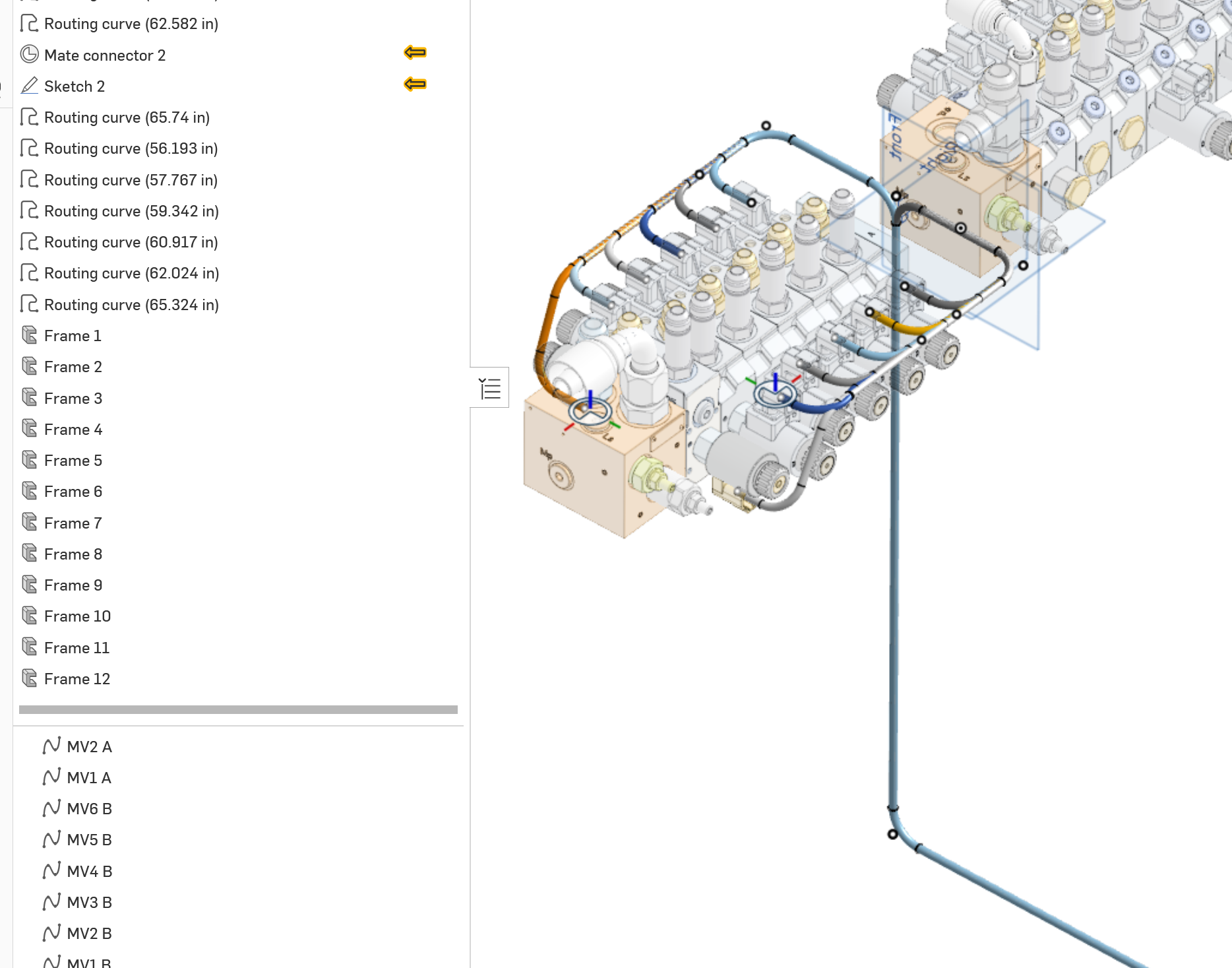
The process of adding ID tags is laborious - 11 motion events - Prone to Errors, which did occur.
And finally a print output.
Answers
-
0
-
0
-
0
-
0
-
I have an old Wire custom feature that is way less full-featured than Neil's outstanding toolset, but it does produce a single table with lengths, which sounds like what you're after.
1 -
I have taken a tentative step into Featurecripting with a lot of help from AI…but here is something that might be useful. I use it to show routing curve lengths in a custom table.
0

