Welcome to the Onshape forum! Ask questions and join in the discussions about everything Onshape.
First time visiting? Here are some places to start:- Looking for a certain topic? Check out the categories filter or use Search (upper right).
- Need support? Ask a question to our Community Support category.
- Please submit support tickets for bugs but you can request improvements in the Product Feedback category.
- Be respectful, on topic and if you see a problem, Flag it.
If you would like to contact our Community Manager personally, feel free to send a private message or an email.
How can I make an embossment that ist cut by the edge of the part?

I have to transfer a sheet metal part from SolidWorks to Onshape.
The part has several embosses, some of them cut by the edge of the part.
In SolidWorks there is no real problem - it adds material beyond the edge when you add the embossment, you cut it off afterwards - problem solved.
SolidWorks:
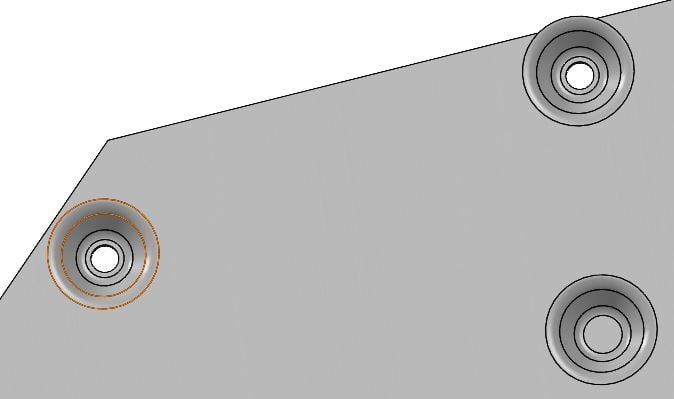
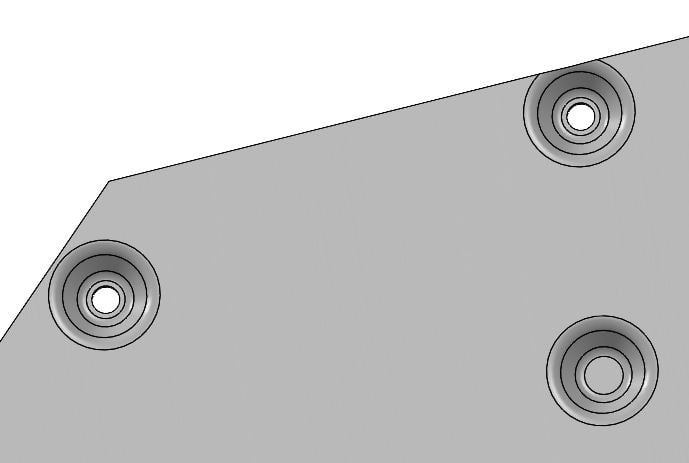
Working with Onshape, no matter what I try, nothing works…
If I try to add the embossment like in the first picture, the embossments that cut the edge aren´t added at all, you get errors shown etc.
If I add material, so that the embosses don´t cut the edge, I can add them, no problem.
But if I cut this material off afterwards, the embosses are removed and are shown as errors, doesn´t work either.
Onshape:
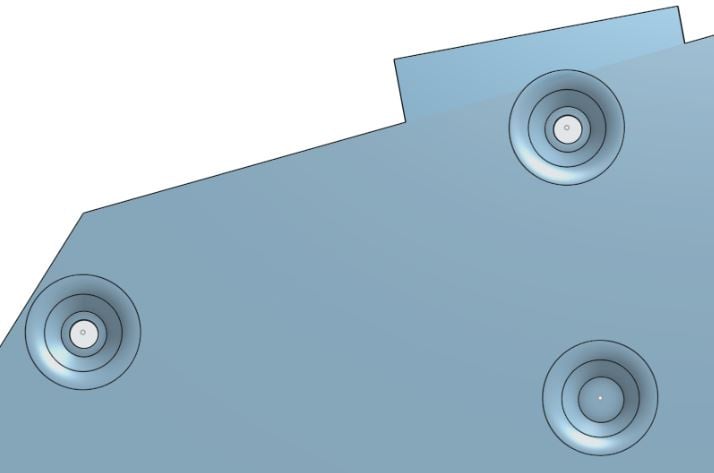
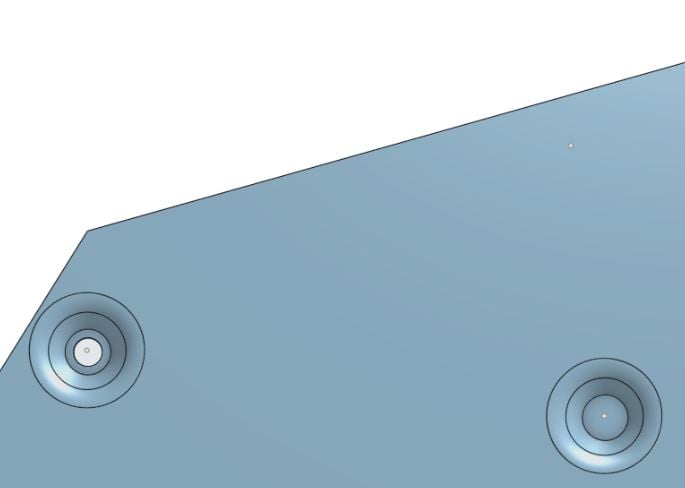
I´m used to having to use workarounds to make things work in Onshape, but this time I don´t know what to try in addition to get a part that looks like it should and leads to a correct flat pattern.
I suppose you can make special embosses only for this part or something like that, but that can´t be a serious solution, wasting too much time.
Can anyone help?
Answers
-
I believe this is a hard limitation with the tool registration functions in the engine that disallow form features to extend past the sheet boundaries of a given sheet metal surface body. I've experimented with trying to modify the form tool to work on non-planar faces and across bends but all of these attempts were unsuccessful. @lana would know best though.
0 -
That is indeed a current limitation of sheet metal Form feature . You can remove the extra material after Finish sheet metal - then it is all baked into 3d, but it will remain in flat pattern.
0

