Welcome to the Onshape forum! Ask questions and join in the discussions about everything Onshape.
First time visiting? Here are some places to start:- Looking for a certain topic? Check out the categories filter or use Search (upper right).
- Need support? Ask a question to our Community Support category.
- Please submit support tickets for bugs but you can request improvements in the Product Feedback category.
- Be respectful, on topic and if you see a problem, Flag it.
If you would like to contact our Community Manager personally, feel free to send a private message or an email.
unwrap or flatten a 3d curve to use in a sketch

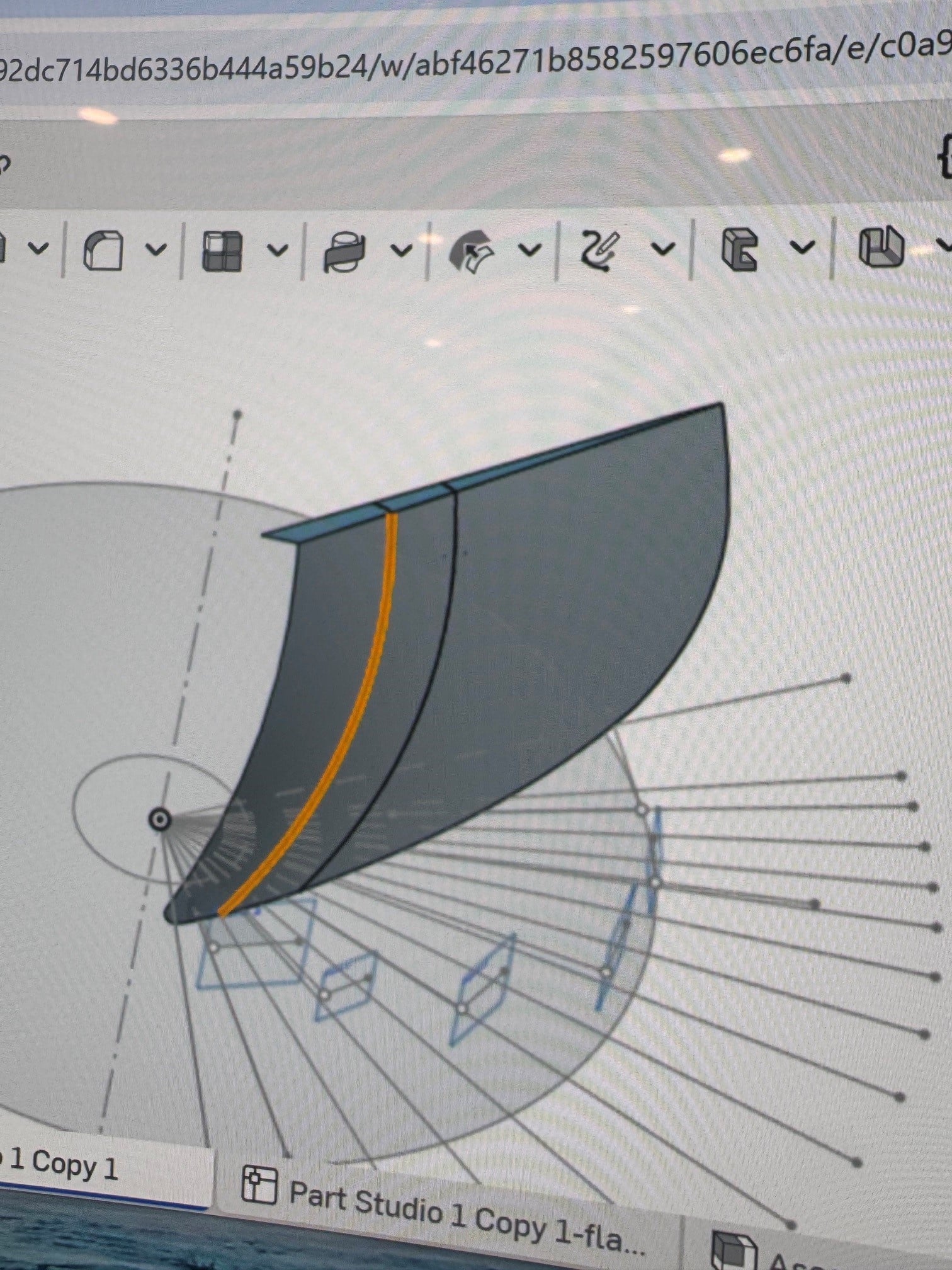
I am trying to take the edge of a surface, happens to be one propeller blade surface (pressure face) that i have split at a certain radius. I need to use the flattened curve…or profile of that surface in a sketch to create the profile of the 2nd blade surface (suction face) at that radius the then wrap back onto the radius cylinder i used to split the blade. The wrap feature will allow me to wrap my finished blade profile correctly, but i need geometry from the flattened curve/edge to draw my blade profile which i cannot seem to get. any help will be appreciated.
Answers
-
I'm not sure I completely follow what you're trying to do without some images or a shared public document, but there's a flatten command available. It's not where you might expect, because it doesn't work parametrically like most things in Onshape. It might give you what you need.
Simon Gatrall | Product Development, Engineering, Design, Onshape | Ex- IDEO, PCH, Unagi, Carbon | LinkedIn
0 -
there is a flatten command for a surface. im trying to flatten a curve ill have to see how to upload pics
0 -
If you split the surface with your curve, you can flatten that, and then you'll get an output which is all triangulated. You can create a curve through the points.
Simon Gatrall | Product Development, Engineering, Design, Onshape | Ex- IDEO, PCH, Unagi, Carbon | LinkedIn
0 -
Thanks, but i created the curve by splitting the surface. im not interested in flattening the face surface i want to flatten or unwrap the curve on the edge of the surface so that i can draw on a sketch that is basically perpendicular to the face. This would give me a change to draw the wedge profile with the blade thickness i want a various points along the curve.
0 -
I might not have grasped the full story from your picture alone, still I have the impression that you'd be better off creating flat sketches of your local airfoils first (suction as well as pressure side in each sketch) and then wrap them around cylindrical surfaces created at their corresponding radius. That would be well within possibilities of the tools available and a straightforward clean workflow. Sample:
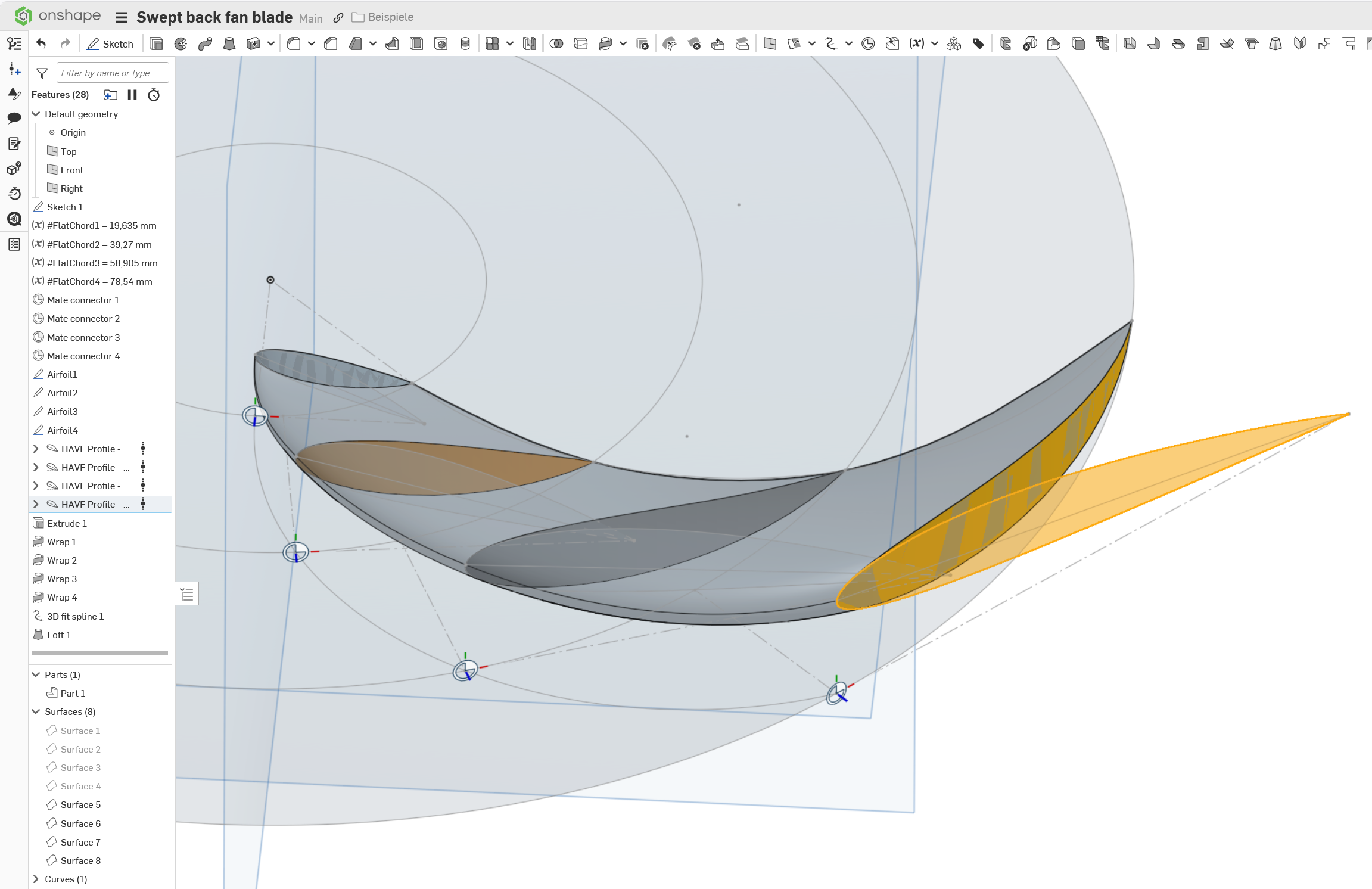
For now it appears you are going back and forth trying trying to shoot your foot through your chest from the back.
Maybe a public link to sample document could help.
2 -
no you are exactly correct except i need the geometry from the current surface at a certain diameter from center to create other side of that airfoil shape or wedge shape in my case. Im using an excel spreadsheet to create a progressive pitch helical shape curve at the hub and tip, then lofting a surface between them. then splitting that surface at various diameters where i want my foil sections to be. the shape of the 2nd surface is based on various thickness off the 1 surface. maybe im stuck in my thinking idk. The wrap feature works perfectly for the 2nd have of that work flow, i just really need an unwrap feature of that curve
0 -
Okay, so that warped surface which apparently represents the chords of all possible airfoils of the blade is your staring point. No problem here, it is just a variation of my sample. Then it comes down to one question: How did you create the first (current) side of your airfoil? You must have created it at some point, haven't you? Maybe in a sketch? In that case that is the time, when you should also have created the other (upper) part of the airfoil. You could then just integrate it in the workflow you already have.
In Onshape, you can fortunately travel back in time to any point in the past by just pushing the rollback bar upwards, correct things, and travel back to the future, so you don't need to start from scratch.
It is still hard to reverse engineer the workflow without a document, though.
0

