Welcome to the Onshape forum! Ask questions and join in the discussions about everything Onshape.
First time visiting? Here are some places to start:- Looking for a certain topic? Check out the categories filter or use Search (upper right).
- Need support? Ask a question to our Community Support category.
- Please submit support tickets for bugs but you can request improvements in the Product Feedback category.
- Be respectful, on topic and if you see a problem, Flag it.
If you would like to contact our Community Manager personally, feel free to send a private message or an email.
How do I make tabs for a piece that needs to be split?

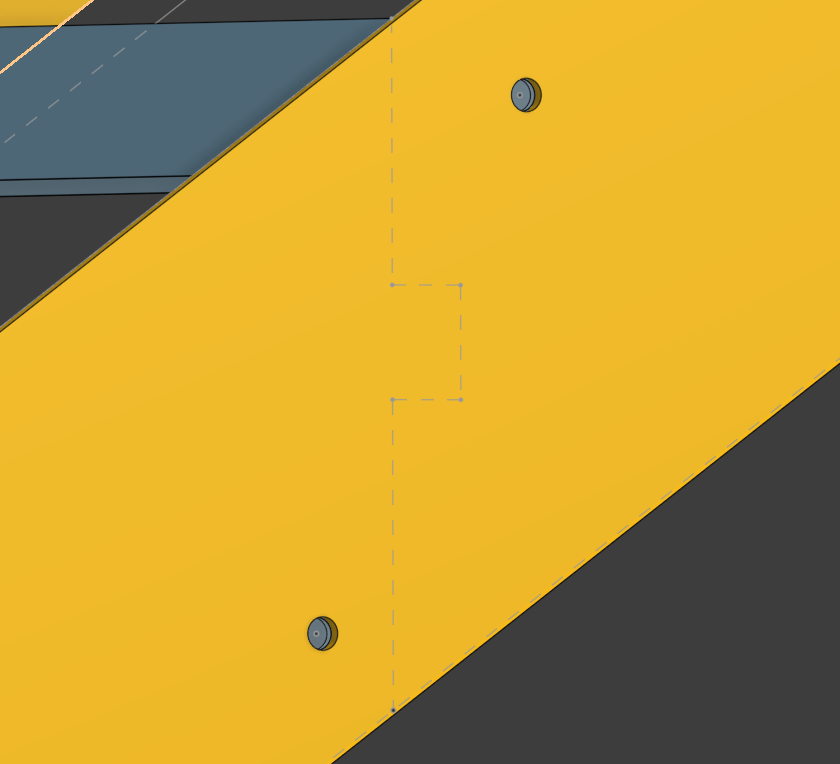
I need to make a piece for a staircase I'm working on split but have a tab in it so that it assembles perfectly once it comes back from the plasma cutter. How do I go about splitting an already extruded part like a puzzle piece to do that. I am familiar with splitting a part via a plane but that gives me a flat surface for the split, am I missing something easy or do I just need to make it into two parts and extrude them separately?
Below is the exact shape I want to achieve on the part I'm working with. I'm also new to this so please be clear with your answers, and thank you for your patience in advance.
Answers
-
There are tools and feature scripts to make tabs. I also have a 'wavy' tab surface object I just import into my models and use a split or boolean to separate in two parts. You could split by a sketch, too. There are many ways.
0 -
You can split many other ways than with a plane. You can draw a line and use that to extrude a surface and use that surface to split. It actually works really well when you want to split in an irregular shape. If you leave "Keep tools" unchecked, the surface will automatically be deleted when the split is done.
0
