Welcome to the Onshape forum! Ask questions and join in the discussions about everything Onshape.
First time visiting? Here are some places to start:- Looking for a certain topic? Check out the categories filter or use Search (upper right).
- Need support? Ask a question to our Community Support category.
- Please submit support tickets for bugs but you can request improvements in the Product Feedback category.
- Be respectful, on topic and if you see a problem, Flag it.
If you would like to contact our Community Manager personally, feel free to send a private message or an email.
Project Appears to be Missing

I was working on a project of mine yesterday, and I went to duplicate multiple extrusions on one of my sketches and onshaped crashed for me. Today I logged in and all the features appear on the left hand side, but my actual project appears to be missing. Any advice on what to do?
Answers
-
It sounds like Onshape crashed because model had too many features and instances than your computer can handle. While Onshape is a online based CAD software and the demanding rendering is done on their servers, your computer can struggle if it needs to load complex model graphics. If the features appear on the left hand side without any errors and you cannot interact with the camera view, then the graphics are still loading (the graphics can take longer to load than the features). If you can move the camera and interact with the features and the model still shows up try to see if the model got deleted or hidden in some way.
2 -
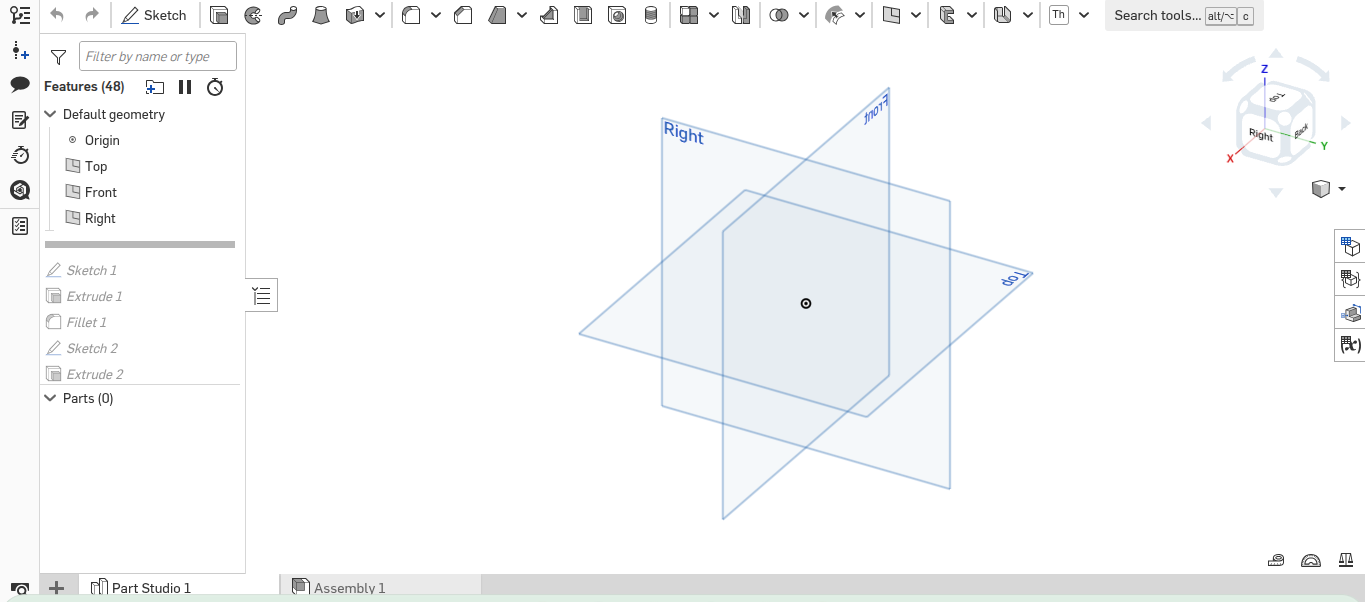
This is all that shows up whenever I open up my program now. Initially before it crashed , the program spent a while attempting to load the graphics after I did multiple copy and paste extrusions. If there's any another advice you have, I would greatly appreciate it.
0 -
Do you have a link to your document? Someone else trying to open it would help to eliminate local issues. Could it be your copy-paste actions created a loop of doom that runs or reloads forever? In that case: Could you go back one version in the history tree?
0 -
@S1mon,
Isn't this a feature added fairly recently where if a document doesn't load anymore (after adding a feature that times out), it will try to roll back in order to load (as opposed to requiring the user to "restore" manually, or open a version)?
I would hope there would be some sort of warning/message letting the user know this happened though, otherwise I might be a bit confused to see a model rolled back to the start if I didn't leave it that way…0 -
@eric_pesty those recovery options are offered to the user, but he has to choose one in order for something to happen.
1




