Welcome to the Onshape forum! Ask questions and join in the discussions about everything Onshape.
First time visiting? Here are some places to start:- Looking for a certain topic? Check out the categories filter or use Search (upper right).
- Need support? Ask a question to our Community Support category.
- Please submit support tickets for bugs but you can request improvements in the Product Feedback category.
- Be respectful, on topic and if you see a problem, Flag it.
If you would like to contact our Community Manager personally, feel free to send a private message or an email.
help

I am trying to model something like this but I can't figure it out:
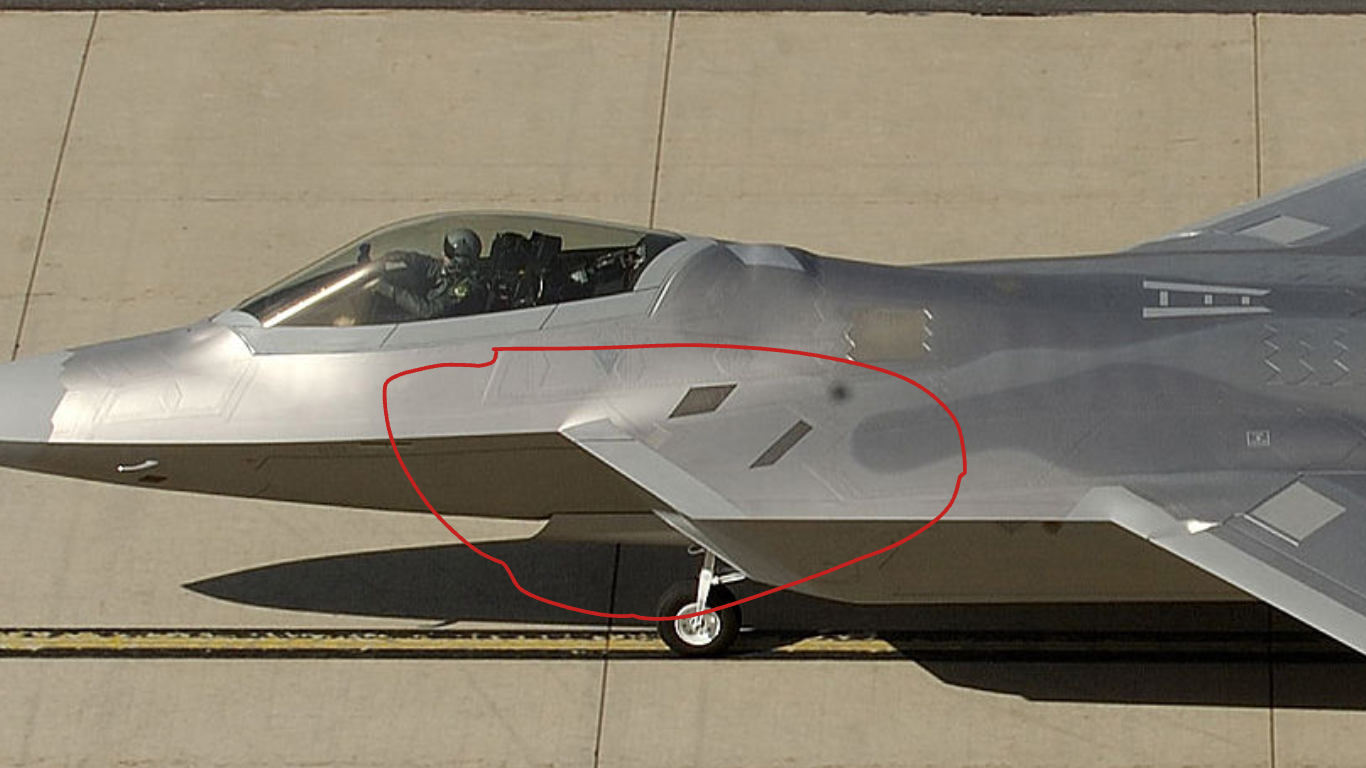
Here is my current model with my failed attempt to do this:
https://cad.onshape.com/documents/2c723e3e98b11c5789768dc4/w/98990b8a08bc3ba7b4cb7d14/e/6b02c8a2f24e869c42c1aac8?renderMode=0&tangentEdgeStyle=2&uiState=6a982e4047df4d50aba6d446
Best Answers
-
The tricky part here is how to blend the ridge and the inner corner of te intake edge into the rear fuselage. You slapped two volumes together at a hard plane which is actually not existing in the original shape.
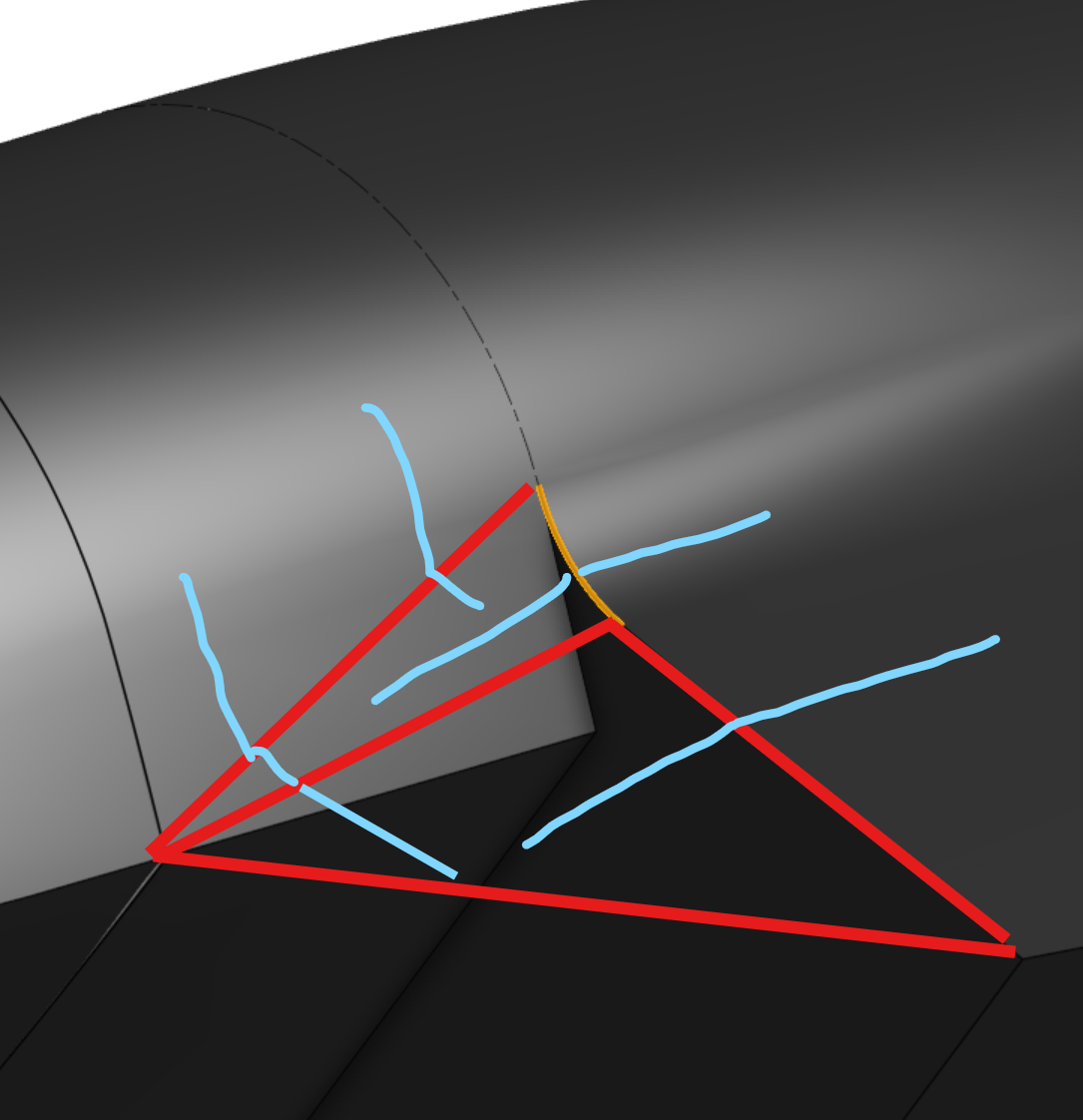
This will create edges you can't properly handle regarding tangency. I'd try creating two generously intersecting volumes for front and rear fuselage first, or rather go the surface modeling way right from the beginning. This shape 'lives' on the edges, they are almost like a parting line, so it might be a good approach to create all of these first, then add the cross sections and side view shape, all as curves, then skin the frame.
And build only the left side, mirror when everything's done: That'll save you a ton of work.
2 -
What I wanted to say is that you'd probaly need to find the contours that really define the shape, and you might find yourself with someting that goes along these lines:
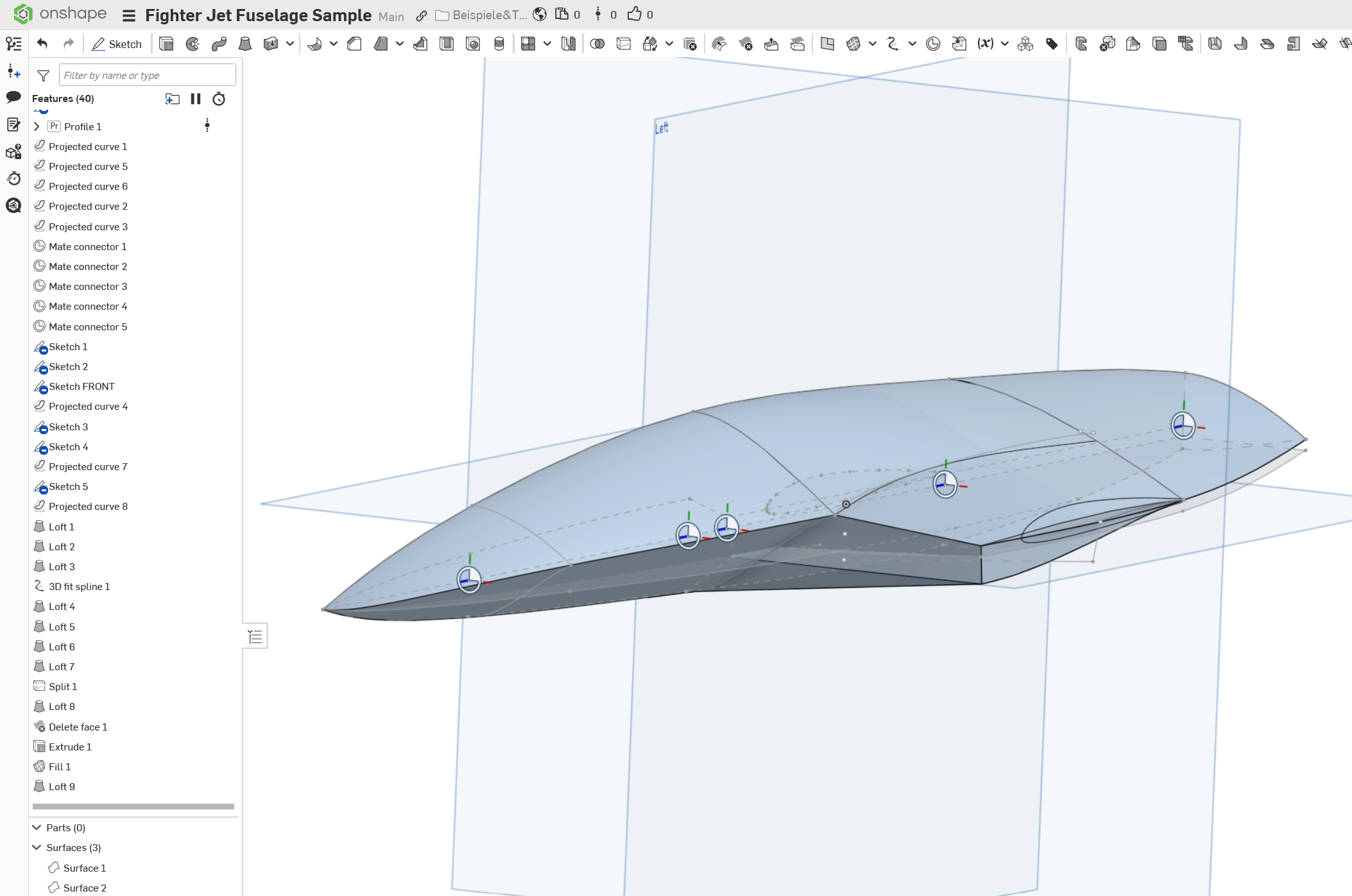
It is just a dirty hack, I don't have the time to detail it, but the idea is to create correlating sketches from different views, project 3D curves from these sketches and then create a skin on the 3D curves.
1

Answers
-
The tricky part here is how to blend the ridge and the inner corner of te intake edge into the rear fuselage. You slapped two volumes together at a hard plane which is actually not existing in the original shape.
This will create edges you can't properly handle regarding tangency. I'd try creating two generously intersecting volumes for front and rear fuselage first, or rather go the surface modeling way right from the beginning. This shape 'lives' on the edges, they are almost like a parting line, so it might be a good approach to create all of these first, then add the cross sections and side view shape, all as curves, then skin the frame.
And build only the left side, mirror when everything's done: That'll save you a ton of work.
2 -
uhhh, do you mind dumbing this down for me? also I just realized that link sharing doesn't allow copying so I fixed that.
0 -
What I wanted to say is that you'd probaly need to find the contours that really define the shape, and you might find yourself with someting that goes along these lines:
It is just a dirty hack, I don't have the time to detail it, but the idea is to create correlating sketches from different views, project 3D curves from these sketches and then create a skin on the 3D curves.
1