Welcome to the Onshape forum! Ask questions and join in the discussions about everything Onshape.
First time visiting? Here are some places to start:- Looking for a certain topic? Check out the categories filter or use Search (upper right).
- Need support? Ask a question to our Community Support category.
- Please submit support tickets for bugs but you can request improvements in the Product Feedback category.
- Be respectful, on topic and if you see a problem, Flag it.
If you would like to contact our Community Manager personally, feel free to send a private message or an email.
I'm struggling to create the bends

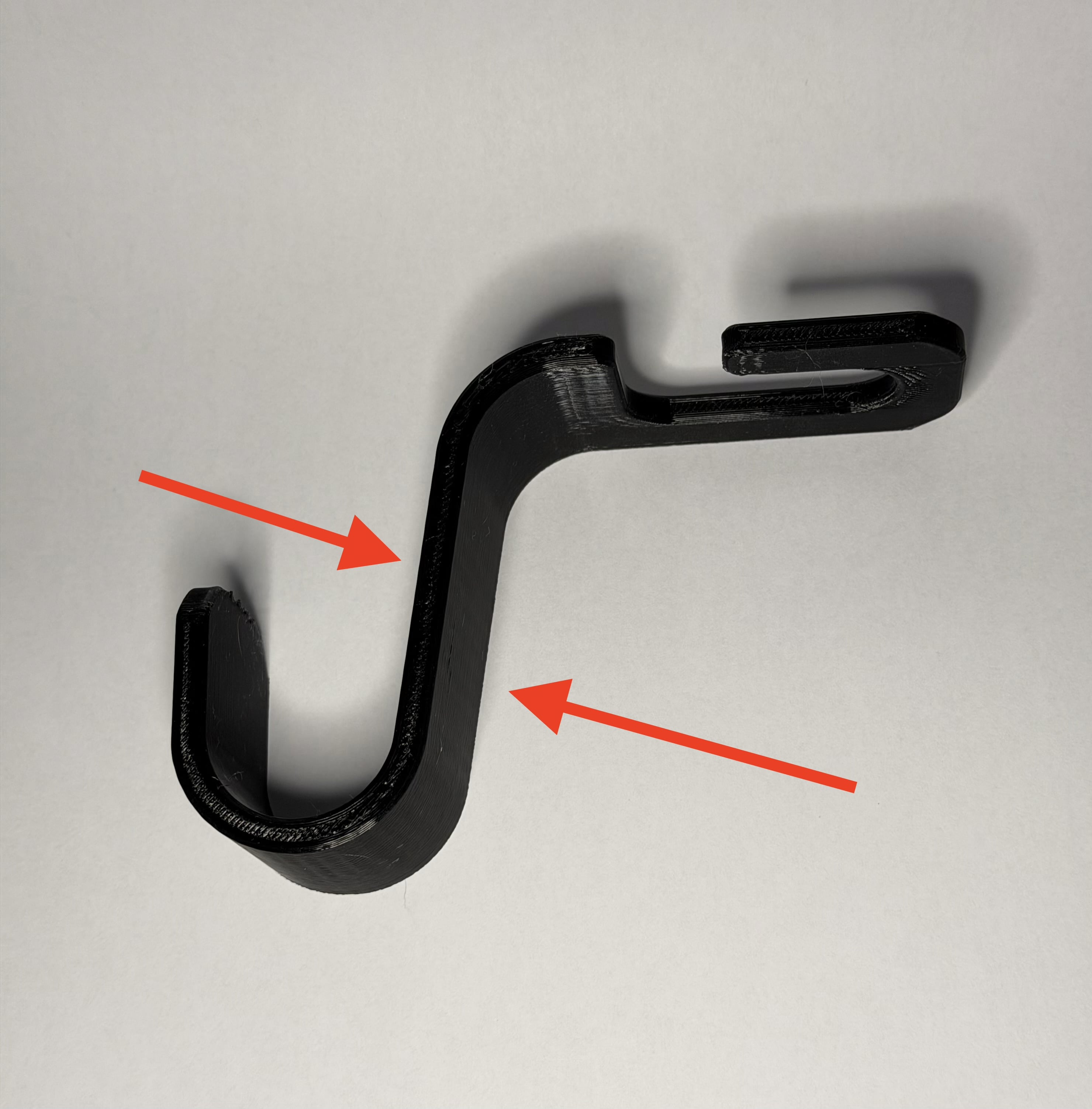
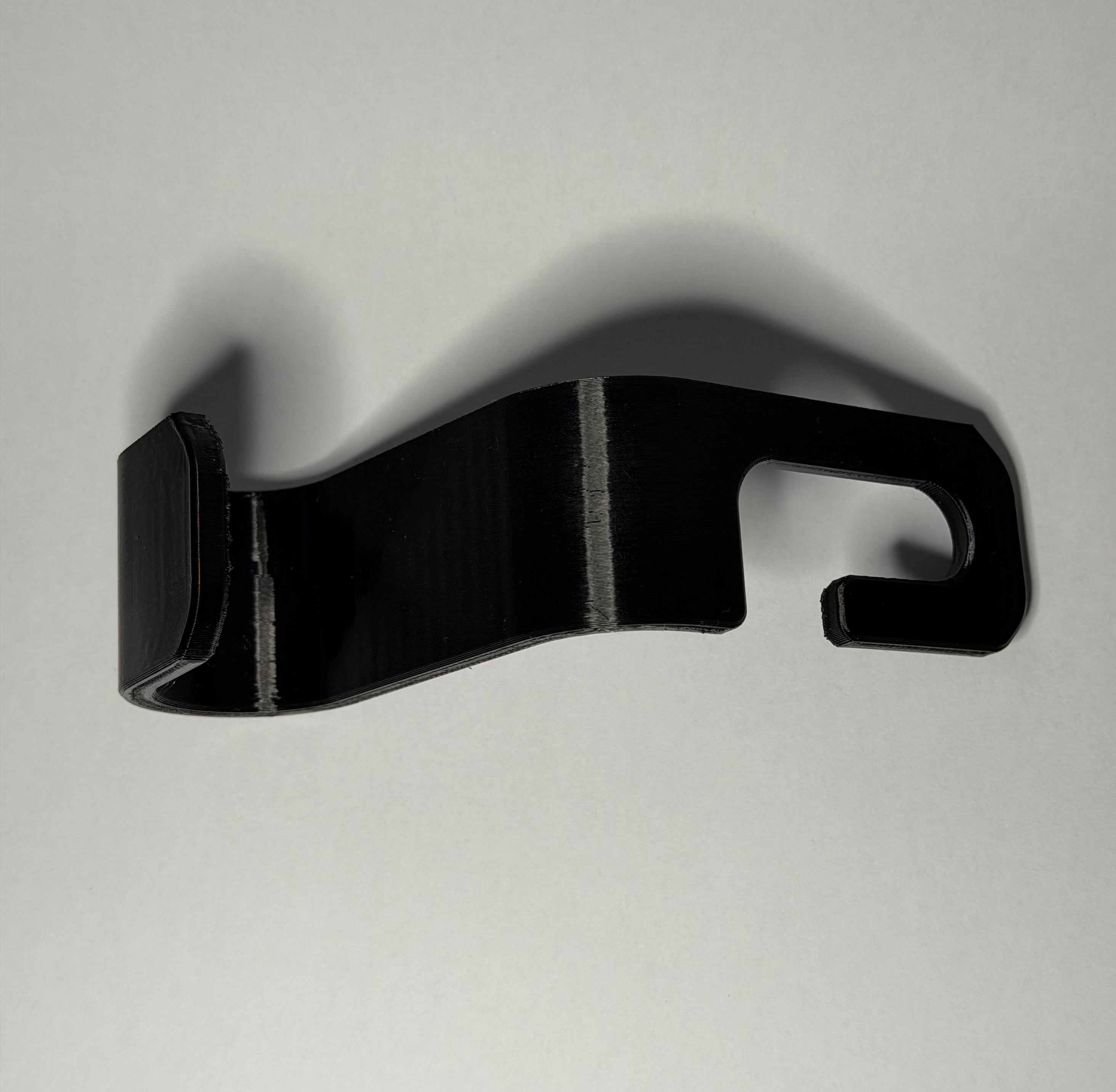
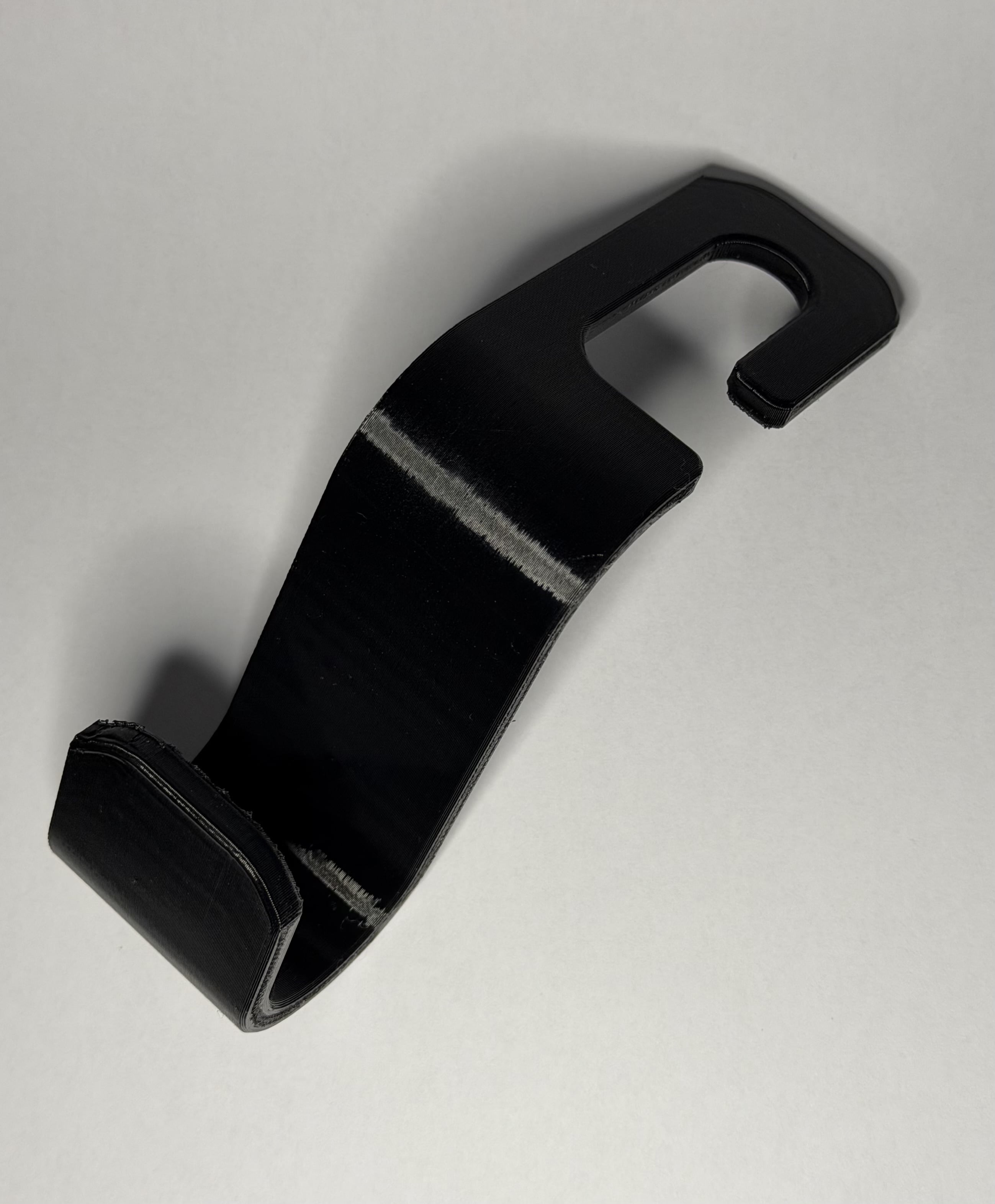
Hi All, I'm trying to copy the piece in the images below. It is not my design but with some adaptation it will do what I need it to do. I have tried importing the file as both a .stl and a .step file without any luck at all. So I've resorted to trying to replicate it but cannot get beyond the initial laying out of there 'bar' that I'm after 'bending'. I've spent all afternoon watching YT for help but got none, after trying lots of different things.
All I need to do is lengthen the section pointed to by the arrows.
The piece is 5mm thick and around 35mm wide
If any one could help with this I would be grateful.
Thank you
Best Answer
-
Not enough info to design the part, but here is one way; there are many other ways, too.
https://cad.onshape.com/documents/8dc54e9eb0cafa6e5cbedfba/w/c882cac8d9381d36c81083a5/e/e3879cec283de8a8451c3997
0

Answers
-
Not enough info to design the part, but here is one way; there are many other ways, too.
https://cad.onshape.com/documents/8dc54e9eb0cafa6e5cbedfba/w/c882cac8d9381d36c81083a5/e/e3879cec283de8a8451c3997
0 -
That bend is a simple arc. The shape you're making is basically a J with an extension at the top. You can draw this with lines and an arc and make the line at the position you want it extended as long as you'd like.
You may find it beneficial to go through the tutorials at to gain an understanding of how sketching works.
0 -
@wayne_sauder So many thanks for this, I used it to put in the exact dimensions I need, a tweak here and a tweak there I now have what I was trying for. Thank you again Wayne.
I will now follow what @ken_white566 suggested with the learning centre to be able to do more. Thank you Ken.
1