Welcome to the Onshape forum! Ask questions and join in the discussions about everything Onshape.
First time visiting? Here are some places to start:- Looking for a certain topic? Check out the categories filter or use Search (upper right).
- Need support? Ask a question to our Community Support category.
- Please submit support tickets for bugs but you can request improvements in the Product Feedback category.
- Be respectful, on topic and if you see a problem, Flag it.
If you would like to contact our Community Manager personally, feel free to send a private message or an email.
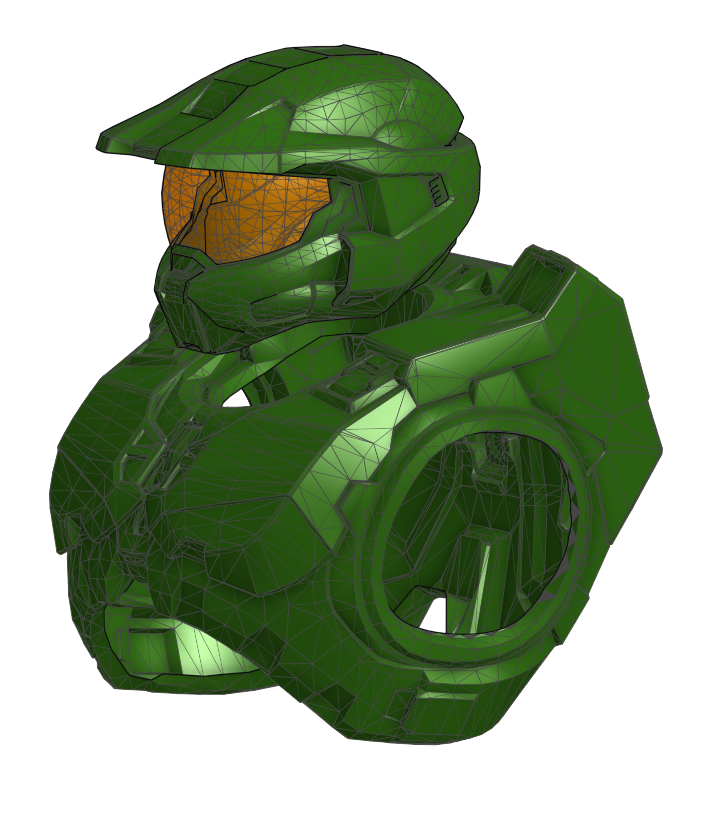
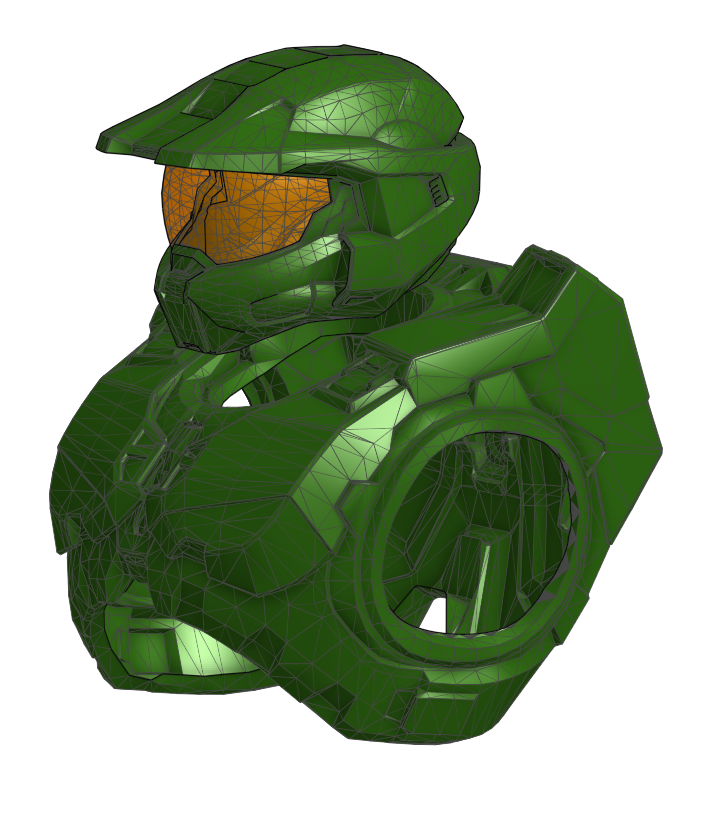
Need help converting imported mesh parts (Master Chief armor) from Surface to Part/Solid for Hallowe

Hi everyone!I am working on a Master Chief cosplay costume for Halloween, and time is
ticking!
I have imported a 3D model into Onshape, but everything came in as a mesh. Right now, I need to convert specific sections from Surfaces into actual Parts (Solids) so I can edit them and get them ready for manufacturing/printing.The specific parts I am struggling with are:
- Chest plate (listed as Surface 10)
- Helmet (listed as Surface 8)
- Visor (listed as Surface 4)
Since these are complex mesh surfaces, what is the best and fastest workflow in Onshape to turn these specific mesh surfaces into closed, solid parts?Any tips, features, or Custom Features (like Fill, Thicken, or mesh tools) you recommend would be a lifesaver. Thank you so much in advance!
Answers
-
-
-
Onshape is not great for this. There are tutorials on fill and Thicken but it's going to be slow to find all the self intersecting or open areas of the meshes. you might consider other tools first: meshmixer or I believe the prusa slicer also has some tools for fixing meshes.
0