Welcome to the Onshape forum! Ask questions and join in the discussions about everything Onshape.
First time visiting? Here are some places to start:- Looking for a certain topic? Check out the categories filter or use Search (upper right).
- Need support? Ask a question to our Community Support category.
- Please submit support tickets for bugs but you can request improvements in the Product Feedback category.
- Be respectful, on topic and if you see a problem, Flag it.
If you would like to contact our Community Manager personally, feel free to send a private message or an email.
fillet with > 1 nonoverlapping edges failing

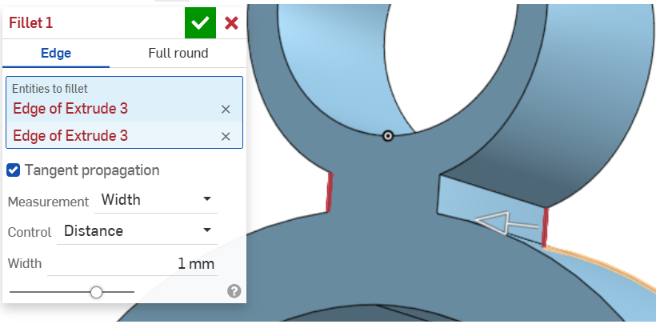
I have a Part Studio containing a single solid. When I attempt to add fillets only one edge can be filleted per step in the Feature list. In a single step when I click on an edge it turns yellow. When I click on any other edge they both turn red (figs 3 and 4). Figure 5 shows edges that are on opposite sides of the extrusion. However I can complete all the filleting I need by tediously making a separate feature in the list for each individual edge. Attempting to fillet a face fails. See images below.
I believe there is something about the sketch that is causing the issue but I redrew the sketch from scratch and the problem did not go away. The sketch does have two arcs, two splines and two reflects if that matters.
Fig 1
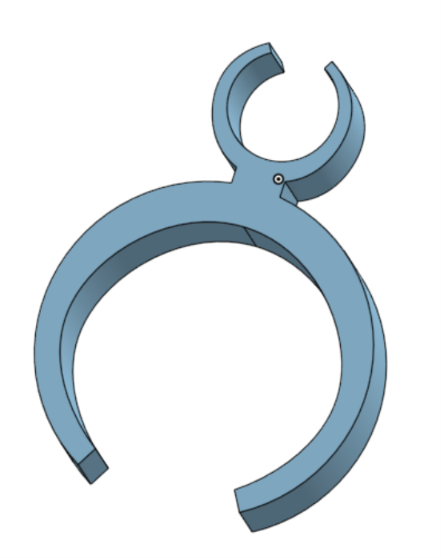
Fig 2
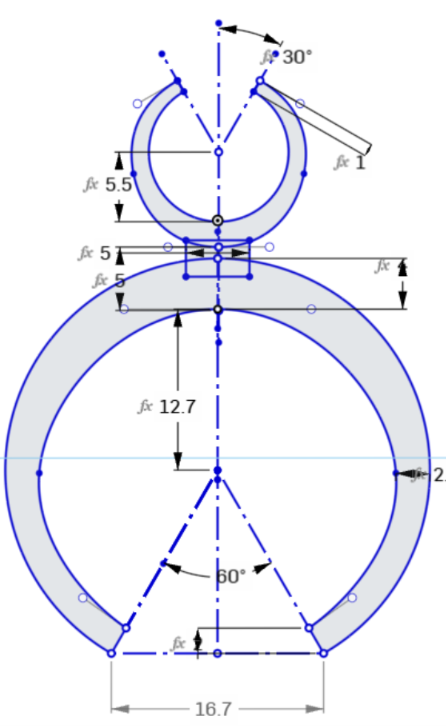
Fig 3
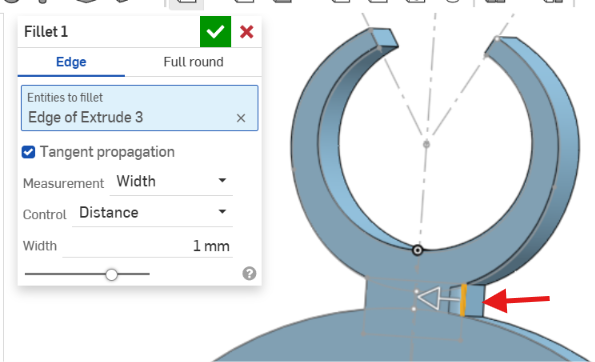
Fig 4
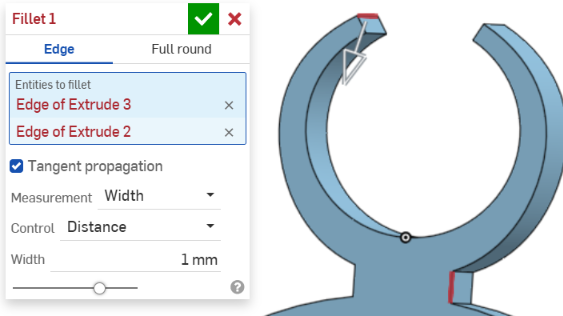
Fig 5
Best Answer
-
There should be a warning about this but you are using "width" for the "measurement" method, which doesn't support multiple chains of edges.
Switch that to "Radius" instead
2

Answers
-
There should be a warning about this but you are using "width" for the "measurement" method, which doesn't support multiple chains of edges.
Switch that to "Radius" instead
2 -
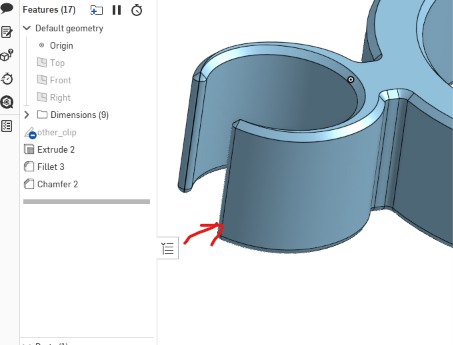
A smaller radius is needed to fit the vertical narrow edges which is why there is over lap that does not work. I just made all fillets and chamfer smaller. You can also use a variable fillet to adjust the the radius as you're selecting and chamfering.
 0
0
