Welcome to the Onshape forum! Ask questions and join in the discussions about everything Onshape.
First time visiting? Here are some places to start:- Looking for a certain topic? Check out the categories filter or use Search (upper right).
- Need support? Ask a question to our Community Support category.
- Please submit support tickets for bugs but you can request improvements in the Product Feedback category.
- Be respectful, on topic and if you see a problem, Flag it.
If you would like to contact our Community Manager personally, feel free to send a private message or an email.
How to export "section view" from assembly to DWG.

Hello
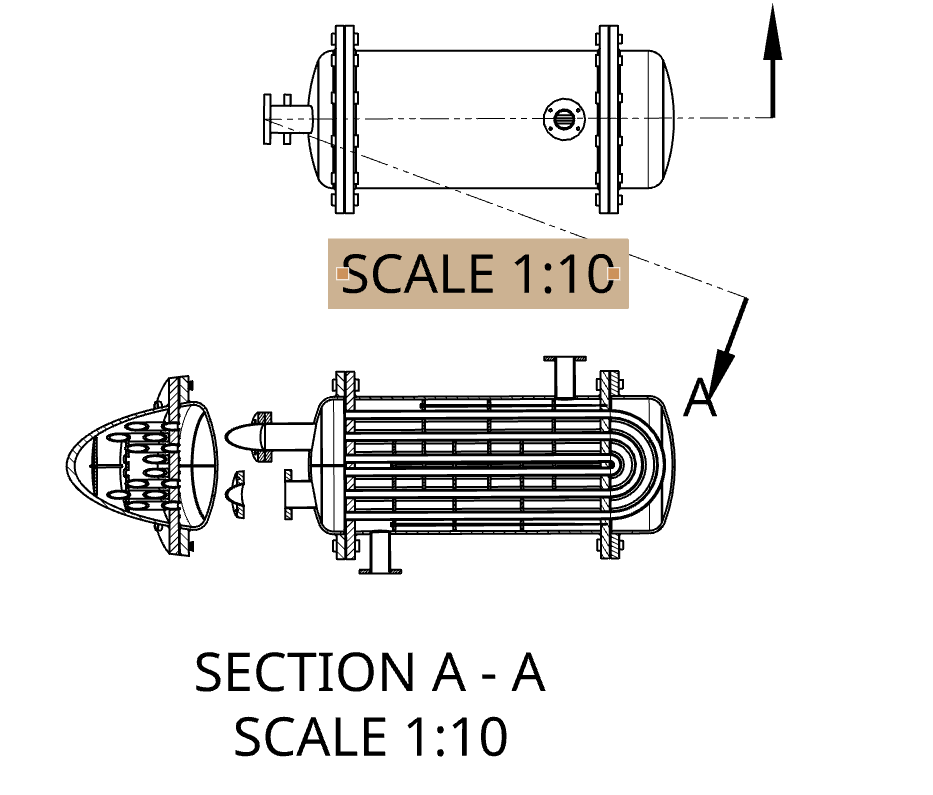
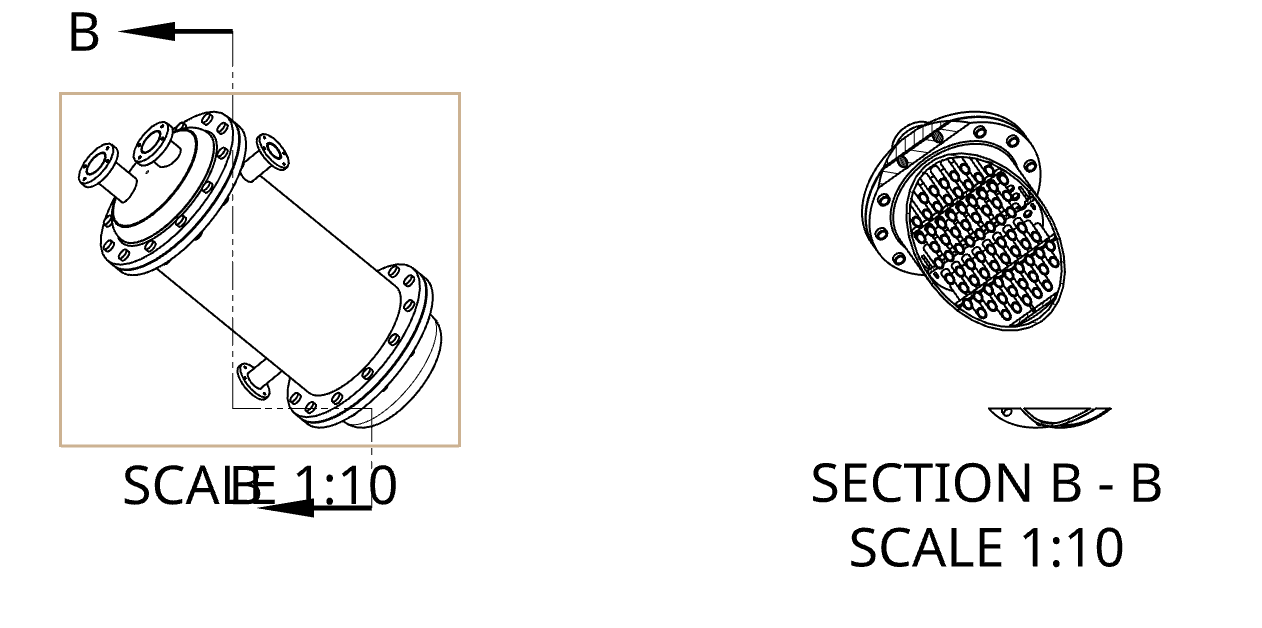
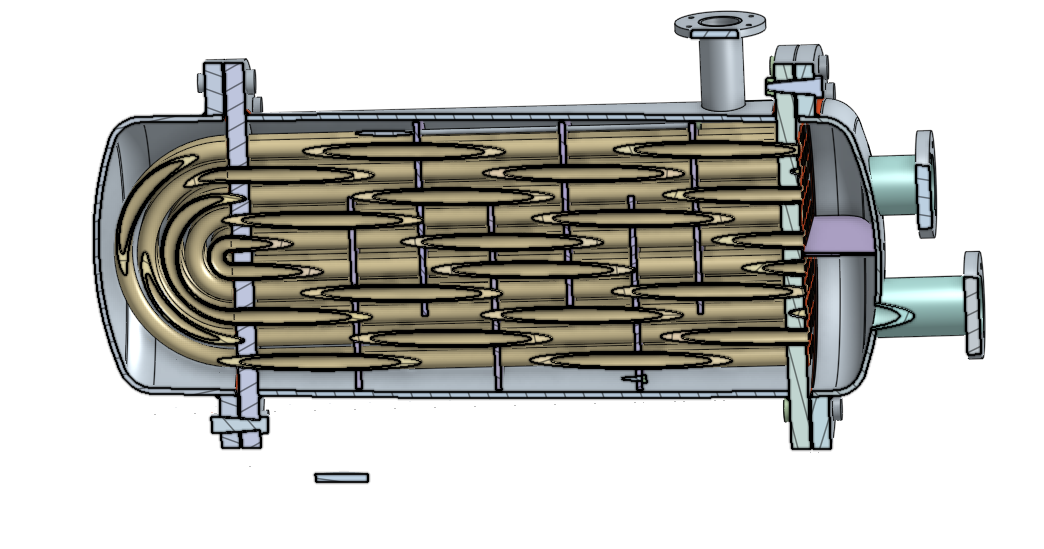
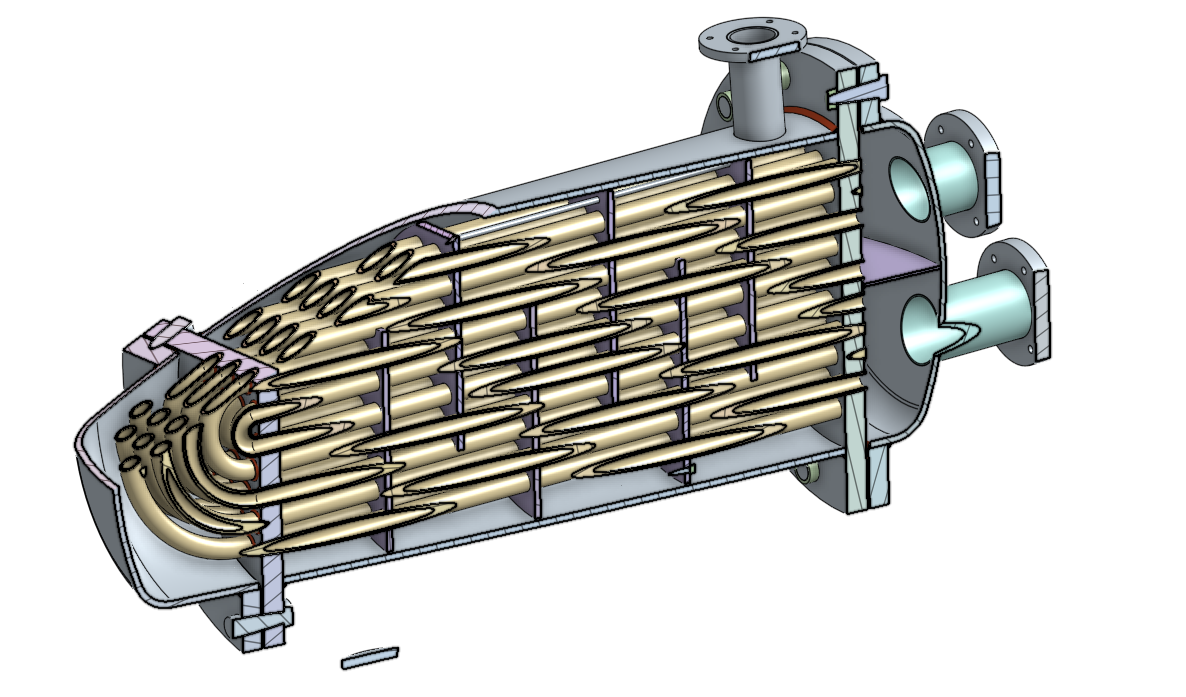
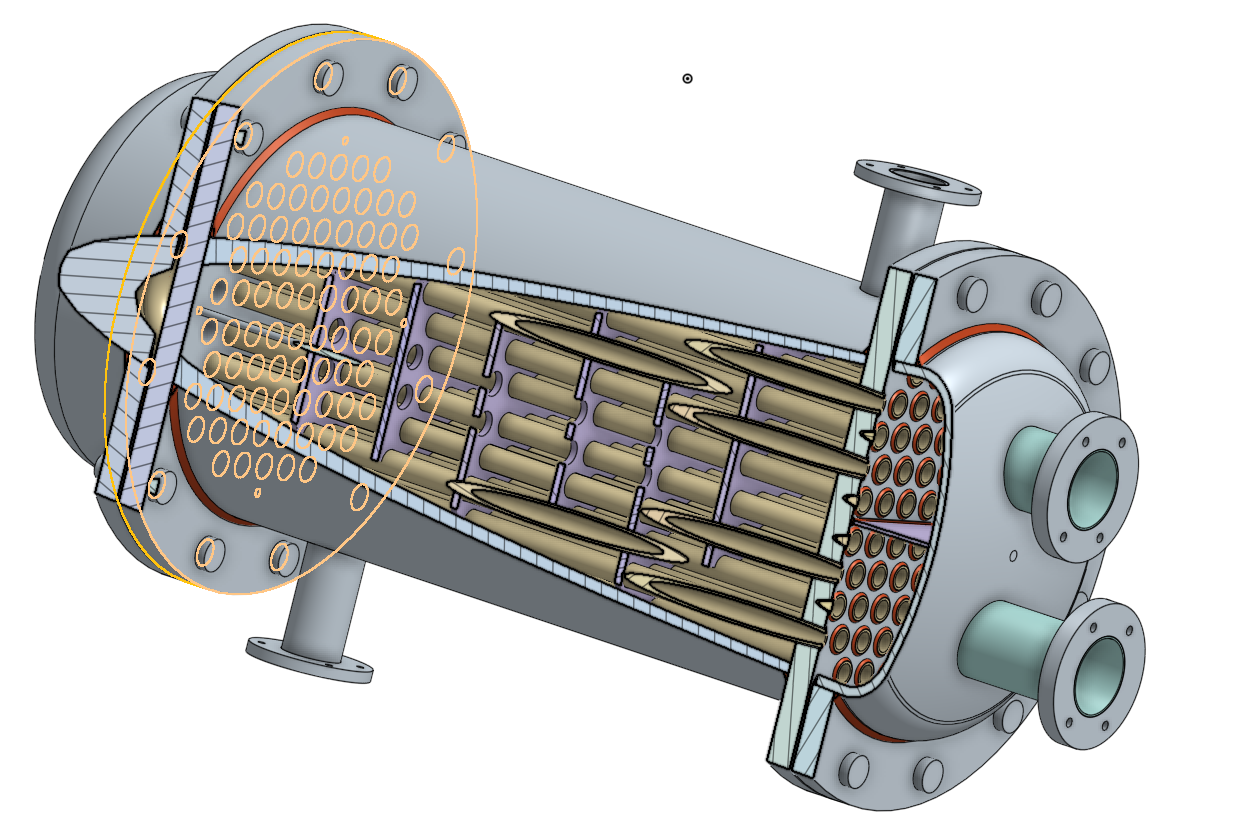
Im a student and I'm work on heat exchanger, shell and tube, water-water. Im finding its hard to make a desired section in Onshape designated drawing mode. I tried recreating views I got by "section view" on the main assembly to drawing mode. I did not manage to do it. I provided pictures for better understanding. My question is Can I somehow Use a view that I got by "section view" tool and export it to DWG dirrectly. Thank you soo much for help and your time.
Answers
-
please help anyone
0 -
Save the section view created in the assembly as a named view.
0
