Welcome to the Onshape forum! Ask questions and join in the discussions about everything Onshape.
First time visiting? Here are some places to start:
- Looking for a certain topic? Check out the categories filter or use Search (upper right).
- Need support? Ask a question to our Community Support category.
- Please submit support tickets for bugs but you can request improvements in the Product Feedback category.
- Be respectful, on topic and if you see a problem, Flag it.
If you would like to contact our Community Manager personally, feel free to send a private message or an email.
How Do You Make A Sphere??????????????????????????????????????????????????????????????????

Give me a screen recording of it.
Answers
-
-
The only thing to sphere is sphere its self
Engineering textbook: https://hwh.stephenteacher.com/txtbook.html3 -
Draw a half circle and revolve it 360 deg. That's the way.
0 -
Draw a circle. Draw a line through the middle of the circle from top to bottom. Finish the sketch. Start the revolve feature. Click on half of the circle as the profile, and select the line as the axis. Voila! You have a sphere.
0 -
Be careful with your question marks! We're each allotted a finite number of them, and when they are gone, you will no longer be able to ask questions on the Internet.
6 -
YOU CAN DO IT LIKE THIS!!!!!!!!!!!!
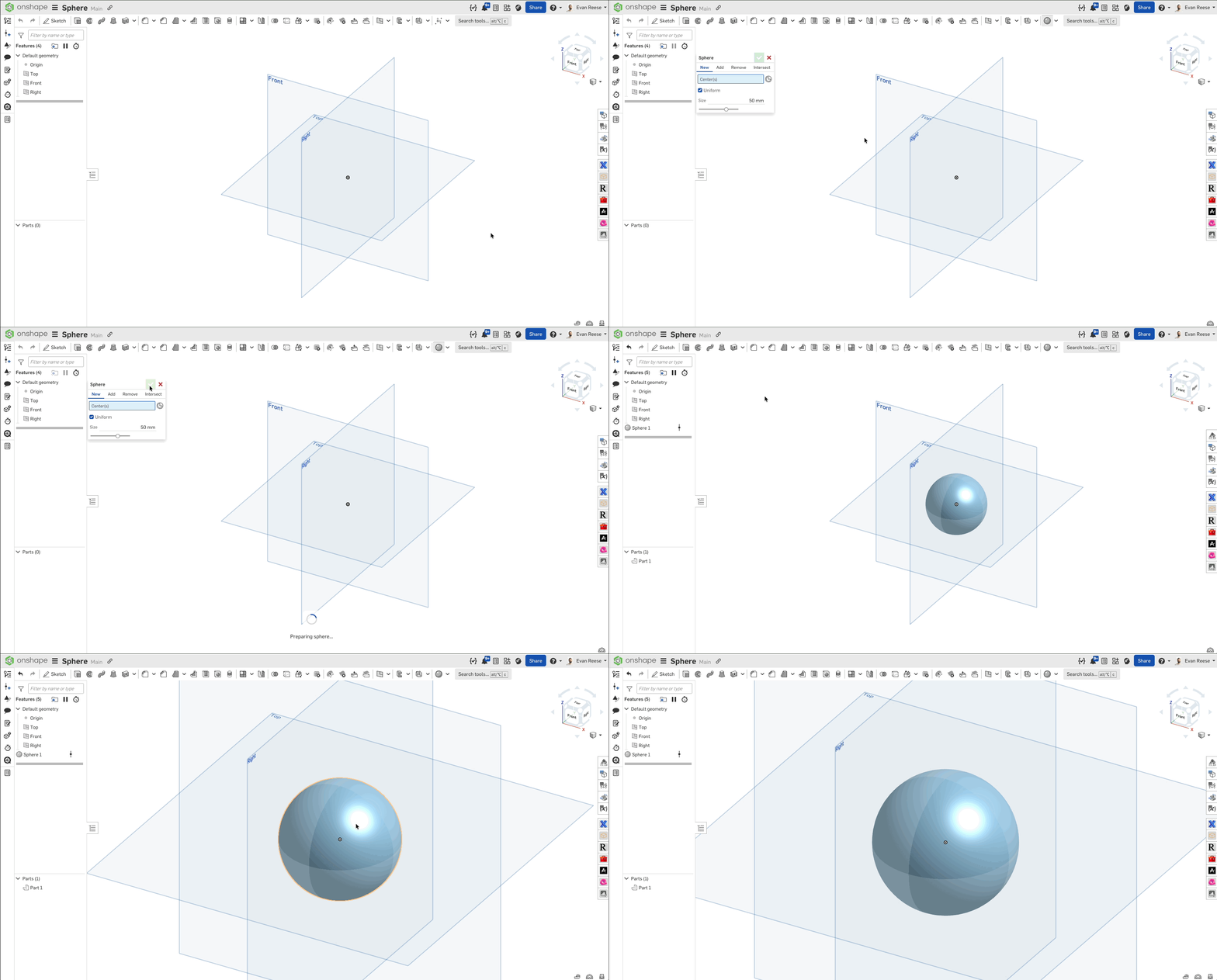
but for real I made a custom feature for this a while back. You can get it here. Others have already covered the more traditional approach with revolve.
1 -
Was gonna say, I just use the Sphere feature to sphere.
0



