Welcome to the Onshape forum! Ask questions and join in the discussions about everything Onshape.
First time visiting? Here are some places to start:
- Looking for a certain topic? Check out the categories filter or use Search (upper right).
- Need support? Ask a question to our Community Support category.
- Please submit support tickets for bugs but you can request improvements in the Product Feedback category.
- Be respectful, on topic and if you see a problem, Flag it.
If you would like to contact our Community Manager personally, feel free to send a private message or an email.
How to fix infinite radius curvature on lofts?

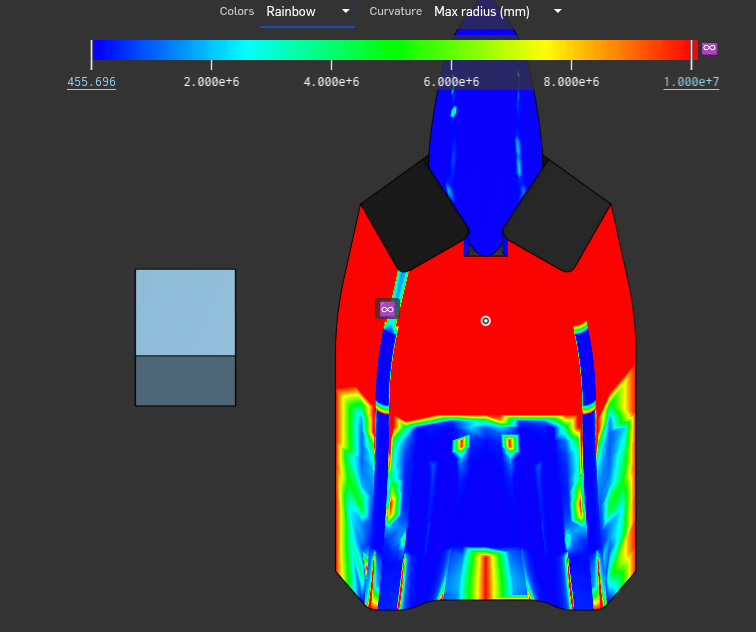
For some reason the face on a loft is shown as having curvature with an infinite radius even though the face should be flat. Is there any way to fix this or is it just a mathematical error that won't cause any other problems?
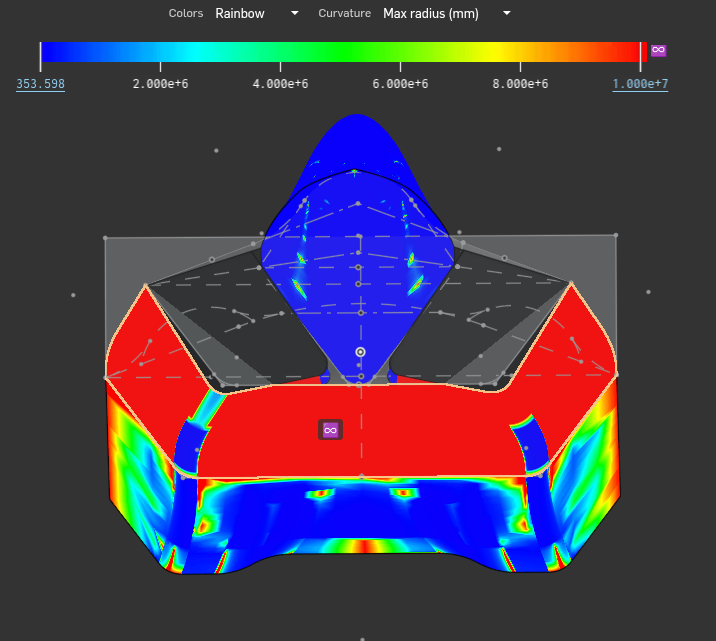
Here is the document if you want to copy it and mess around:
https://cad.onshape.com/documents/2c723e3e98b11c5789768dc4/w/98990b8a08bc3ba7b4cb7d14/e/b5e70575c6ee7c307caf3bfc
Best Answer
-
Curvature with infinite radius means flat. Imagine staring at a circle from its edge with a radius of infinity, it'll look just like a line that goes forever and ever.
1

Answers
-
Curvature with infinite radius means flat. Imagine staring at a circle from its edge with a radius of infinity, it'll look just like a line that goes forever and ever.
1 -
Parasolid (the 3d kernel Onshape runs on), does some things to recognize planar surfaces, so I imagine those get filtered out. To see if it's being seen that way by Onshape, try right clicking it and sketching on it. If it lets you, it's a true plane. If not, it's just very very very plane-like.
0