Welcome to the Onshape forum! Ask questions and join in the discussions about everything Onshape.
First time visiting? Here are some places to start:
- Looking for a certain topic? Check out the categories filter or use Search (upper right).
- Need support? Ask a question to our Community Support category.
- Please submit support tickets for bugs but you can request improvements in the Product Feedback category.
- Be respectful, on topic and if you see a problem, Flag it.
If you would like to contact our Community Manager personally, feel free to send a private message or an email.
Connect different shapes in different planes.

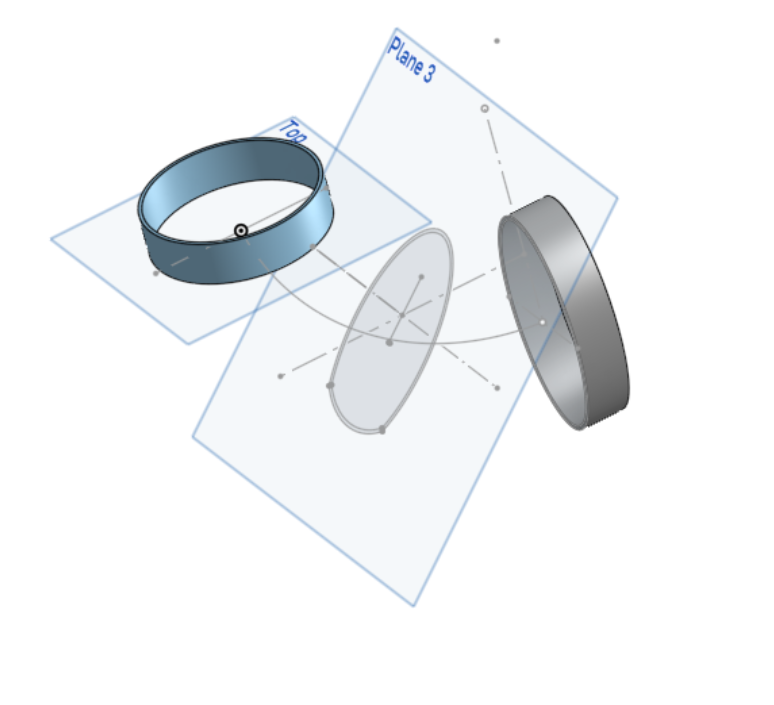
I want to create a 3D part that starts with a circle and ends to an oval like shown in the following image. Loft, sweep and extrude all result in an error.
Is there a way to create it?
Best Answer
-
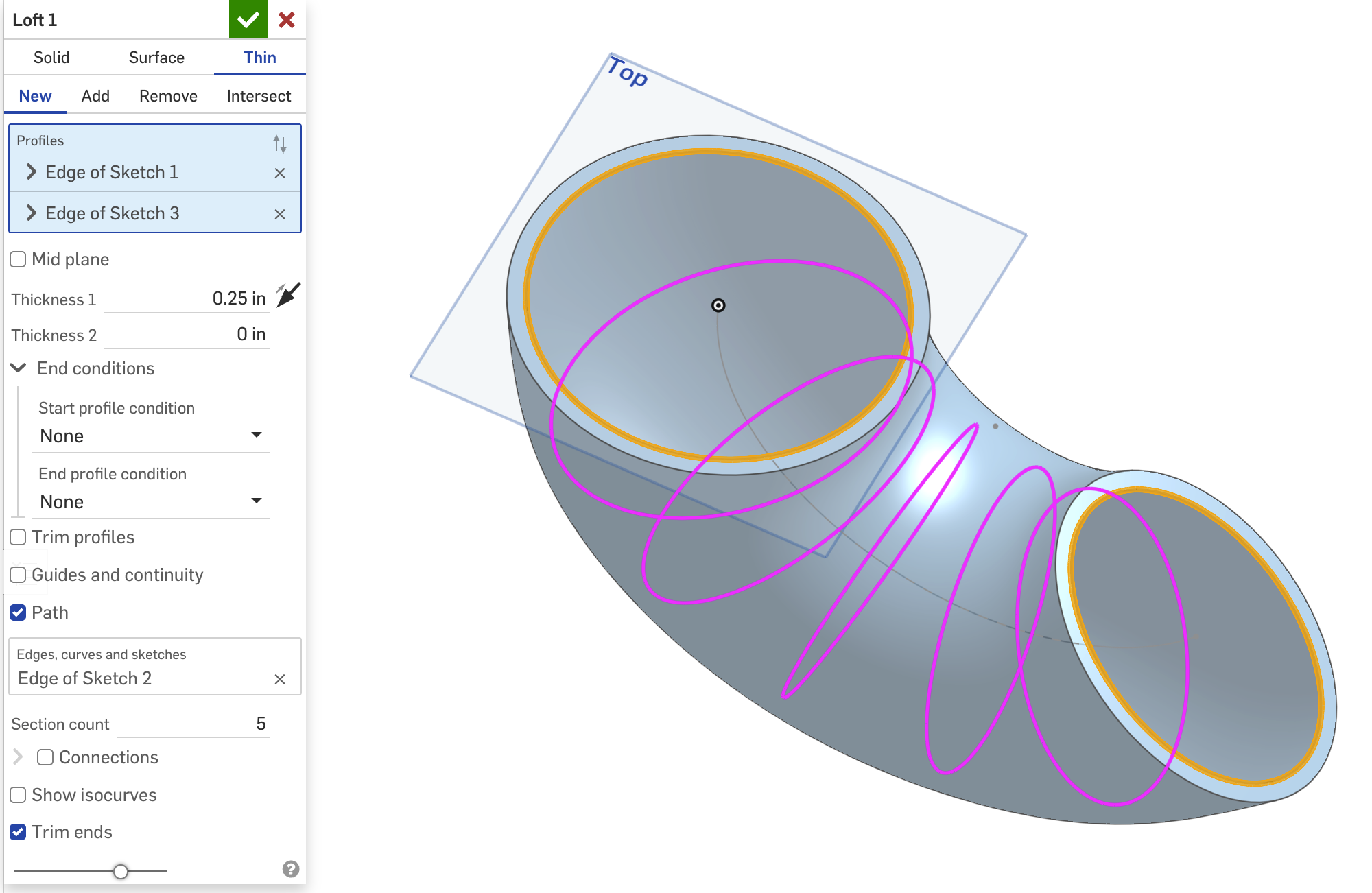
I would do a loft. But you you'll have to do it as a thin. You can't have two nested profile loops.
 2

Answers
-
I would do a loft. But you you'll have to do it as a thin. You can't have two nested profile loops.
2 -
Thank a lot. :)
0 -
I was able to bypass a bit of this loft limitation with my latest revision of Tweep (which is now secretly a loft feature 80% of the time) which lofts each profile loop separately along the feature and building a solid at the end. I was able to use entity tracking to make sure the loops connect in the order they're supposed to without crossing over or twisting weird, but it should be possible do something similar using geometric heuristics to figure out how the profiles are supposed to connect at each end.
1
