Welcome to the Onshape forum! Ask questions and join in the discussions about everything Onshape.
First time visiting? Here are some places to start:
- Looking for a certain topic? Check out the categories filter or use Search (upper right).
- Need support? Ask a question to our Community Support category.
- Please submit support tickets for bugs but you can request improvements in the Product Feedback category.
- Be respectful, on topic and if you see a problem, Flag it.
If you would like to contact our Community Manager personally, feel free to send a private message or an email.
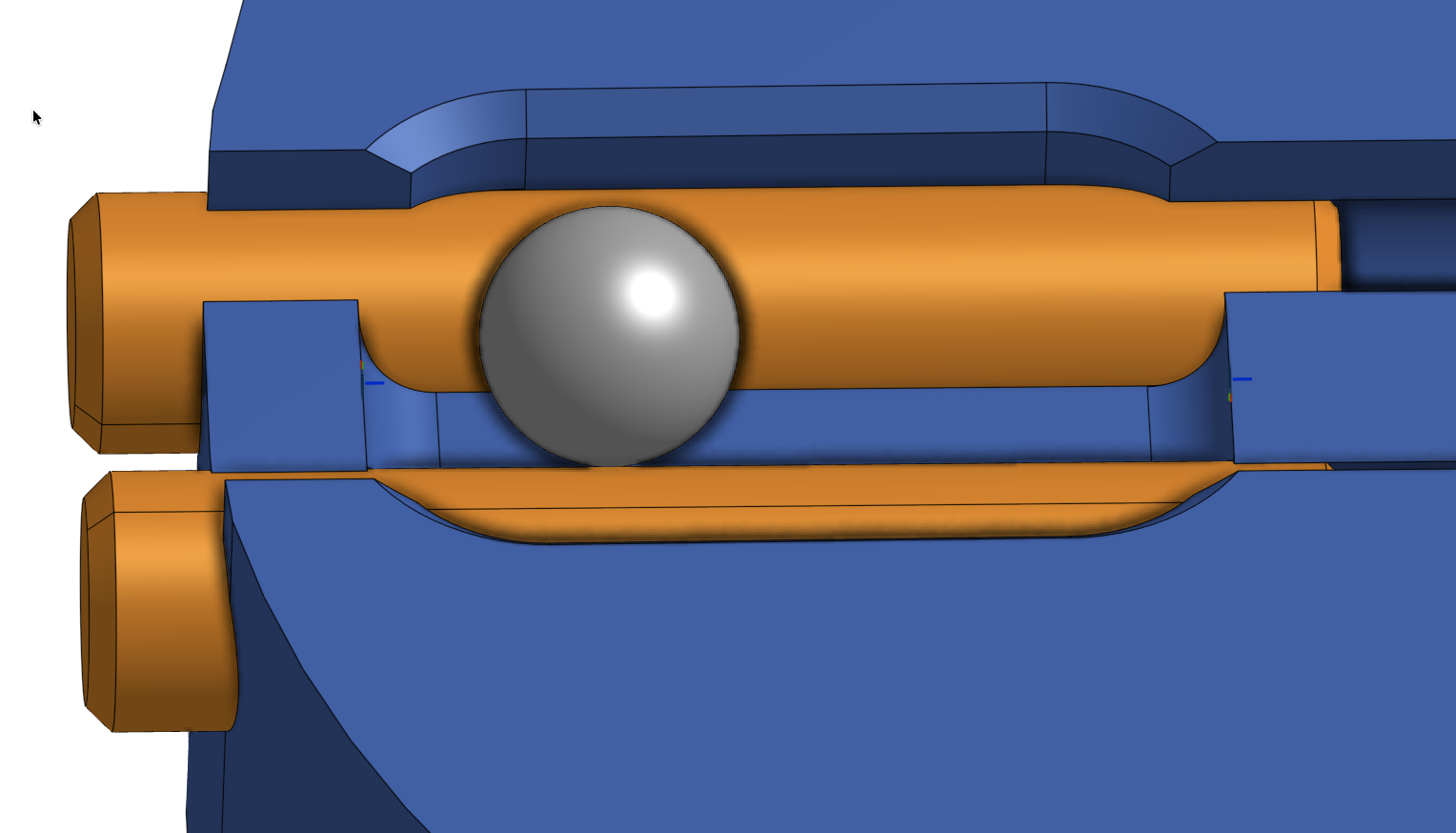
How to limit movement of sphere on two cylinders?

So i have a sphere with a tangent connector on each zylinder.
The sphere moves perfectly left and right as intended
my problem is, how can i limit the sphere left right movement?
Answers
-
i would say use a slider mate instead but I'm not sure what your intention is, could you maybe link your document?
1 -
I think this is a great case study for using construction geometry/variables to set up mate connectors in the part studio instead. But it’s a little unclear if there’s additional degrees of freedom for the orange cylinders too.
When you can (given IP/company information/share enterprise limitations) it’s a good idea to also share the link to the Onshape document, it makes it much easier to help when one can move things around in 3D too 😊
0 -
do you wont the shere to move left or right or not?
micah Lemaster/robot engineer
0 -
so the orange pins are press fittet and dont move.
the system is called "Wobble X" and on the github page is a nice animation of it
its used to counter uneven lead screws
https://cad.onshape.com/documents/889a0814187fc44ad59ee47a/w/5647cf024a67ee9377a779a3/e/576ca5e0bf909a45cd9c8d9fAnd im planning on building a heavy upgraded ratrig printer and becouse i cant stop building i want to have it completly in CAD
0


