Welcome to the Onshape forum! Ask questions and join in the discussions about everything Onshape.
First time visiting? Here are some places to start:
- Looking for a certain topic? Check out the categories filter or use Search (upper right).
- Need support? Ask a question to our Community Support category.
- Please submit support tickets for bugs but you can request improvements in the Product Feedback category.
- Be respectful, on topic and if you see a problem, Flag it.
If you would like to contact our Community Manager personally, feel free to send a private message or an email.
Flange not being applied to sheet metal model

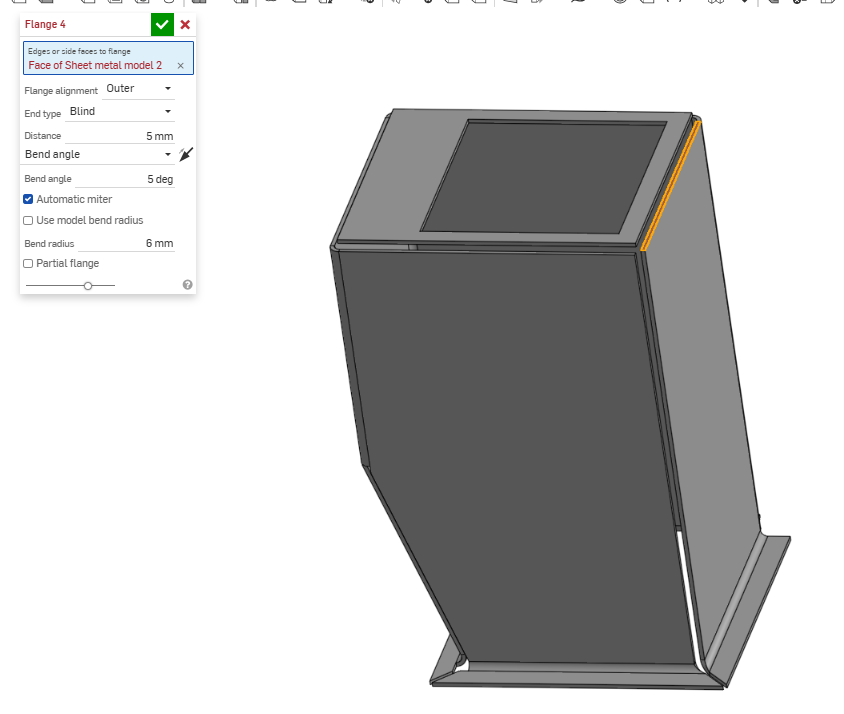
I have a roughly cubic sheet metal model (with no top or bottom) which I have added flanges to the bottom side, but can't add them to the top. I get the error:
"Cannot create flange on an edge that is a joint, fillet, chamfer, or internal to the sheet metal model"
I'm sure I have done one of these things but I cant see any difference between the top and the bottom
Best Answer
-
I think the issue was that the top plate (even though it was not attached to the rest of the model), it was still considered part of the sheet metal model and that edge/face was viewed as an internal edge.
I removed that face (top) from the model and it worked fine.
Sorry for answering my own question!
0
Answers
-
I think the issue was that the top plate (even though it was not attached to the rest of the model), it was still considered part of the sheet metal model and that edge/face was viewed as an internal edge.
I removed that face (top) from the model and it worked fine.
Sorry for answering my own question!
0