Welcome to the Onshape forum! Ask questions and join in the discussions about everything Onshape.
First time visiting? Here are some places to start:
- Looking for a certain topic? Check out the categories filter or use Search (upper right).
- Need support? Ask a question to our Community Support category.
- Please submit support tickets for bugs but you can request improvements in the Product Feedback category.
- Be respectful, on topic and if you see a problem, Flag it.
If you would like to contact our Community Manager personally, feel free to send a private message or an email.
Fit Cylinder mesh tool custom feature

joshtargo
Member Posts: 683 EDU
I'm sharing my FitCylinder.fs custom feature for people to try. The UI has been a lot of work, and I still don't love it, but the feature can be quite complex with all of the options.
It fits a cylinder (with or without draft) to a mesh for reverse engineering holes, bosses and shafts. It uses RANSAC to ignore outliers, then refines the fit.
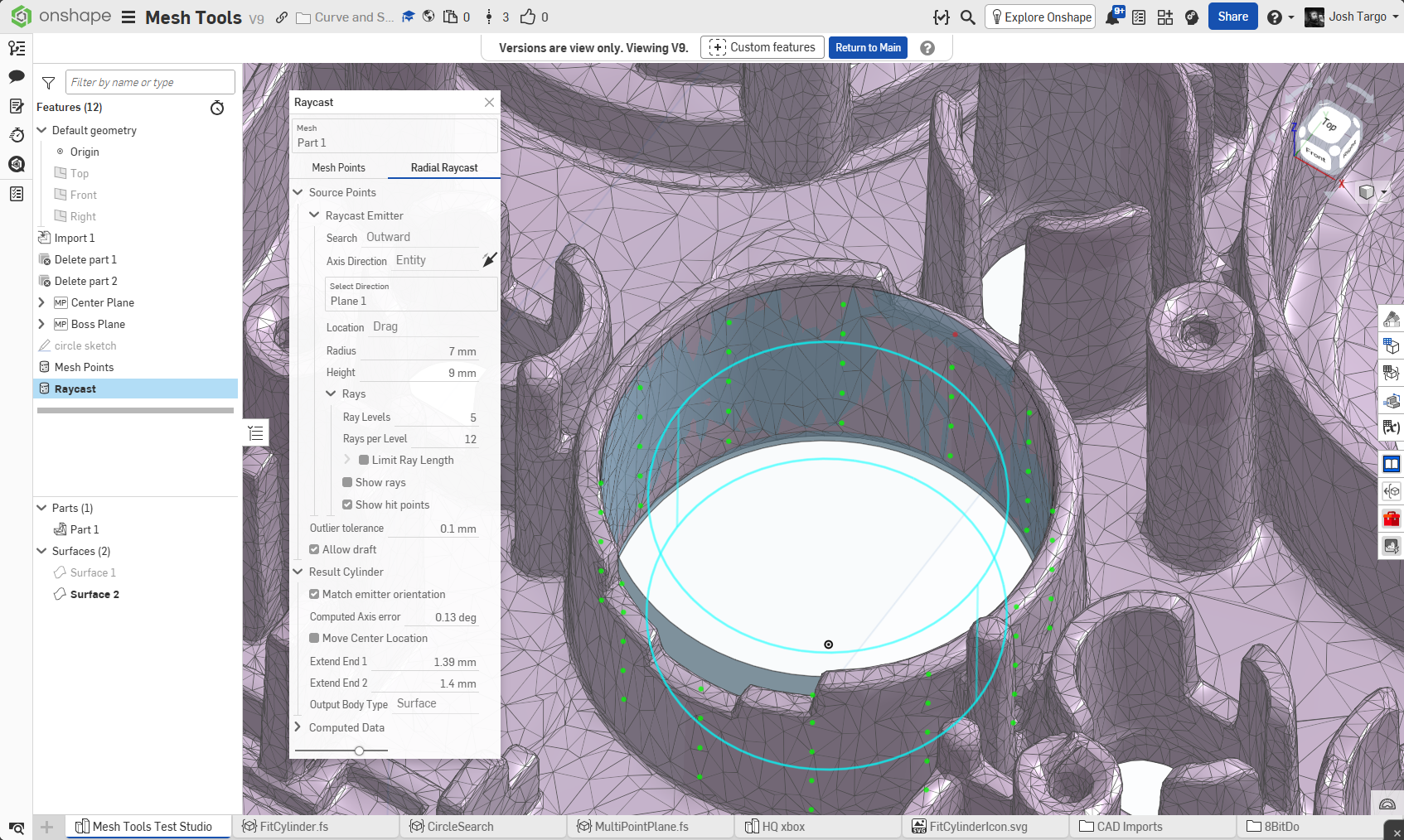
Two ways to get points
- Mesh Points: pick vertices on the mesh and it fits through them. You need at least 6 points, or 4 if the orientation is locked.
- Radial Raycast: place an emitter cylinder (drag the triad and radius handle, or pick a vertex). It fires rays inward or outward from it and fits the hits. This works well for holes and bosses, with no point picking.
Options
- Emitter direction: pick an entity (line, plane, circle, mate connector), or fit a plane through picked points.
- Match emitter orientation: locks the fitted axis to the emitter axis, which is the default and the fastest option. Uncheck it to choose an orientation yourself: Auto (slow), from an entity, or from a plane fitted through points.
- Outlier tolerance: points outside it are ignored, and the feature warns "Outliers Detected" if any were.
- Allow draft: fits a cone instead of a straight cylinder and reports the draft angle.
- Ray controls: ray levels, rays per level, and an optional maximum ray length.
- Result: Extend End 1 and Extend End 2 (with drag handles), optionally move the center to a picked point, and choose a Surface or Solid output.
Computed Data: radius, height, hit and inlier counts, and RMS and max error.
2