Welcome to the Onshape forum! Ask questions and join in the discussions about everything Onshape.
First time visiting? Here are some places to start:
- Looking for a certain topic? Check out the categories filter or use Search (upper right).
- Need support? Ask a question to our Community Support category.
- Please submit support tickets for bugs but you can request improvements in the Product Feedback category.
- Be respectful, on topic and if you see a problem, Flag it.
If you would like to contact our Community Manager personally, feel free to send a private message or an email.
PolyPipeX for Onshape V1.00: any edge is a path (the reverse of Fillet and Chamfer)

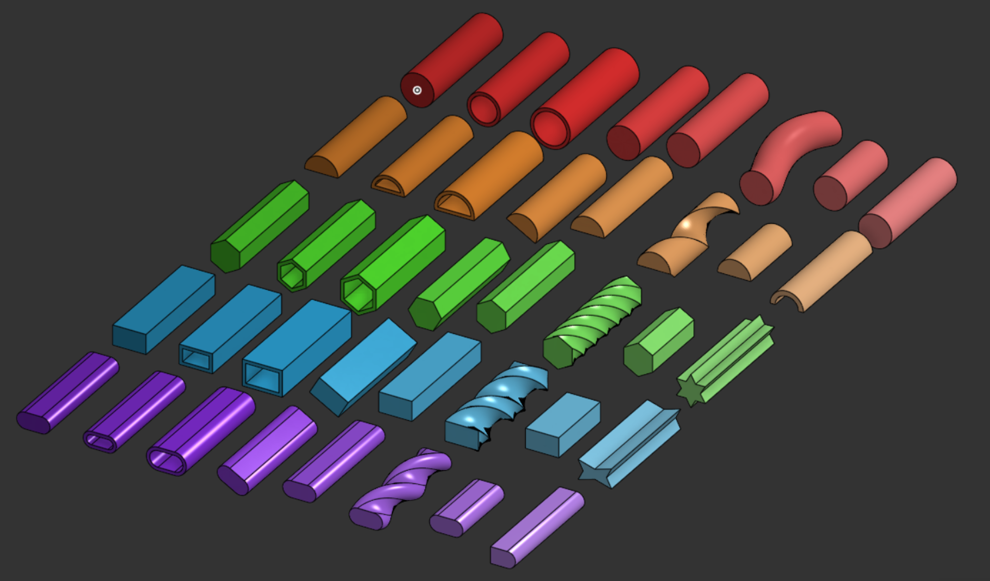
The Matrix tab of the Demo doc: 40 shape and option combinations, all made with PolyPipeX.
Hi all,
Back in 2023 I shared PolyPipe, a remix of the simple 'Pipe' FeatureScript (forum.onshape.com/discussion/22664). This fall I worked on it again with Grok, and today I'm releasing PolyPipeX V1.00 (build B26.11.02.04).
PolyPipeX sweeps a profile along ANY edge you pick: sketch lines, arcs, splines, construction lines, intersection curves, helixes and 3D curves.
The big one is part edges. You can add or cut a profile right along an existing part's edge, so it works like the reverse of Fillet and Chamfer. Pick several edges and you get several pipes at once.
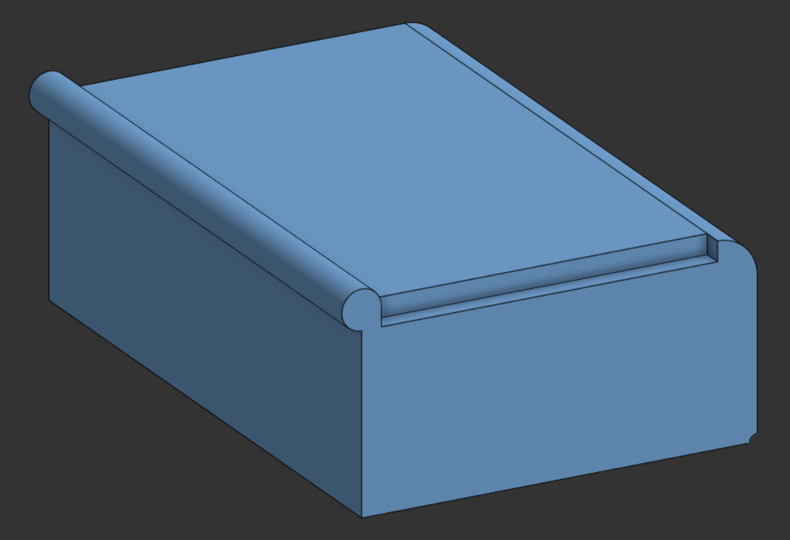
One block, three PolyPipeX features, each on an edge picked right off the part (no sketch): a round bead added along a top edge, a 4 x 4 rabbet cut and a round-over cut.
(This example is in the new "PolyPipeX Demo Part Edge" tab: https://cad.onshape.com/documents/bdedb1c31094967e66258764/v/7a0555a7372ca5b0a802fdbb)
Profiles: Circle, Arc, Polygon/Star, Rectangle, Slot and Round over. Any of them can be solid or hollow.
Results: New, Add, Remove, Intersect, like Extrude. You can keep the pipe as a part, and cut a bore through the target.
Path options: reverse, use part of the path, extend or shorten the ends. Twist by turns or by pitch.
Uses: washers, edge trim, O-ring grooves, wire bundles and cables, reverse fillets, countersinks, flanges, round-overs.
How to add it:
- Open the PolyPipeX FeatureScript doc: https://cad.onshape.com/documents/e1d7954fe30ceed624c58ca8/v/e1e5b11796a2374ccb7bcce5
- In a Part Studio, open the Custom features (puzzle-piece) menu, then Add custom features.
- Search "PolyPipeX" (or paste the doc link), pick the PolyPipeX V1.00 feature studio, and it appears in your toolbar.
Demo doc: https://cad.onshape.com/documents/bdedb1c31094967e66258764/v/7a0555a7372ca5b0a802fdbb
It has these tabs: Demo, Matrix (40 shape and option combinations), Uses, Options, Operations and 3D Paths.
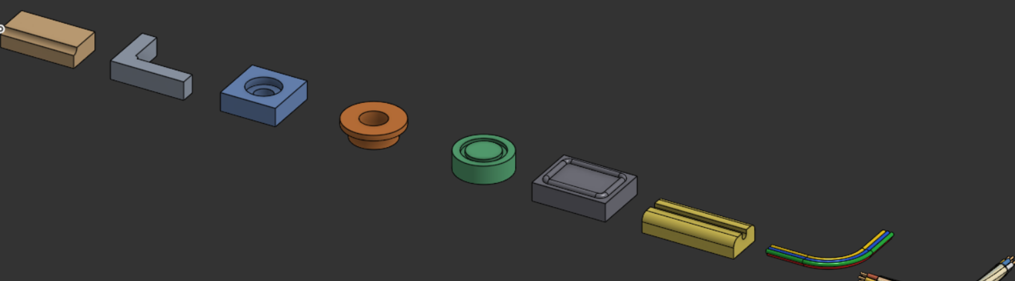
The Uses tab: 9 example parts made with PolyPipeX.
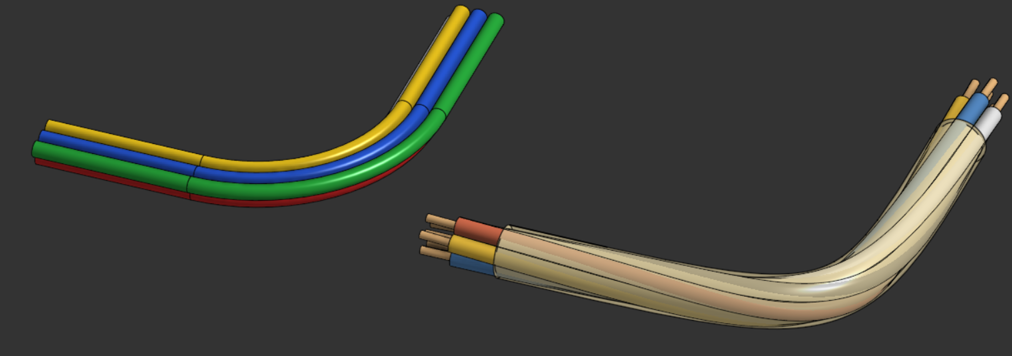
A 4-wire ribbon bundle and a sleeved cable with copper-tipped conductors, all swept with PolyPipeX.
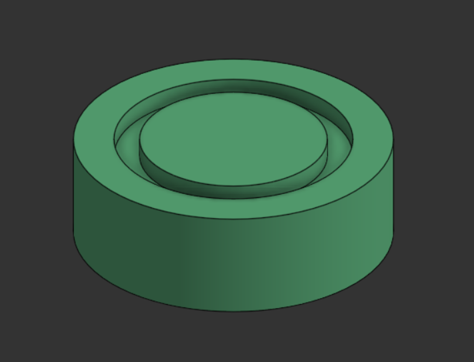
An O-ring groove cut (Remove) around a round part, along a sketch path.
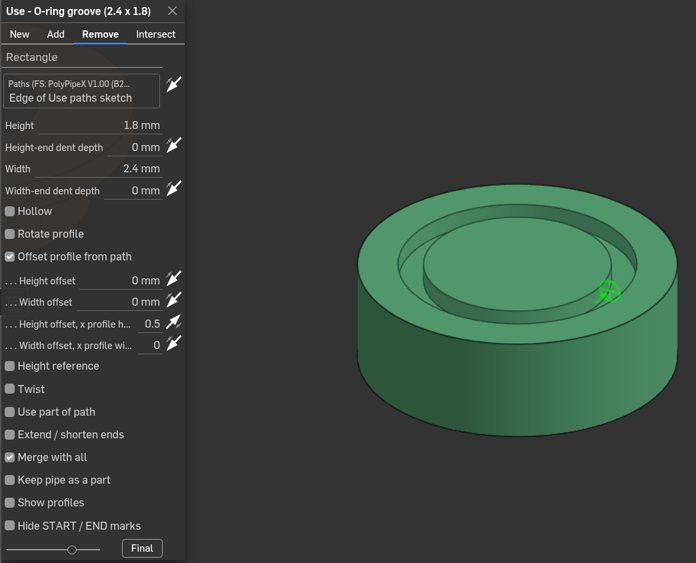
The PolyPipeX dialog set up for that groove: Rectangle profile, Remove.
Note: V1.00 is a new feature type, so it won't replace older PolyPipe or GrokPipe features in existing models.
Please post bugs, odd cases or ideas here.
Credits: by Eldon R. Brown WA0UWH with Grok, based on the simple 'Pipe' FeatureScript. Grok was a great help while writing this Onshape FeatureScript. Many thanks go to my Grok Bots, the Grok Dev Team, and Elon Musk.
73,
--eldonb (Eldon R. Brown, WA0UWH)