Welcome to the Onshape forum! Ask questions and join in the discussions about everything Onshape.
First time visiting? Here are some places to start:
- Looking for a certain topic? Check out the categories filter or use Search (upper right).
- Need support? Ask a question to our Community Support category.
- Please submit support tickets for bugs but you can request improvements in the Product Feedback category.
- Be respectful, on topic and if you see a problem, Flag it.
If you would like to contact our Community Manager personally, feel free to send a private message or an email.
Custom Feature: Flaticulation – laser-cut 2D sheets that fold into 3D (vibe-coded, need help with la

English
Hi all,
I’m sharing a custom FeatureScript that implements the Flaticulation technique (Fang, Chan & Cheng, UIST’22) in Onshape: it turns a 2D laser-cut sheet into a 3D structure when folded, using T-shaped joint patterns cut along the fold lines, with no glue.
Document (public): https://cad.onshape.com/documents/f58aaf9bf39b15ace441af71/w/6148bdb65dc54f85964dcf52/e/1246367a4f1a9c6a2f4d3065
Paper (PDF):
Original project:
What it does
- Flaticulation Flatten: takes a polyhedron made of planar faces, unfolds it into a 2D layout (minimum spanning tree over the face adjacency graph), and places T-patterns (<theta, >theta or both interleaved) along every fold, with the paper’s equations and kerf correction. It outputs a LASER_CUT sketch ready to export as DXF/DWG.
- Flaticulation Line Joint: pick a single sketch line and it draws the joint along it. It also has “flexible” variants based on lattice hinges.
Result so far
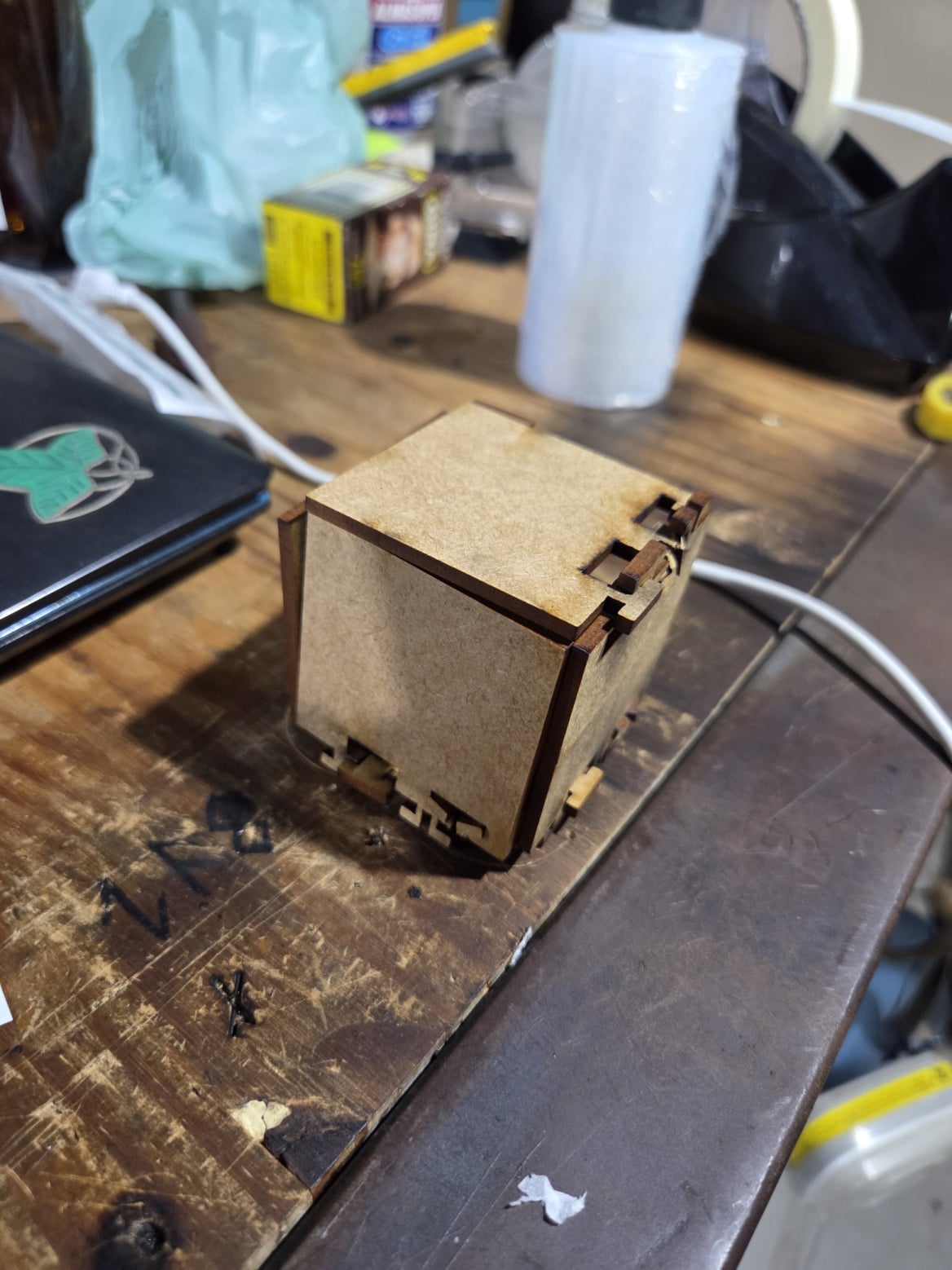
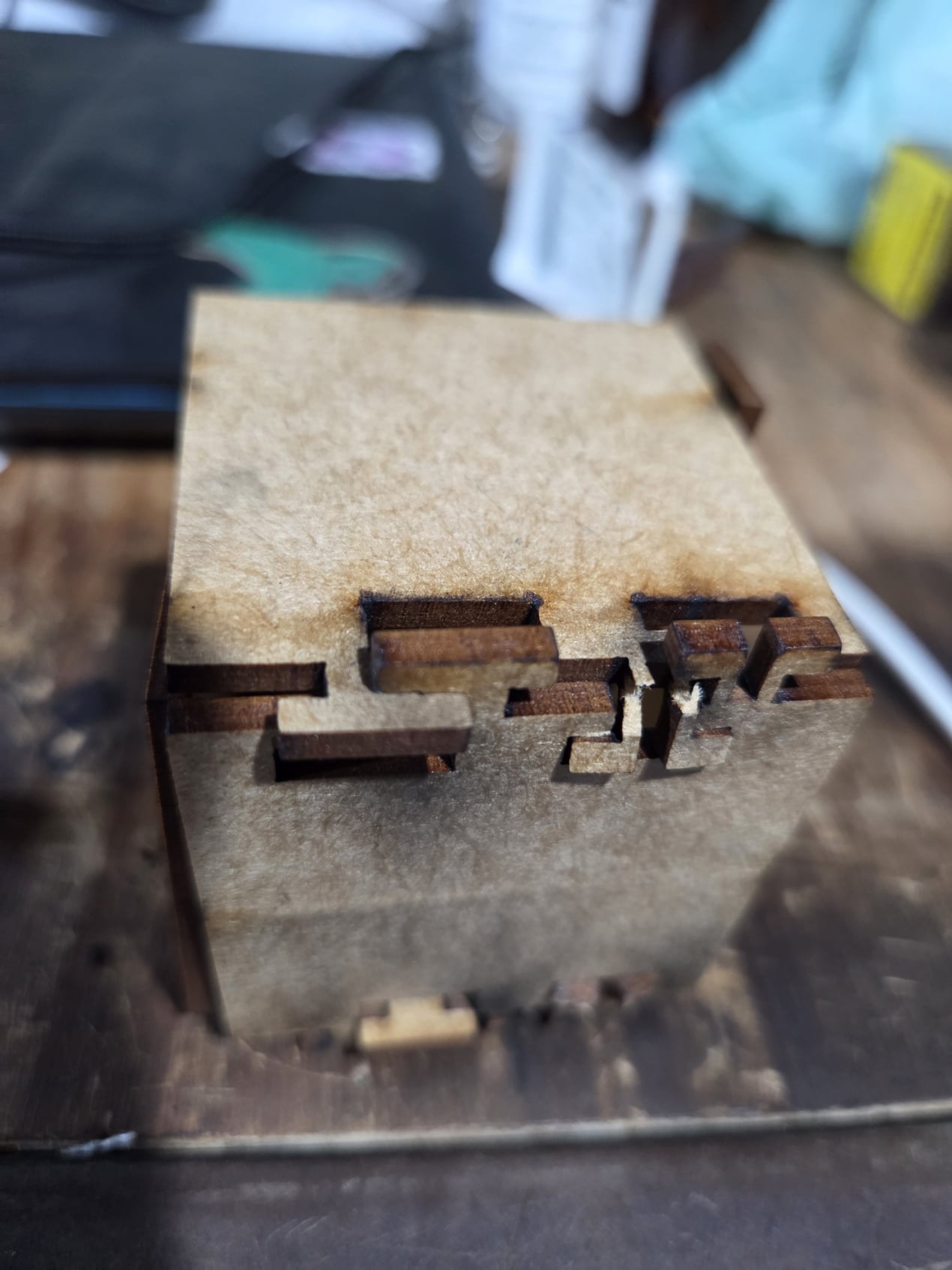
I laser-cut a 50 mm cube with it (photos attached) in 3 mm MDF. It assembles and holds its shape, so the idea works. Two caveats: a few of the >theta T-patterns snapped while folding, and the walls feel a bit loose/wobbly.
Honest disclaimer: this was written with AI assistance (“vibe coding”), so expect bugs. The code comments and docs are in English and Portuguese.
Where I’d love help
- Lattice (flexible) hinges don’t work properly yet. I followed the brick-pattern idea from the RS DesignSpark living-hinge article (rows of parallel slits, every row with uncut tabs), but I’m not happy with the result. If you’ve made lattice hinges for MDF/plywood, what row spacing, slit length and tab size worked for you?
- Imported meshes. The Flatten feature only works on models made of planar faces. When I import an STL, it fails. I added a limit of 400 planar faces with a clear error, but even below that I couldn’t get a mesh to work. I suspect each triangle is being treated as its own face and the unfolding becomes too heavy. Any tips on merging coplanar triangles, or on handling meshes in FeatureScript?
Feedback, bug reports and forks are very welcome. Thanks!
Português
Olá a todos,
Estou compartilhando uma FeatureScript que implementa a técnica Flaticulation (Fang, Chan e Cheng, UIST’22) no Onshape: uma chapa 2D cortada a laser vira uma estrutura 3D ao ser dobrada, usando padrões de junta em T cortados nas linhas de dobra, sem cola.
Documento (público): o mesmo link acima
Artigo (PDF):
O que ela faz
- Flaticulation Flatten: recebe um poliedro de faces planas, desdobra em 2D (árvore geradora mínima sobre o grafo de adjacência das faces) e coloca T-patterns (<theta, >theta ou os dois intercalados) em cada dobra, com as equações do artigo e correção de kerf. Gera o sketch LASER_CUT pronto para exportar em DXF/DWG.
- Flaticulation Line Joint: escolha uma linha de sketch e ela desenha a junta sobre a linha. Tem também variantes “flexíveis” com lattice hinge.
Resultado até agora
Cortei a laser um cubo de 50 mm (fotos em anexo) mdf 3 mm espessura. Ele monta e mantém a forma, então a ideia funciona. Duas ressalvas: alguns T-patterns >theta quebraram ao dobrar, e as paredes ficam um pouco bambas.
Aviso honesto: foi escrito com ajuda de IA (“vibe code”), então podem existir erros. Os comentários e a documentação do código estão em inglês e português.
Onde preciso de ajuda
- As dobradiças flexíveis (lattice) ainda não funcionam direito. Segui a ideia em padrão tijolo do artigo da RS DesignSpark (fileiras de fendas paralelas, todas com tabs sem cortar), mas o resultado não me agrada. Quem já fez lattice hinge em MDF/compensado: que espaçamento entre fileiras, comprimento de fenda e tamanho de tab funcionaram?
- Objetos importados. A feature Flatten só funciona em modelos de faces planas. Ao importar um STL, ela falha. Coloquei um limite de 400 faces planas com mensagem de erro clara, mas mesmo abaixo disso não consegui fazer uma malha funcionar. Suspeito que cada triângulo seja tratado como uma face e o desdobramento fique pesado demais. Alguma dica para juntar triângulos coplanares ou lidar com malhas em FeatureScript?
Feedback, relatos de bugs e forks são muito bem-vindos. Obrigado!
Comments
-
Update: imported meshes now work (workaround)
I found a way around the mesh import problem. The Flatten feature needs a B-rep solid made of planar faces, not a mesh, so I convert the
.stl/.plyto a STEP solid in FreeCAD (free and open source) first:- Open the mesh: in FreeCAD, go to File > Open and select the
.stlor.plyfile. It appears in the tree as a Mesh object. - Mesh to shape: switch to the Part workbench, select the mesh, then Part > Create shape from mesh… and keep the default tolerance. A new object with the “(Shape)” suffix appears.
- Shape to solid: select the “(Shape)” object, then Part > Convert to solid. A “(Solid)” object appears.
- Export: select the solid and use File > Export, choosing “STEP with colors (*.step *.stp)”.
- Import the STEP file into Onshape and run Flaticulation Flatten on it.
I tested this with my 50 mm cube. I haven’t tried complex meshes yet. The Flatten feature still has its limit of 400 planar faces, so high-resolution meshes will need to be simplified first.
0 - Open the mesh: in FreeCAD, go to File > Open and select the