Welcome to the Onshape forum! Ask questions and join in the discussions about everything Onshape.
First time visiting? Here are some places to start:
- Looking for a certain topic? Check out the categories filter or use Search (upper right).
- Need support? Ask a question to our Community Support category.
- Please submit support tickets for bugs but you can request improvements in the Product Feedback category.
- Be respectful, on topic and if you see a problem, Flag it.
If you would like to contact our Community Manager personally, feel free to send a private message or an email.
see total changes a user makes in shared doc

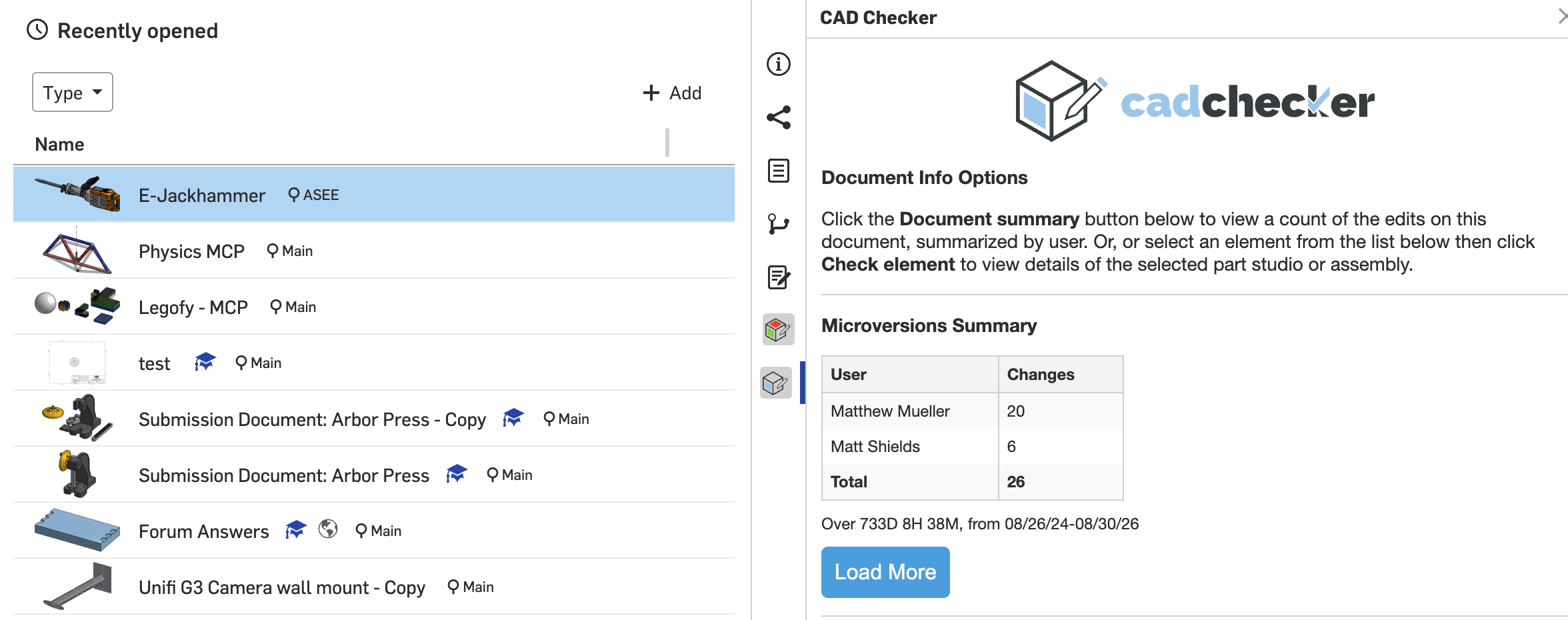
I am a teacher using OnShape in my class and I am having my students work on a document together. I know I can go to version history and mouse over edits to see who did what, but is there a way to see total edits made by each person? Or a way to get a list of what each person did?
I want to check that each group member is actually participating and it is easy to miss things while going through the version history list.
Best Answers
-
You can filter the history by user. If you have Enterprise, there are also analytics (although I don't know what those are like in Enterprise for Education) which can show you modeling time per person.
Simon Gatrall | Product Development, Engineering, Design, Onshape | Ex- IDEO, PCH, Unagi, Carbon | LinkedIn
1 -


Answers
-
You can filter the history by user. If you have Enterprise, there are also analytics (although I don't know what those are like in Enterprise for Education) which can show you modeling time per person.
Simon Gatrall | Product Development, Engineering, Design, Onshape | Ex- IDEO, PCH, Unagi, Carbon | LinkedIn
1 -
-
Both of these work great, thank you.
0