Welcome to the Onshape forum! Ask questions and join in the discussions about everything Onshape.
First time visiting? Here are some places to start:
- Looking for a certain topic? Check out the categories filter or use Search (upper right).
- Need support? Ask a question to our Community Support category.
- Please submit support tickets for bugs but you can request improvements in the Product Feedback category.
- Be respectful, on topic and if you see a problem, Flag it.
If you would like to contact our Community Manager personally, feel free to send a private message or an email.
Countersink hole in the middle of a part causes "none of the holes intersected a part"

The Problem
While creating a hole for a countersink screw, I noticed that the tool isn't always able to generate clearance for the screw head through a part. Conceptually, I'm trying to create a feature that looks like below in cross-section:
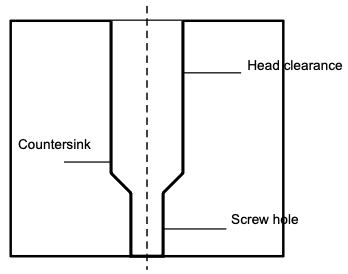
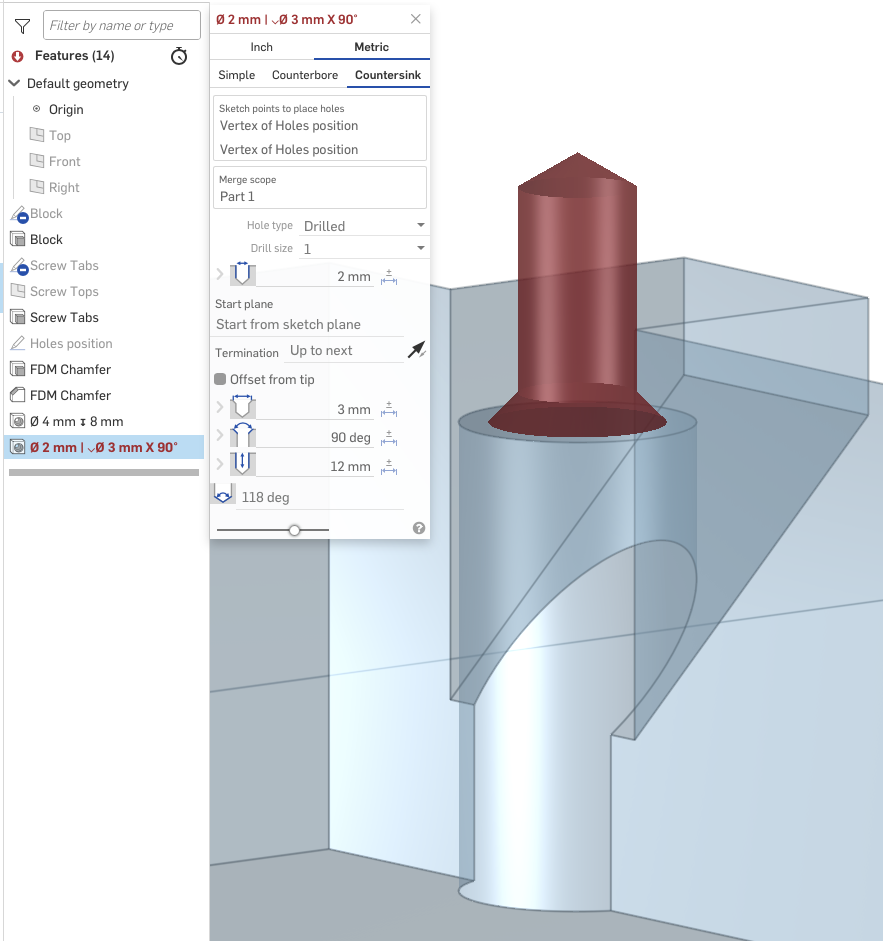
The hole tool is able to create head clearance in the part, as long as the screw head is at least partially on an external face. However, it cannot create the same screw hole with clearance/"tunnel" if the whole head is concealed. Reproducer version: https://cad.onshape.com/documents/019dba9bd8948e542334936d/v/60798937940071f69eb22992/e/42cde00a098c27638919b164
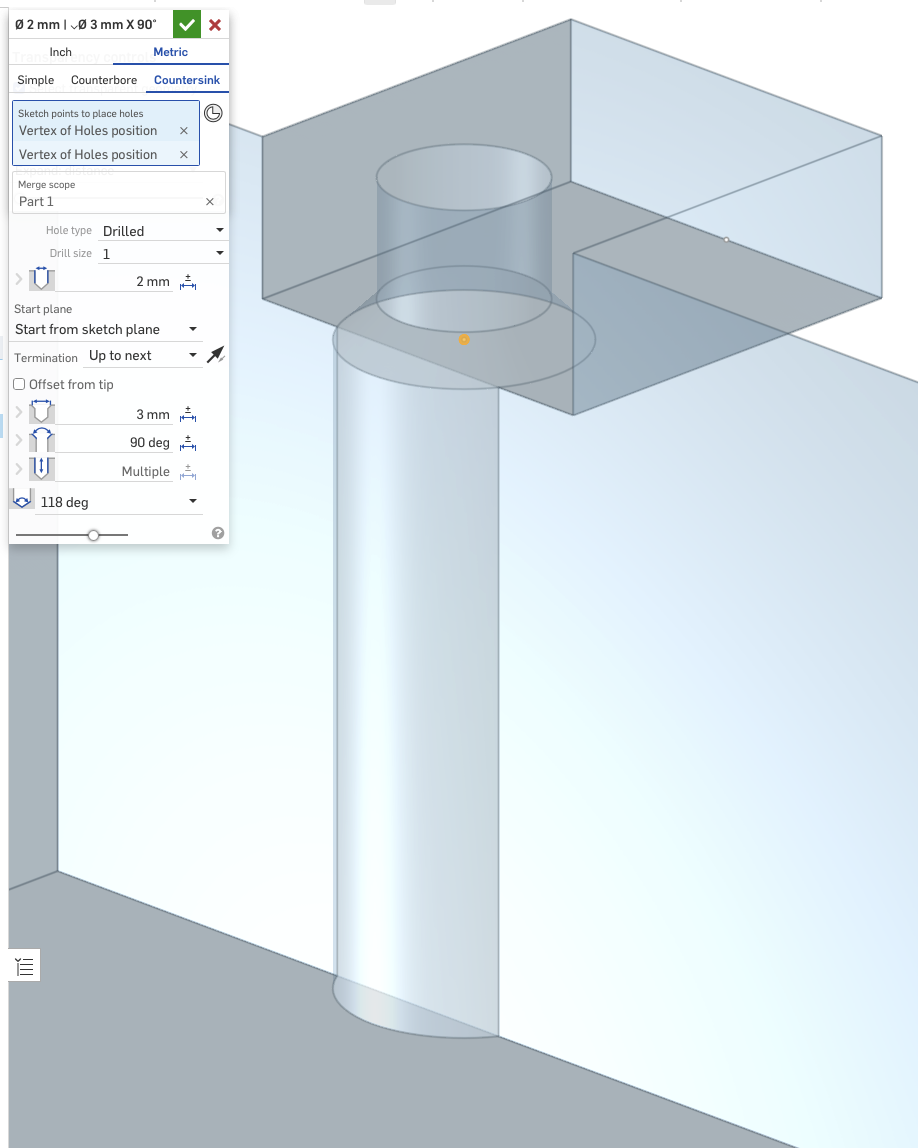
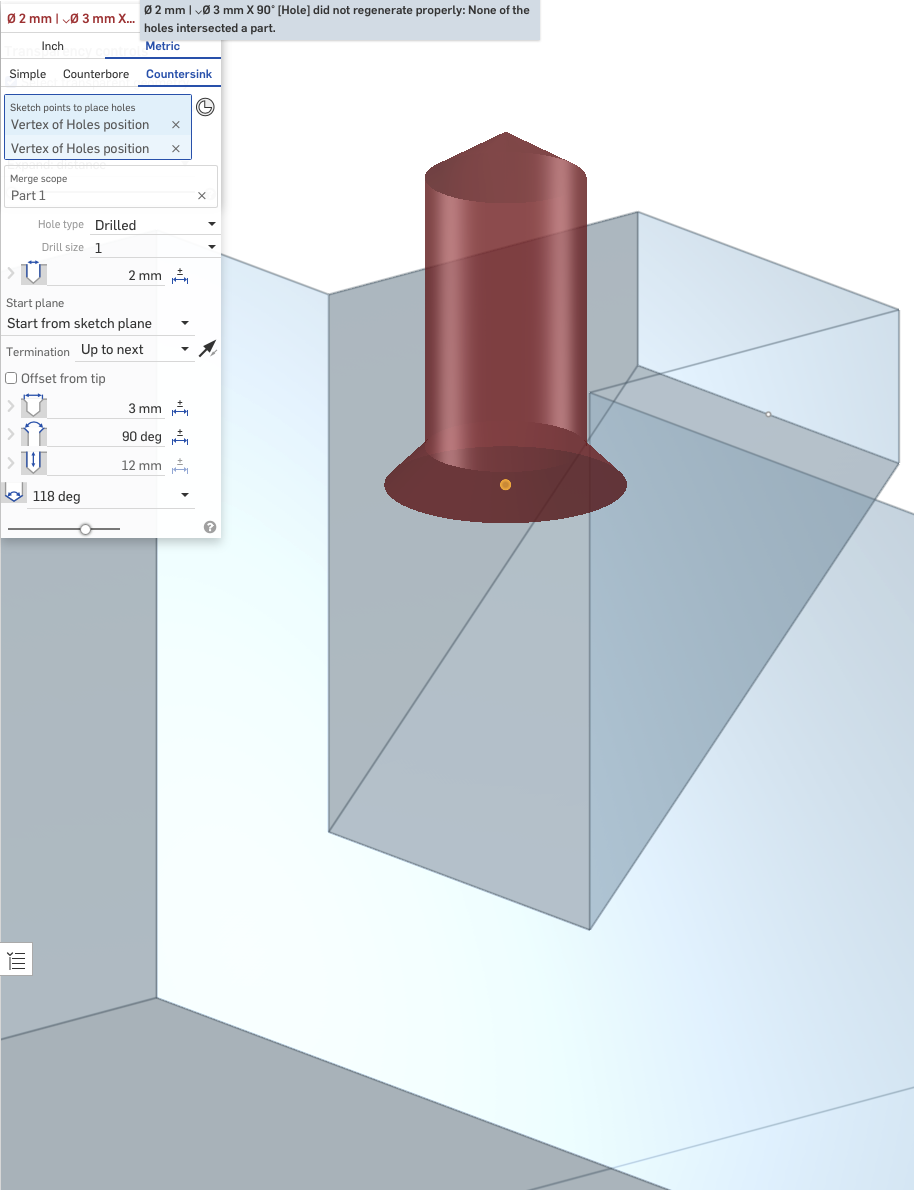 ——
Possible Workaround(s)
I can think about two, slightly hacky, ways to do it:
- Two extrudes (reproducer)
- Extrude the part which the screw holds
- Create a countersink hole
- Extrude & chamfer the rest
- Two holes (reproducer)
- Extrude the whole depth needed
- Create a simple hole from planned countersink to the "bottom" of the part
- Create a countersink hole
Out of these, surprisingly, only the first one works, which is puzzling to me.
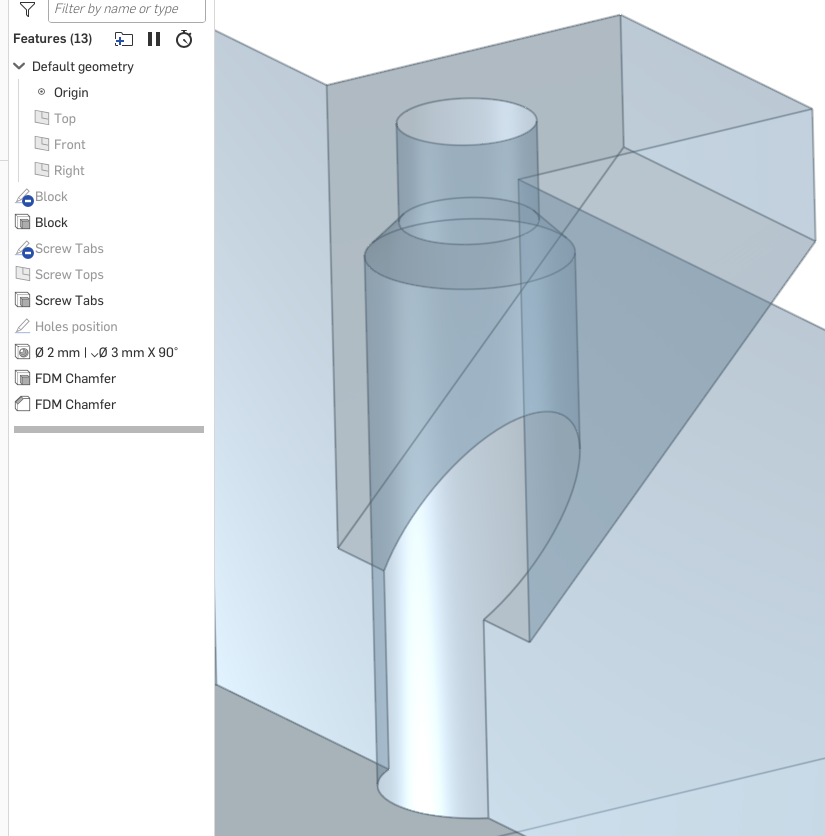
Questions
Am I using the hole tool incorrectly, or did I stumble upon something that isn't implemented? Is there a way to achieve such geometry using just a single extrude & single hole invocation?
