Welcome to the Onshape forum! Ask questions and join in the discussions about everything Onshape.
First time visiting? Here are some places to start:
- Looking for a certain topic? Check out the categories filter or use Search (upper right).
- Need support? Ask a question to our Community Support category.
- Please submit support tickets for bugs but you can request improvements in the Product Feedback category.
- Be respectful, on topic and if you see a problem, Flag it.
If you would like to contact our Community Manager personally, feel free to send a private message or an email.
Onshape Timelapse Toolbar - Make timelapse videos of your Onshape modelling from document history

⏱ Onshape Timelapse
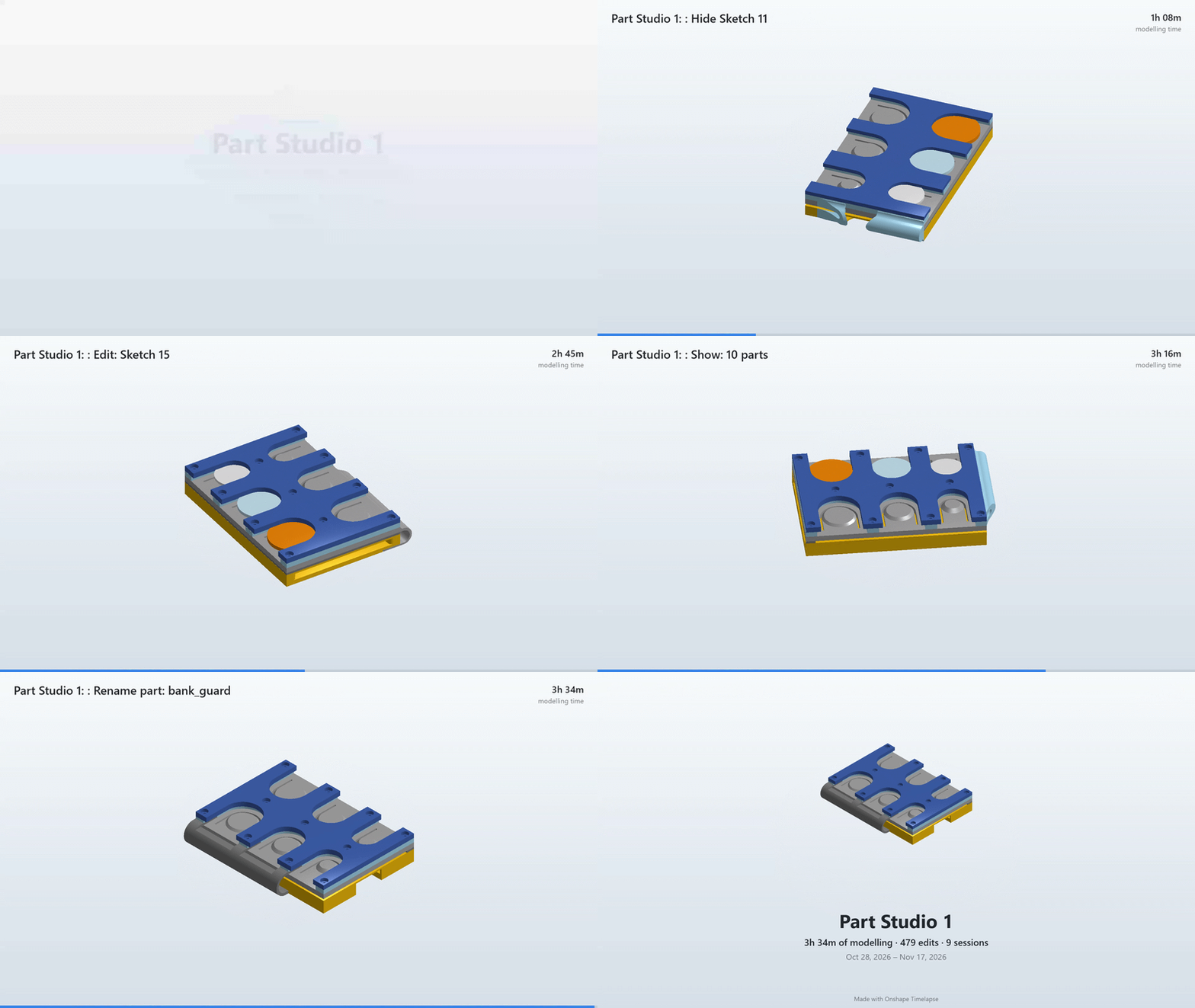
Make a timelapse video of how an Onshape model was built, straight from the document history. No screen recording, no API key, nothing to install except (optionally) Tampermonkey.
Onshape records every change you make as a microversion. This script asks Onshape to render your Part Studio or Assembly as it looked at each point in that history, then turns the images into a video, GIF or a folder of frames.
Features
- Settings panel inside Onshape, with a live preview
- API-call estimate before you render anything
- Saved progress: frames are stored in your browser. If you get rate-limited or close the tab, Render continues where it stopped, and re-making the video with different timing or overlays costs no API calls
- Gentle pacing between requests, plus a countdown if Onshape rate-limits you
- Camera: isometric / front / top / right / custom angle, orbit with easing, final 360° reveal spin, and zoom that follows the model as it grows
- Overlays: what changed ("Insert feature: Extrude 3"), who changed it, date and time, modelling-time counter, progress bar, version-name banners
- Title card and end card with stats (modelling time, number of edits, sessions)
- Pauses at named versions
- Timing: equal time per edit, or real time with breaks removed, plus a speed ramp
- Look: gradient, white, light, dark or custom background
- Shapes: 16:9 (YouTube), 1:1 and 4:5 (Instagram), 9:16 (Reels / TikTok / Shorts), in 720p or 1080p
- Output: MP4/WebM video, GIF, or a ZIP of PNG frames with timing (for CapCut, Premiere or ffmpeg)
- Works with Part Studios and Assemblies
Learn more & Download code on GitHub:
Credits
Made by Silpa (Mwit Creator Club). Uses the Onshape REST API: documenthistory, versions, boundingboxes and shadedviews.
Comments
-
-
I've had a few requests for this exact App!! Particularly from the EDU community. Definitely something I'll share, never got around to attempting to vibe-code it myself but I really like how you've implemented it.
1


