Welcome to the Onshape forum! Ask questions and join in the discussions about everything Onshape.
First time visiting? Here are some places to start:- Looking for a certain topic? Check out the categories filter or use Search (upper right).
- Need support? Ask a question to our Community Support category.
- Please submit support tickets for bugs but you can request improvements in the Product Feedback category.
- Be respectful, on topic and if you see a problem, Flag it.
If you would like to contact our Community Manager personally, feel free to send a private message or an email.
Custom Feature: Design Intent


Comments
-
RENDERCAD
rendercad.ai - Photorealistic product rendering.
▚▞▚▞▚▞▚▞▚
________________________________________________________________________0 -
Wow that's a great idea. I could never figure out the built-in notes myself.0
-
If anyone is still using this I suggest moving to this one insteadhttps://cad.onshape.com/documents/afc74bf7462dbbdaf38eec8d/w/ef9a0f17f6e2e3b88b6a4ec5/e/856bb8c77f61f7ec3699d5fa.
3 -
Ooops!? I did not even know about it's existence. I like it, though. Shouldn't the DI note be an optional part of EVERY feature in the tree? That would make sense to me.
0 -
This is a great feature! Around the same time I had the exact same idea, sadly I can’t share it. I did find writing the design intent into a custom table too was useful, meant the information was accessible in table form on the right hand side, with querys added to the custom tables they also cross-highlight.
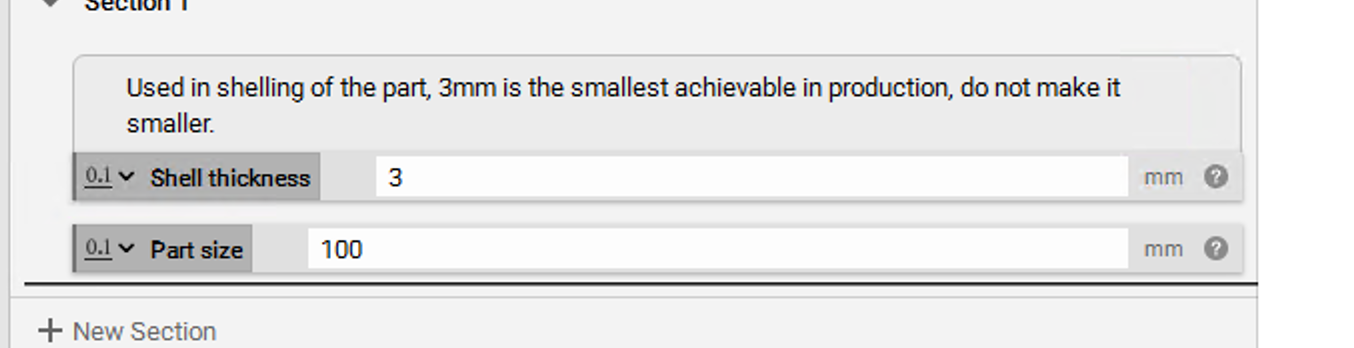
Totally agree a comment/design intent should be an optional field to all native features, akin to programming in-line comments. nTop actually has a neat way comments are added as balloons above the features/variables, see picture. I'm sure Onshape can put together something super polished, would be pretty on top of folders and all features alike in the feature three and assembly instance lists!
The new document notes tab is a good step in the right direction, but it's too broad. It's not able to capture the in-depth design intent of individual features.
 1
1 -
FYI:
I've found this only after i programmed this alternative:
Feature tree note
it allows tagging of geometry as well as features by now.2



