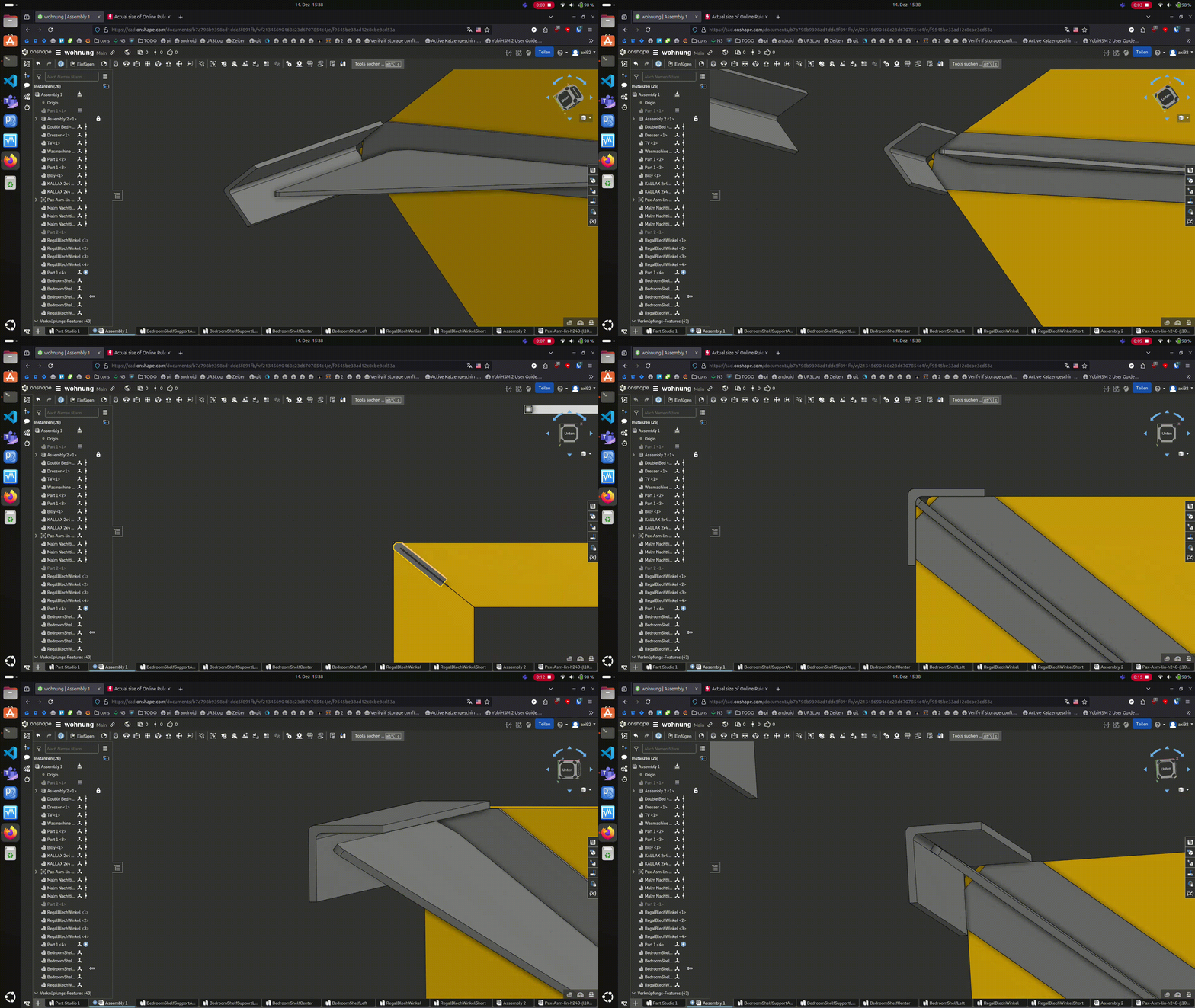
Mate connector "sheet into corner"

I am having a hard time to connect an angle sheet with another sheet metal. I also tried to make helper planes but I dont know how I can access them with the "mate" tool.
https://cad.onshape.com/documents/b7a798b9398ad1ddc5f891fb/w/21345690468c23d6707854c4/e/f9545be33ad12c8cbe3cd53a
V5
The 2 parts are called "BedroomShelfSupportAngleLeft" and "RegalBlechWinkelShort"
Best Answer
-
I found a 80% solution
https://youtu.be/V5Z5psGVCLo0
Answers
-
I found a 80% solution
https://youtu.be/V5Z5psGVCLo0 -
Actually, your solution is pretty good,. You could edit the mate connector on the flat plate to move it into the part which will get it closer. However, this is a classic case where designing the parts together in a Part Studio and assembling them as a unit would be much easier.
There are a crazy number of Planar mates in your assembly which suggests to me that you have used another "traditional" CAD system before? I suggest you take a look at the Learning Center to look at the preferred way to create assemblies,
Senior Director, Technical Services, EMEA1 -
Thanks, yes I used Inventor for several years. Thanks for the link I will look into that.
1