Export 2.5D DXF?

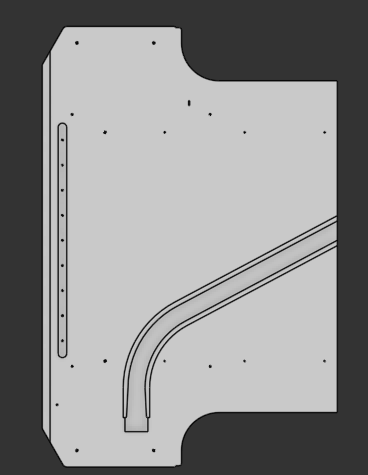
How, if you can in OS, do you export a DXF that is 2.5D? I've attached an example. Vendors request DXFs of this item, in SW I can export a dxf from a view and Bob's your uncle. The only way I've been able to do that here, is by adding it to a drawing. Which is very clunky as far as user and vendor experience go.
Answers
-
For now that's the "best" way to get a dxf out of Onshape with the information you're looking for but speaking from extensive professional experience if you have 3 dimensional features you should be working with vendors who accept 3 dimensional formats. I'm in the middle of evaluating replacement CAM software for sending stuff to our CNC routers for manufacturing and the first question from half of the vendors I was working with was "can you send us the .dxf files you use currently?" From that question alone I knew that they weren't a good fit for us as a software partner because conveying depth information in a format that inherently cannot encode it is always going to be a manual and lossy process. It can be done but why would you when another vendor can take a zip file full of .step parts and produce them without any of the legwork and risk of mis-translation?
If I could remove one file format from general circulation entirely it would be the .dxf and some day I'll write that manifesto and forward it to every manufacturing software vendor.1 -

Admittedly not familiar with 2.5D (sounds weird) Does right clicking in the flat pattern view of the part studio, then left clicking export not satisfy your need?
0 -
Hello, I hope this could be of help to anyone trying to find a dxf export workflow.
0