Exporting a sketch as a DXF?

Hi everyone -
I am somewhat competent with OnShape and creating basic 3D things but I am struggling with a new project I am working on. I want to make some cribbage boards on irregularly shaped wood using my laser to mark the dots on the wood so I can drill them out.
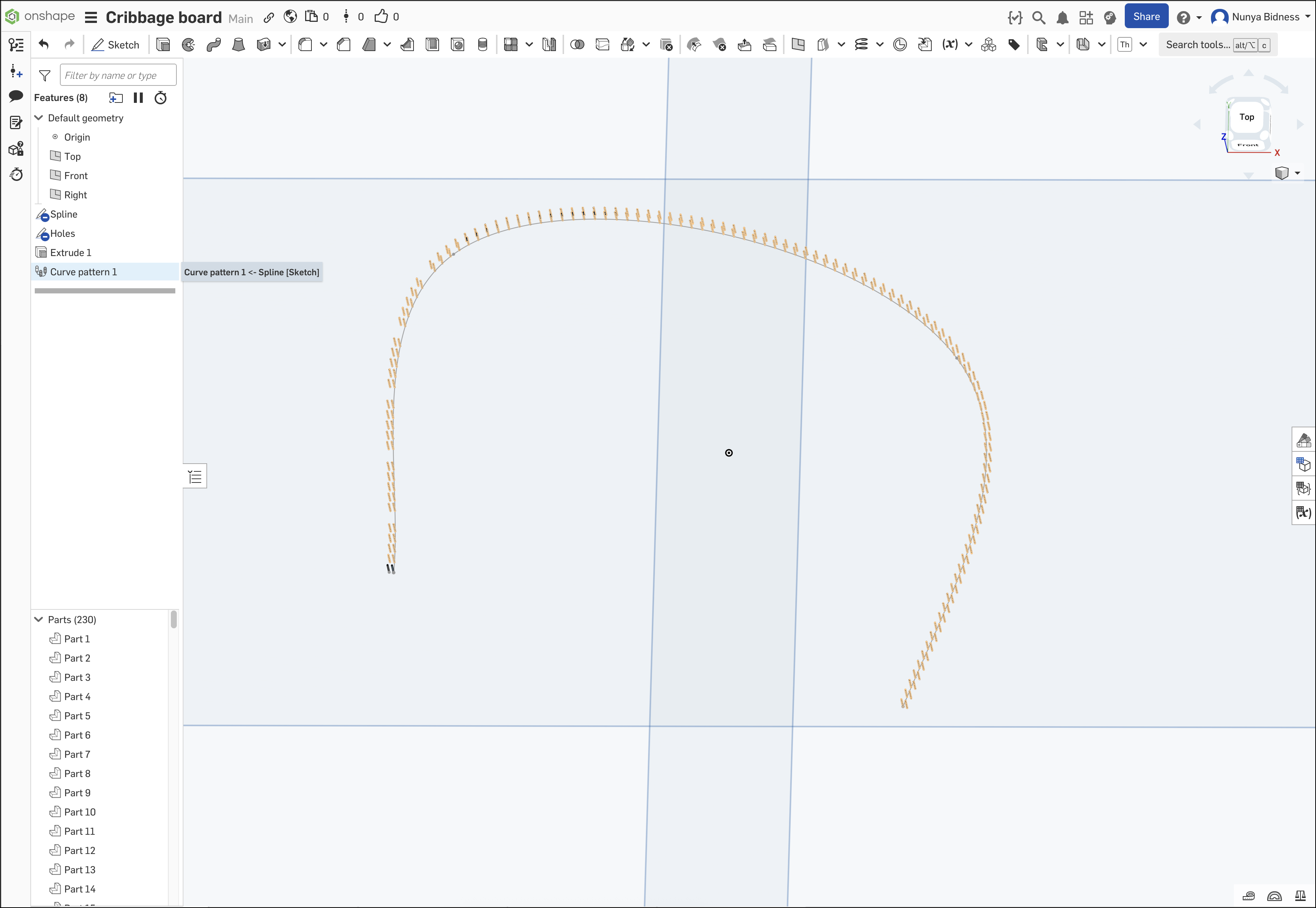
What I am trying to do is use a spline to create the path I want and then a linear pattern of points (or very small circles) to mark the peg holes. I have that bit sorted, but I cannot figure out how to export the resulting layout as a DXF to send to the laser.
I'm not sure if I am explaining this in correct terms, or if OnShape is capable of doing this? Any guidance would be appreciated - thanks!
Answers
-
When in doubt, make a 1:1 drawing of the sketch on a blank sheet and export that as SVG or DXF to your laser.
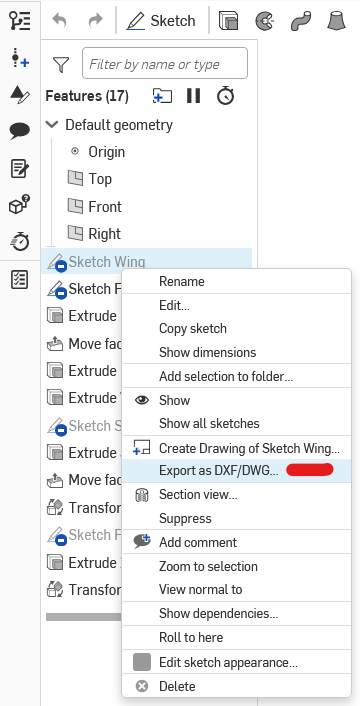
Or right-click on the sketch in the feature tree, select "Export DXF":
 0
0 -
Hi @martin_kopplow -
I am able to export the spline sketch as a DXF, or the initial two hole objects, but not the whole curve path of holes. If I export "Holes", all I get are the source entities.
 0
0
