How to add a "floating" mate connector

When I move the mouse pointer around to choose a location for the mate connector I am about to add, Onshape highlights the "candidate points" (in lack of a better name) on the face under the pointer. And as long as that point is on the actual face, I can easily get to it. But sometimes the point I am interested in is outside the face like those two from the screenshot below:
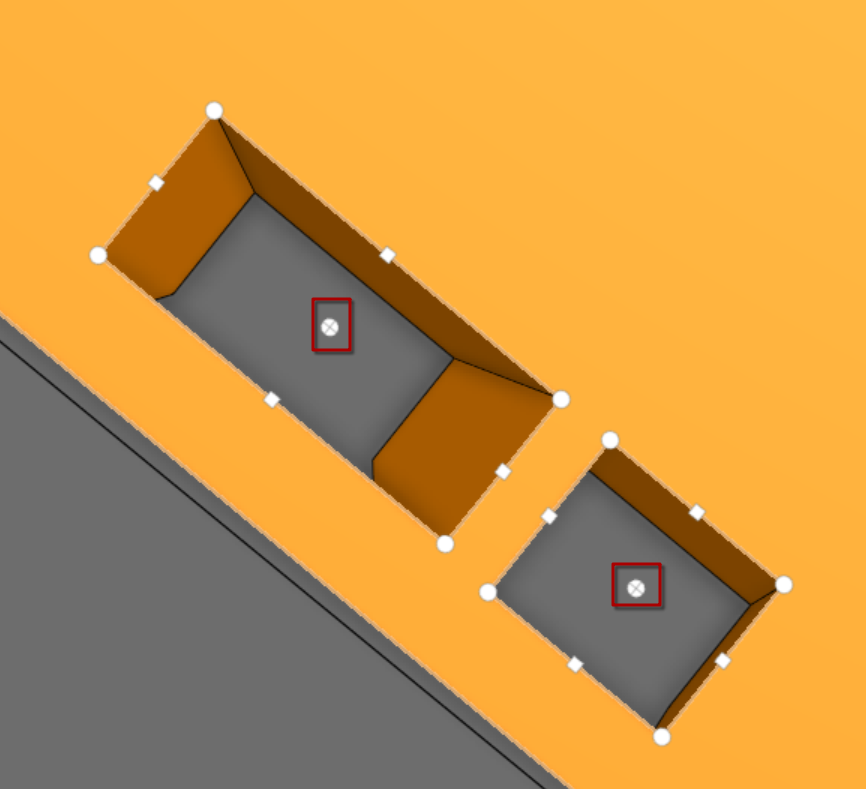
The problem is that I cannot select them. As soon as the mouse pointer leaves the face, they disappear. Of course, there are other way to do what I want, but if I can get this to work it will be the easiest way. Am I missing something here? If it matters, the screenshot above was made in Assembly.
Thanks
Best Answer
-
When you see the mate connector you like, hold down shift.
0

Answers
-
When you see the mate connector you like, hold down shift.
0 -
Thank you, that works.
0