Welcome to the Onshape forum! Ask questions and join in the discussions about everything Onshape.
First time visiting? Here are some places to start:- Looking for a certain topic? Check out the categories filter or use Search (upper right).
- Need support? Ask a question to our Community Support category.
- Please submit support tickets for bugs but you can request improvements in the Product Feedback category.
- Be respectful, on topic and if you see a problem, Flag it.
If you would like to contact our Community Manager personally, feel free to send a private message or an email.
About loft

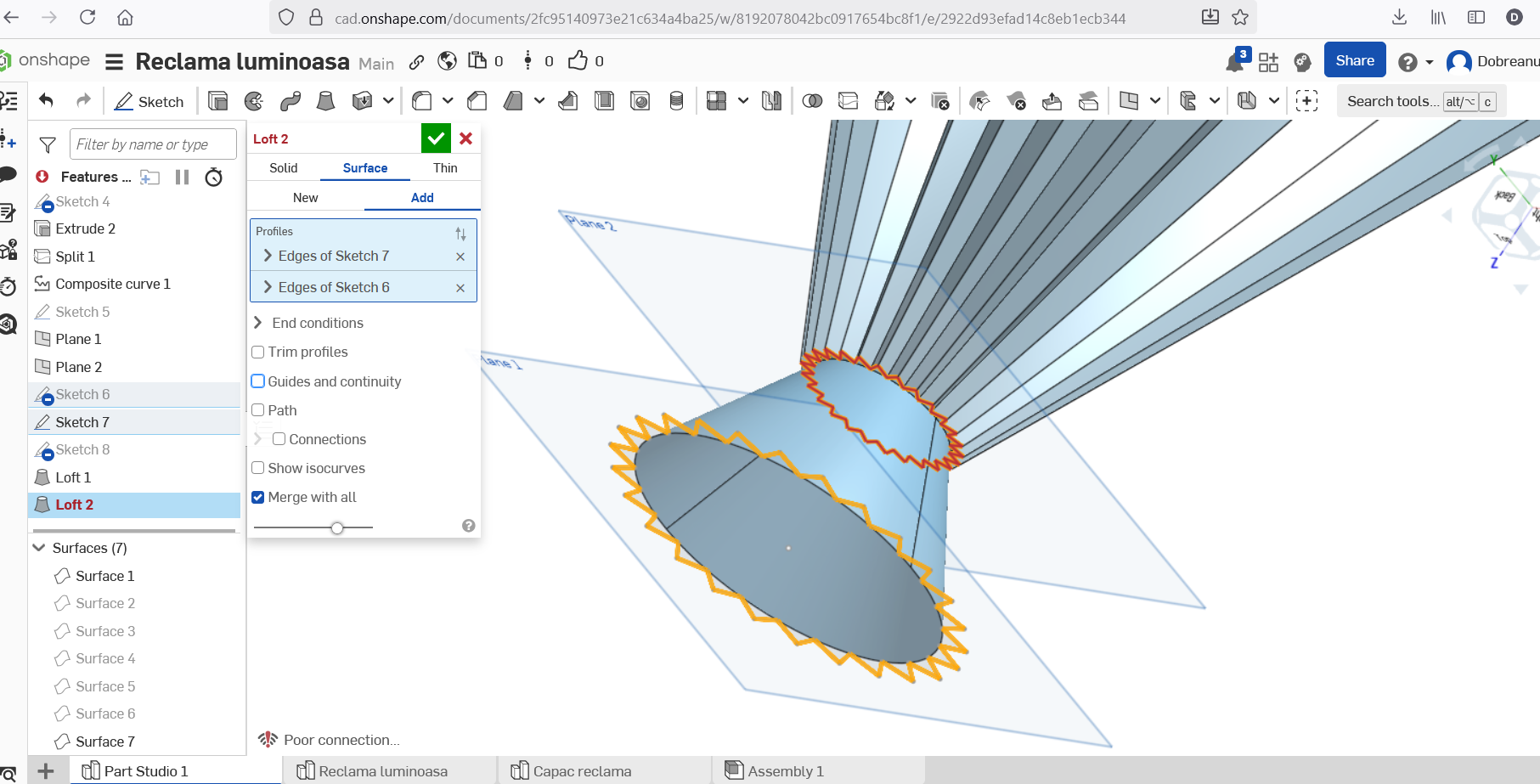
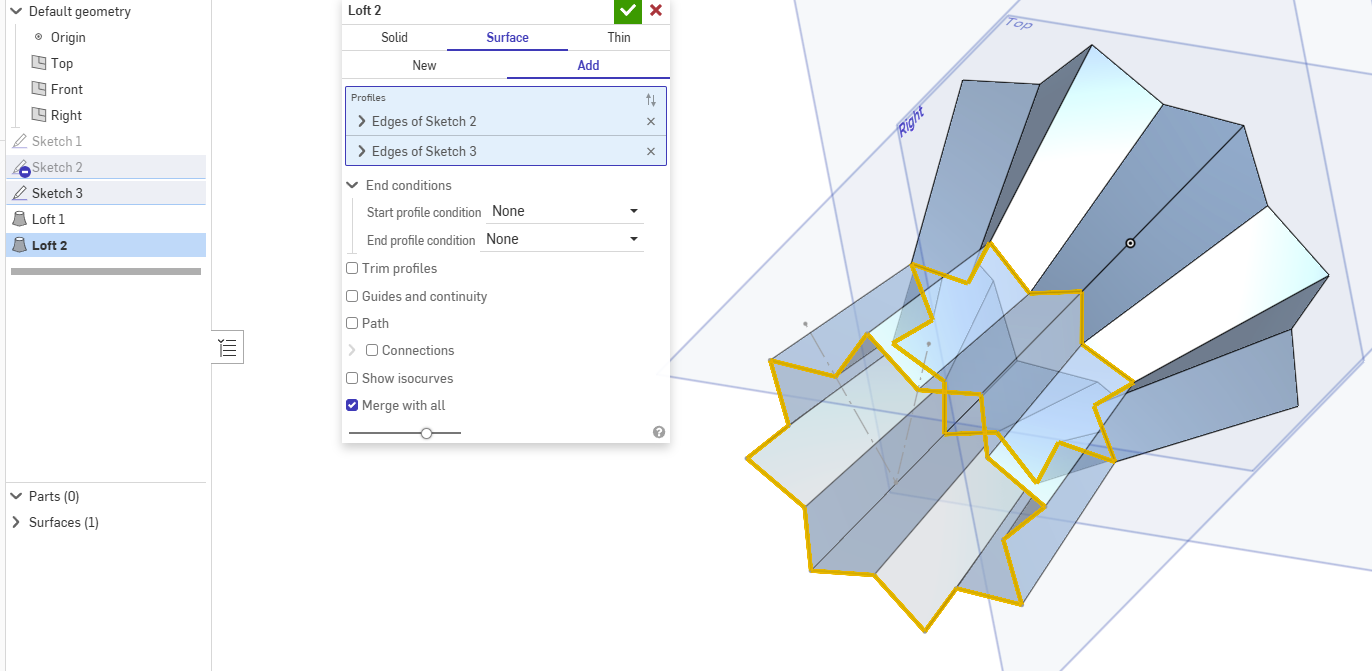
Can anyone tell me why I can't loft this again? They are both surface lofts, if I do solid they generate, but surface do not.
Best Answer
-
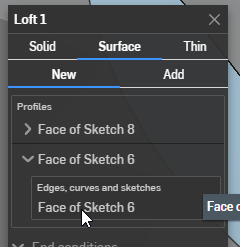
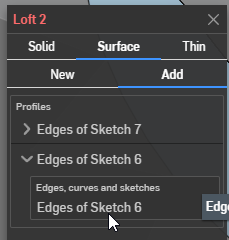
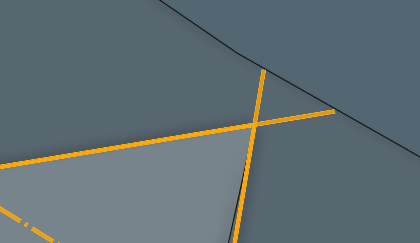
Your "sketch6" has overlapping segments and you didn't select it the same way.
It worked on for the first loft because you picked a "face" (and onshape uses the boundary of that face), but you selected the sketch from the feature tree on the second loft which adds all the "edges" in the sketch, which overlap.
 0
0

Answers
-
Not sure what the problem is. If you could provide a link to your public document.
 0
0 -
this is the file
https://cad.onshape.com/documents/2fc95140973e21c634a4ba25/w/8192078042bc0917654bc8f1/e/2922d93efad14c8eb1ecb344
0 -
Your "sketch6" has overlapping segments and you didn't select it the same way.
It worked on for the first loft because you picked a "face" (and onshape uses the boundary of that face), but you selected the sketch from the feature tree on the second loft which adds all the "edges" in the sketch, which overlap.
0 -
Thank you! I didn't see the overlapping.
0

