Using Form Feature with Featurescript

Denbeigh_Forrest_Parkwood
Member Posts: 13 PRO
Hello Team,
I don't seem to be able to get the form featurescript to work. Any ideas what I am doing wrong???
I am importing a form part studio TEST_FORM::
    var pointSketch = newSketch(context, id + "points", {
            "sketchPlane" : qCreatedBy(makeId("Top"), EntityType.FACE)
        });
    skPoint(pointSketch, "point1", {
                "position" : vector(1, 2) * inch
            });
    skSolve(pointSketch);


    var formLocation = qSketchFilter(qCreatedBy(id + "sketch1", EntityType.VERTEX), SketchObject.YES);
    var targetFaces = qContainsPoint(qActiveSheetMetalFilter(qEverything(EntityType.FACE), ActiveSheetMetal.YES), vector(1 * inch, 2 * inch, 0 * millimeter));

    debug(context, targetFaces, DebugColor.RED);

    try
    {
        var form = sheetMetalFormed(context, id + "TEST_FORM", {
                "formPartStudio" : {
                        "buildFunction" : TEST_FORM::build,
                        "configuration" : {
                            "thickness" : 1 * millimeter },
                        "partQuery" : qEverything(EntityType.BODY),
                    } as PartStudioData,
                "locations" : formLocation,
                "flipDirection" : false,
                "targetFaces" : targetFaces
            });
        println(form);
    }
    catch (e)
    {
        println("Form Feature Failed");
    }
});
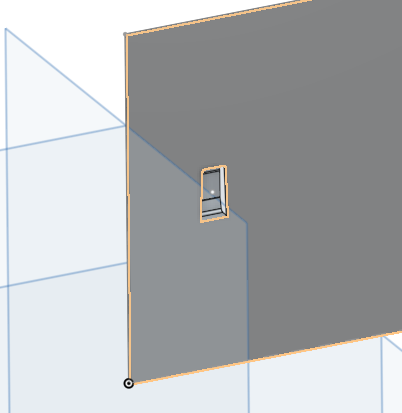
This returns the part with the location on it
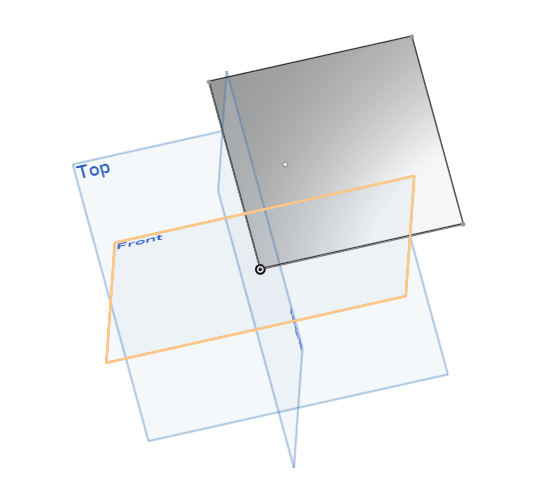
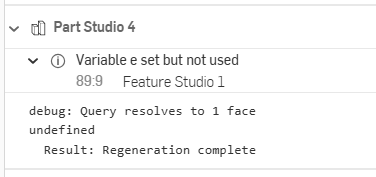
But throws no error, even though the form is not made
0
Comments
-
The code as you posted it has some errors with the formLocation. The sketch id is incorrect and formLocation is an empty query.
I think the location parameter also need to be on a sheet metal face, just based on the sheet metal form feature.www.smartbenchsoftware.com --- Renaissance --- Kestrel -- SmartLink
Experts in Onshape Automation - Custom Features and Integrated Applications0 -