how can i make a spiral in Onshape

Answers
-
there are multiple ways:
us a featurescript (by @Pascoe):
https://cad.onshape.com/documents/abb998532f54a132a42bea8b/v/c8a10bd7be466c936ab1e590/e/fd1c85d2bd07ba022788d886
or create a helix on a cone. (and if you need a flat spiral, you can project it onto a plane)1 -
One of the multiple ways:
Helix curve then use Edit curve to planarize and reapproximate (smooth)
https://cad.onshape.com/documents/8efddfb1d2b9f0efb133f1da/w/852a25bd82baf51214f78c61/e/1c8417d1d56c4bb11da2ddba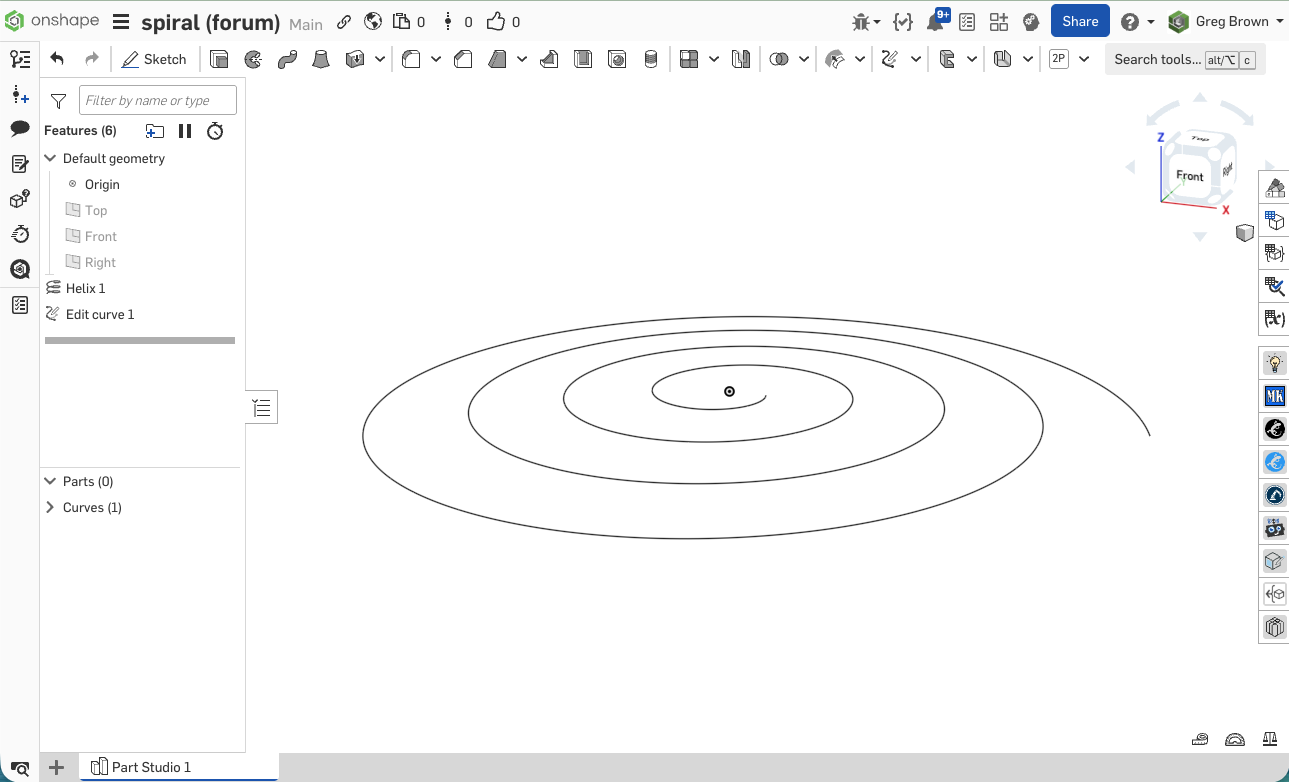 1
1 -
▚▞▚▞▚▞▚▞▚0 -
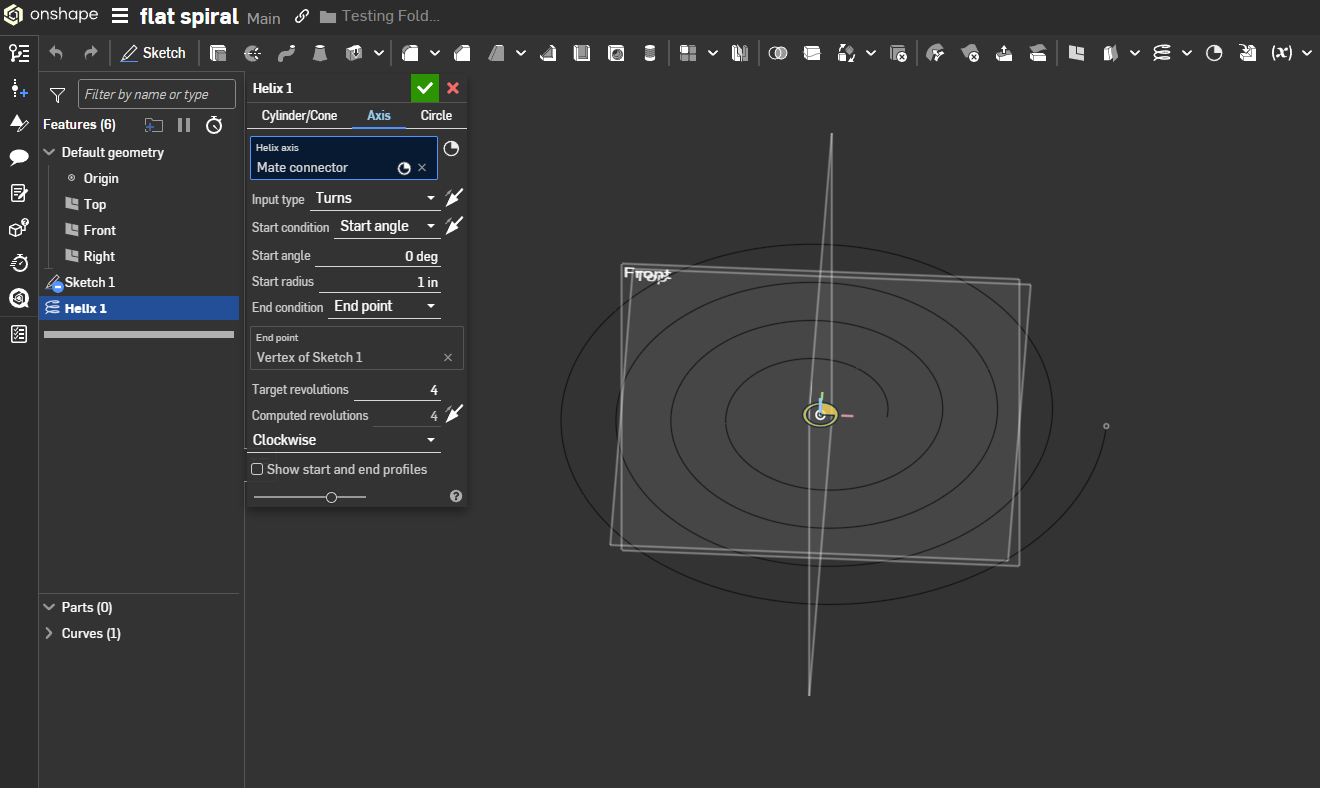
You can actually achieve a flat spiral with the helix tool without needing the edit curve step if you use the axis mode and draw to an end point. I was messing around with opHelix when writing some curve features and it supports flat planar outputs as well as cylindrical / conical outputs. Weirdly though it doesn't support cylindrical AND flat outputs simultaneously (i.e. a flat circular arc output) so I had to write my own 3d circular arc functions to compensate.1





