Feature script extrude offset issue

Hi,
I would like to know how I can make an extrude with an offset within a feature script. The link below points to an example project with a failed offset extrude.
The parameter "hasOffset" is set to true and the "offsetDistance" is set to 5 * millimeter. The feature script generates without error but also without offset.
https://cad.onshape.com/documents/d31a2b5fce1853fef7e29e84/w/f78234041a509038f0f8f16f/e/bd304393ab505e0f1d7fb897?renderMode=0&uiState=690af8abf56884b742d62c9d
Best Answer
-
Ah, you want to offset along the direction of the extrude. Well the default extrude feature already has this.
If you hover your cursor over opExtrude, it will give you a list of parameters that it can take. Use those parameters to fill out the extrudes definition.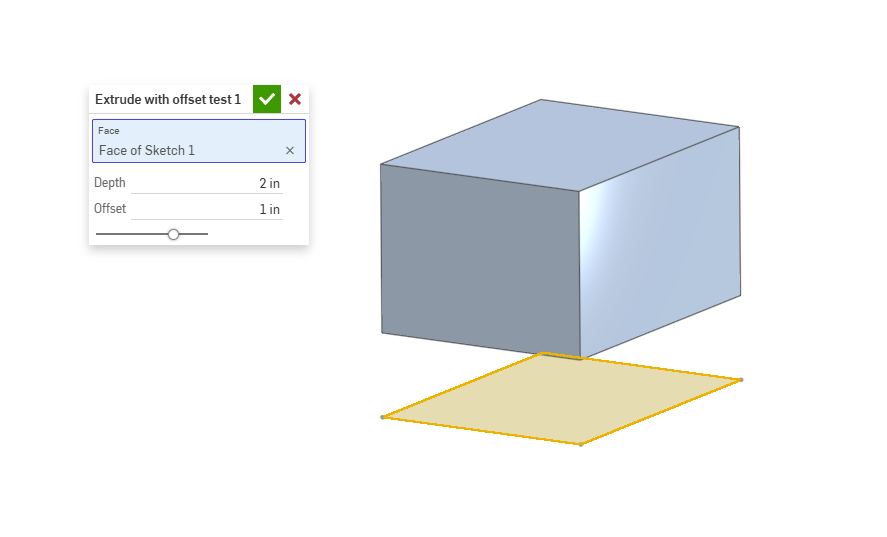
.
▚▞▚▞▚▞▚▞▚0

Answers
-
Here is an example of how to do an Offset Extrude feature.
https://cad.onshape.com/documents/114db515c4c0555c858c84a3/w/d1dcd2c1c42702c1f49b1f02/e/a60b6c9250fa401c4c37bc4e…
.
▚▞▚▞▚▞▚▞▚0 -
Thank you for the response! That is actually a cool feature it takes an offset from the corner (island). I would like to know how I use the offsetDistance parameter in the extrude function correctly to set an offset in the extrude direction.
0 -
Ah, you want to offset along the direction of the extrude. Well the default extrude feature already has this.
If you hover your cursor over opExtrude, it will give you a list of parameters that it can take. Use those parameters to fill out the extrudes definition.
.
▚▞▚▞▚▞▚▞▚0 -
that works! I failed to specify a few parameter. thanks for the help!
0