HOW DO YOU CUT OFF CORNERS?

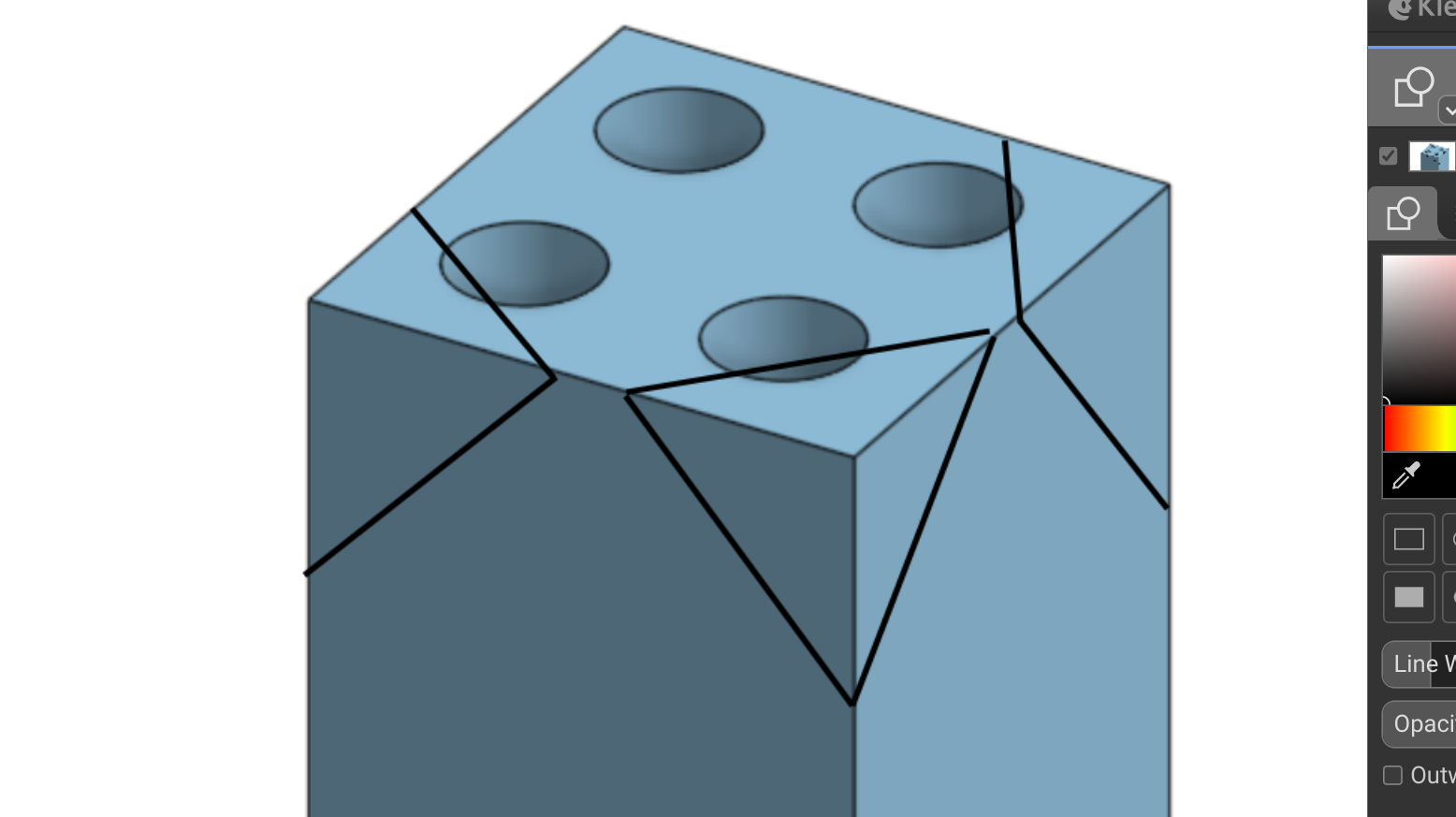
Hello, I'm new to Onshape and currently trying to make a train whistle in CAD so I know what to do when I actually make it. But a problem I've been having is trying to cut these corners off (see black lines (not accurate measurements)).
Is there anyway to cut these corners off? if so could you tell me how?
Thank you for your time!
Best Answers
-
There are a lot of different ways to do this with various sketches, extrudes, splits, etc. but the most simple way could be to use this Corner Chamfer custom feature. You may need to create the chamfer before adding the holes.
Simon Gatrall | Product Development, Engineering, Design, Onshape | Ex- IDEO, PCH, Unagi, Carbon | LinkedIn
2 -
Chamfer all edges of the cube then delete face the edges to leave the corners clipped
https://cad.onshape.com/documents/4a535faaaa105299c7c91976/w/5bfba6eea0044d51c667f257/e/2ac54fde7020c11350360b2f?renderMode=0&uiState=691984916df950356f9dc3dc0


Answers
-
There are a lot of different ways to do this with various sketches, extrudes, splits, etc. but the most simple way could be to use this Corner Chamfer custom feature. You may need to create the chamfer before adding the holes.
Simon Gatrall | Product Development, Engineering, Design, Onshape | Ex- IDEO, PCH, Unagi, Carbon | LinkedIn
2 -
Chamfer all edges of the cube then delete face the edges to leave the corners clipped
https://cad.onshape.com/documents/4a535faaaa105299c7c91976/w/5bfba6eea0044d51c667f257/e/2ac54fde7020c11350360b2f?renderMode=0&uiState=691984916df950356f9dc3dc0