Welcome to the Onshape forum! Ask questions and join in the discussions about everything Onshape.
First time visiting? Here are some places to start:- Looking for a certain topic? Check out the categories filter or use Search (upper right).
- Need support? Ask a question to our Community Support category.
- Please submit support tickets for bugs but you can request improvements in the Product Feedback category.
- Be respectful, on topic and if you see a problem, Flag it.
If you would like to contact our Community Manager personally, feel free to send a private message or an email.
Showing part names in the instance list

Hi,
Still a newbie!
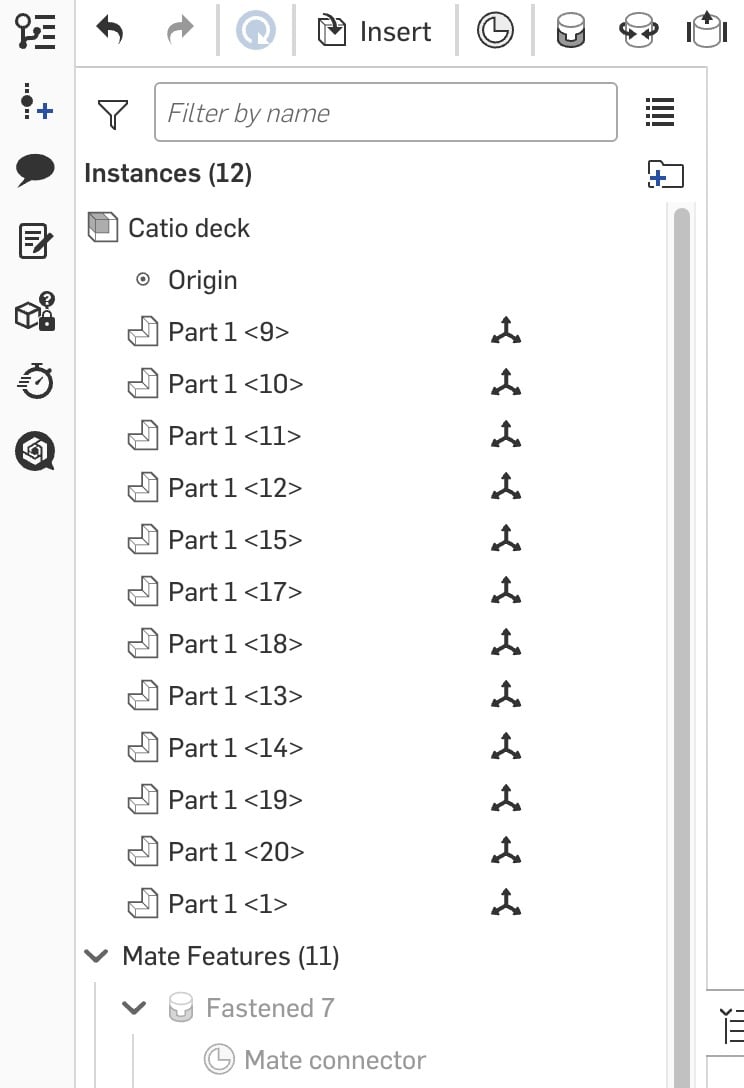
In an assembly it would be useful to see the name of the parts in the instance list. At the moment all I see is Part 1 <9>, Part 1 <10>, etc when it would be useful to see the actual name I gave it in the part (i.e. the names I see in the tabs along the bottom).
Any help to get on how to display the name in the instance list would be great.
Many thanks.
Answers
-
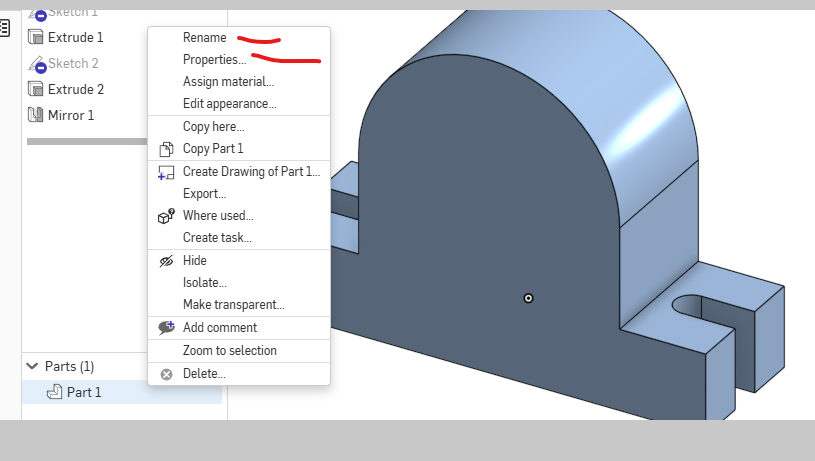
The tabs along the bottom are the name of the Part Studios, not the part. You can create many parts in a single studio, which is one of the fundamental features of Onshape.
Simon Gatrall | Product Development, Engineering, Design, Onshape | Ex- IDEO, PCH, Unagi, Carbon | LinkedIn
0 -
Thanks @S1mon, I'm still getting my head around the nomenclature!
Anyway, back to the question in hand. How can I show the name of a "part" in the instance list?
Thanks,
Lee
0 -