Welcome to the Onshape forum! Ask questions and join in the discussions about everything Onshape.
First time visiting? Here are some places to start:- Looking for a certain topic? Check out the categories filter or use Search (upper right).
- Need support? Ask a question to our Community Support category.
- Please submit support tickets for bugs but you can request improvements in the Product Feedback category.
- Be respectful, on topic and if you see a problem, Flag it.
If you would like to contact our Community Manager personally, feel free to send a private message or an email.
Make a Simple Sheet Metal Box with Flanges

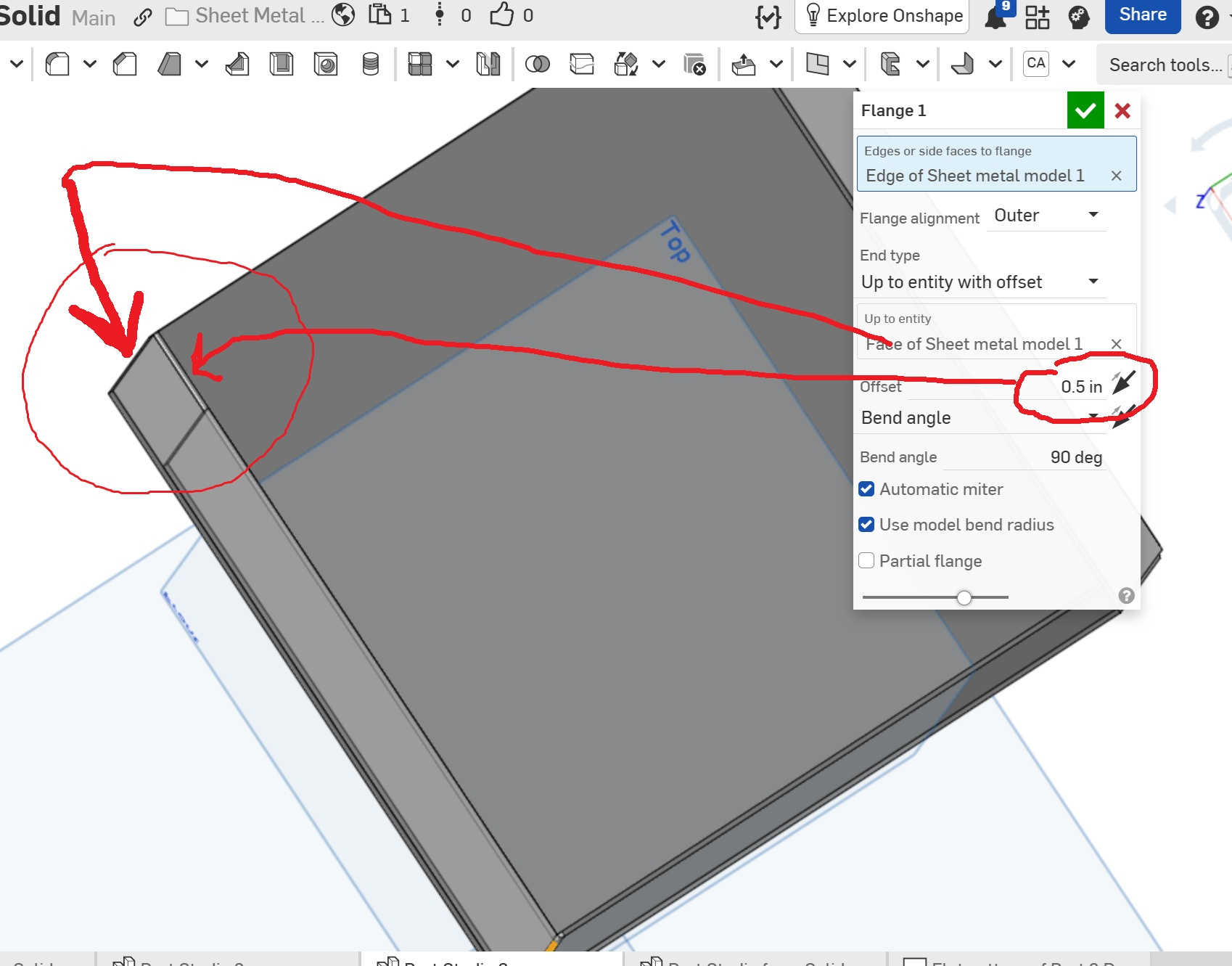
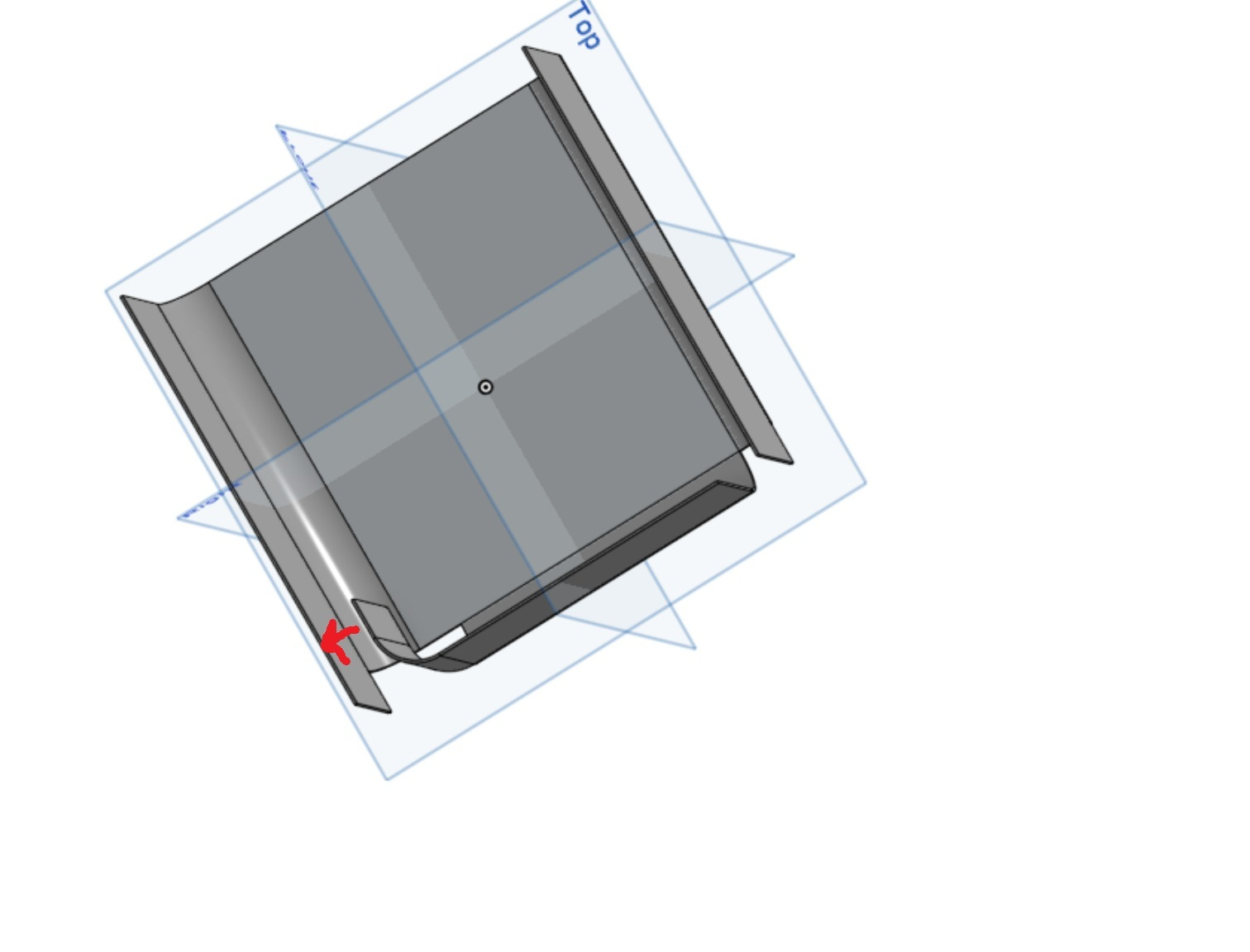
I'm lost on how to get the flange to meet or at least come close to perpendicular wall.
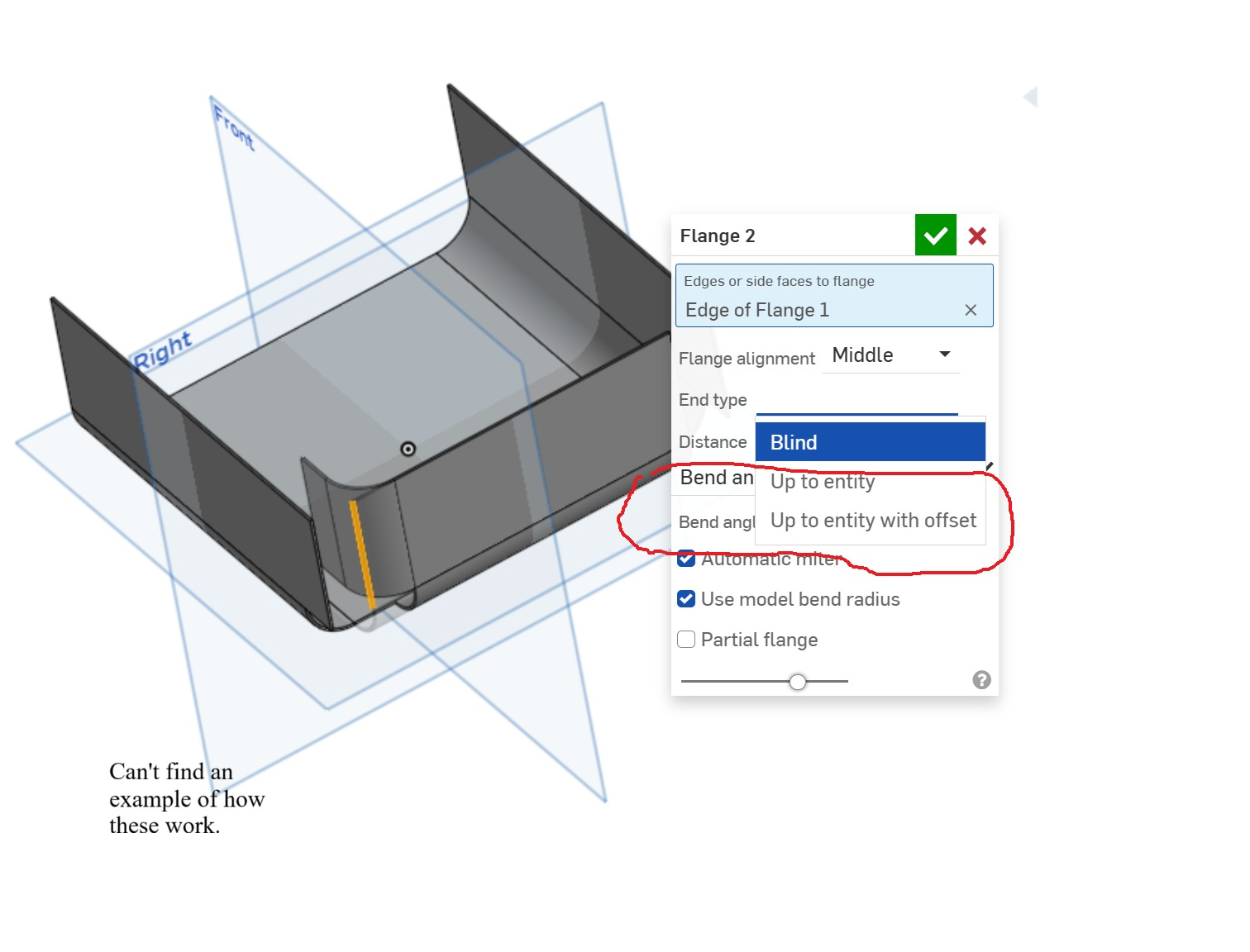
Also, I am unable to find any examples using the "up to entity" or "up to entity with offset" selections.
Thanks,
Steve.
Best Answer
-
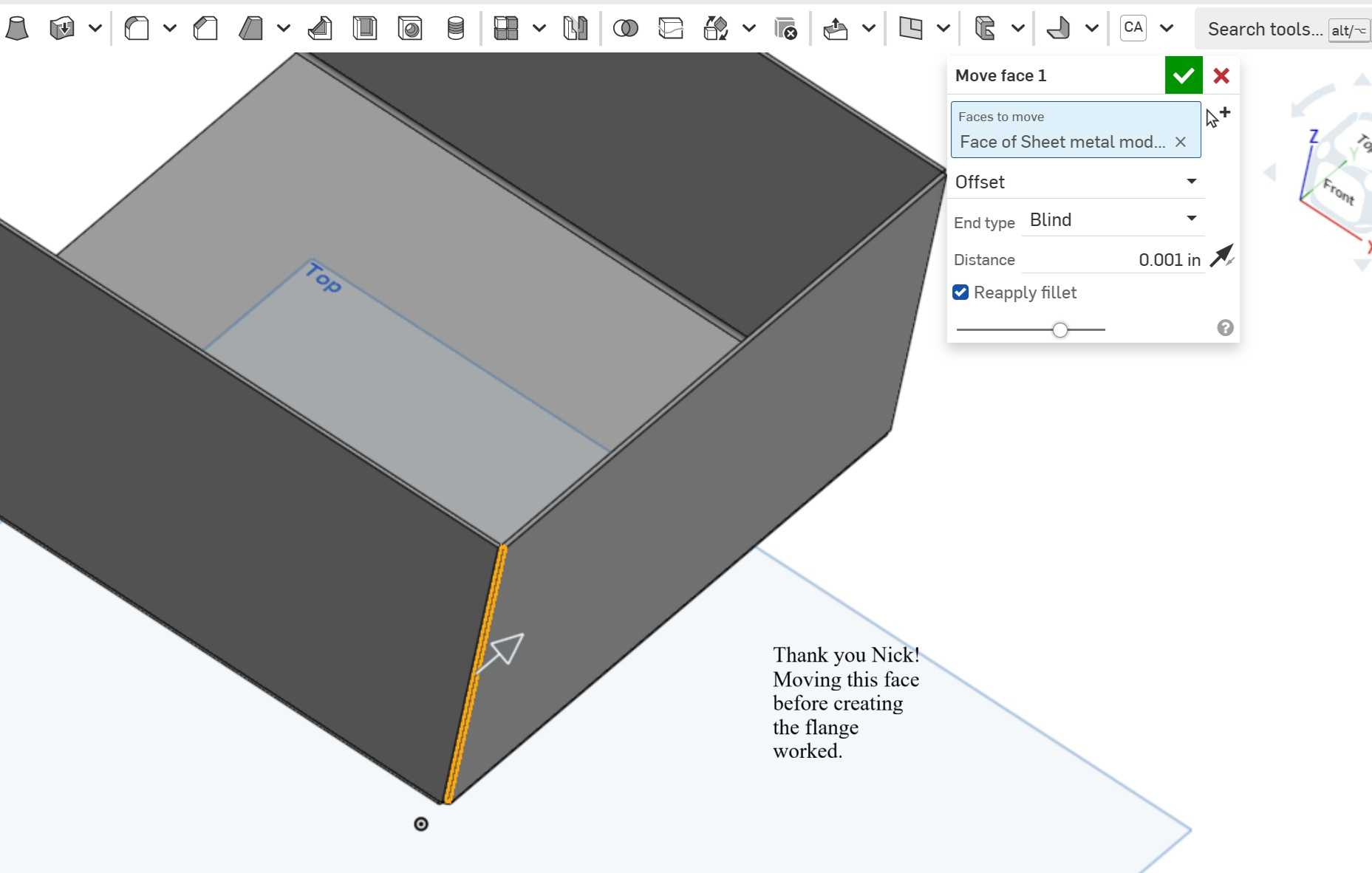
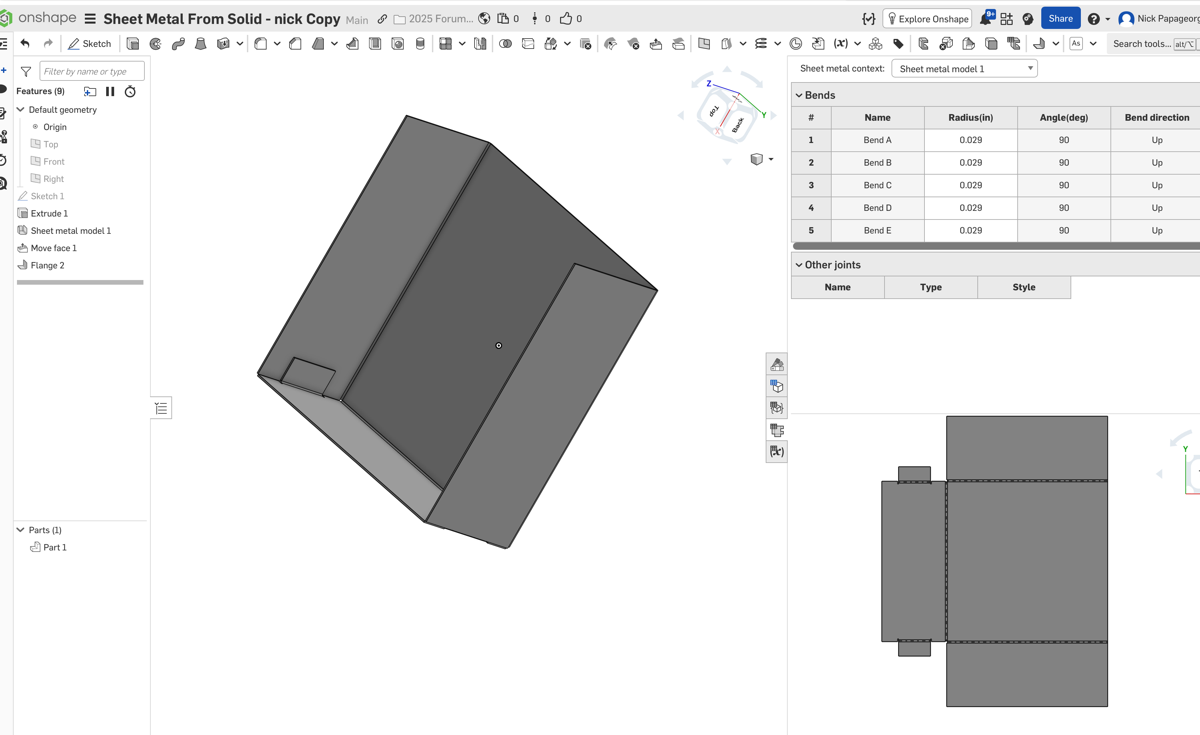
IDK why it does this, but if you do a move face just a tiny amount before the flange, it works. Screenshot and link below.
https://cad.onshape.com/documents/28c4766a249de270773b61b8/v/86be792abe19e74adc973658/e/6d4e33de8525984f1ac535a7?renderMode=0&uiState=69263ef1233f9d4e023e6c83
0
Answers
-
IDK why it does this, but if you do a move face just a tiny amount before the flange, it works. Screenshot and link below.
https://cad.onshape.com/documents/28c4766a249de270773b61b8/v/86be792abe19e74adc973658/e/6d4e33de8525984f1ac535a7?renderMode=0&uiState=69263ef1233f9d4e023e6c83
0 -
-