Cut List (New Custom Feature!)
Comments
-
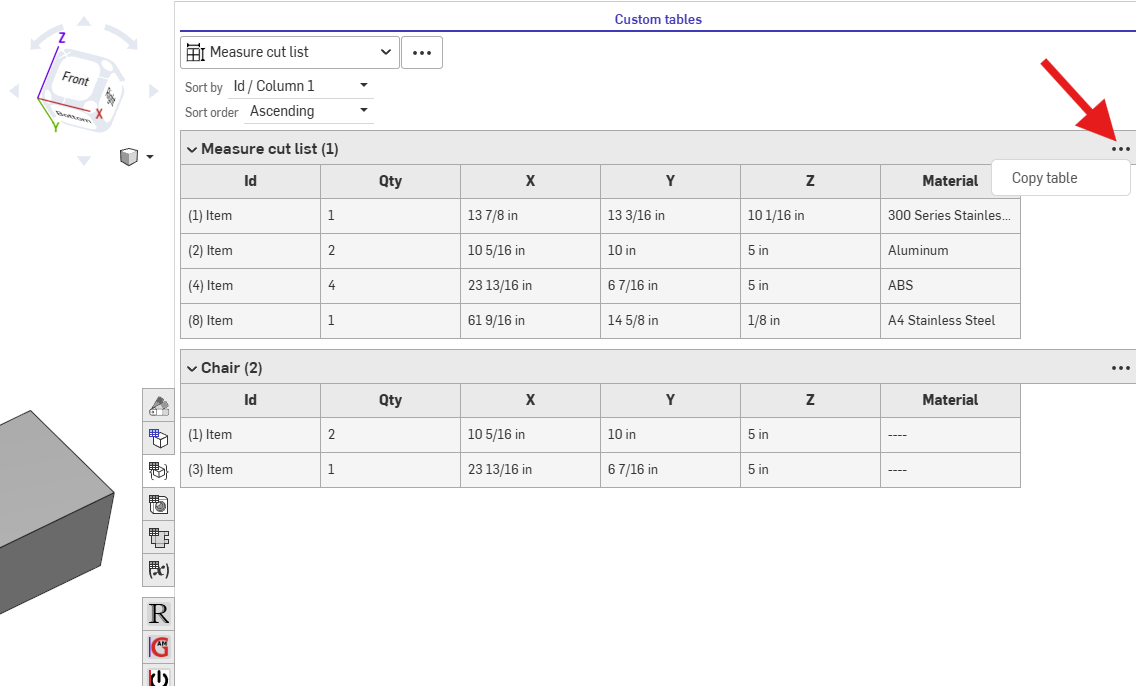
@sacha_holsnyder for now, you can click on the 3 dots and "Copy table" this will let you paste it into excel or google sheets where you can export as csv.
▚▞▚▞▚▞▚▞▚0 -
This looks impressive. I am not very experienced with Onshape. I have created a parameter driven model of a base cabinet with configuraion variables for height, width and depth. I can then insert individually sized cabinets in an assembly to get a whole wall view. I had wanted to get a cutlist for whole wall. But it looks like this works within a part studio. Is that correct? I actually don't even go into the part studio while i assemble my wall of cabinets. Am I out of luck? Thanks for any help you might offer. The cabinet model is public, current version is https://cad.onshape.com/documents/5988df0b0e8b5650d3186df9/w/337539fce21c3b9856bfa35b/e/8db6c5ee4e7026243d8778b9
0 -
There are a few ways to do it, but you are correct that custom features are only for part studios sadly.
You can use the
 Property / Attribute feature to set the Description of the part to the dimensions of the part. While inside the property feature, right click the description input and convert to expression. This will let you use equations to in it like (#x ~ " " ~ #y ~ " " ~ #z). And before that, use the
 Variable to string to convert the variables from meters to a readable string. Then finally, in your assembly BOM make sure the description column is visible.
▚▞▚▞▚▞▚▞▚0 -
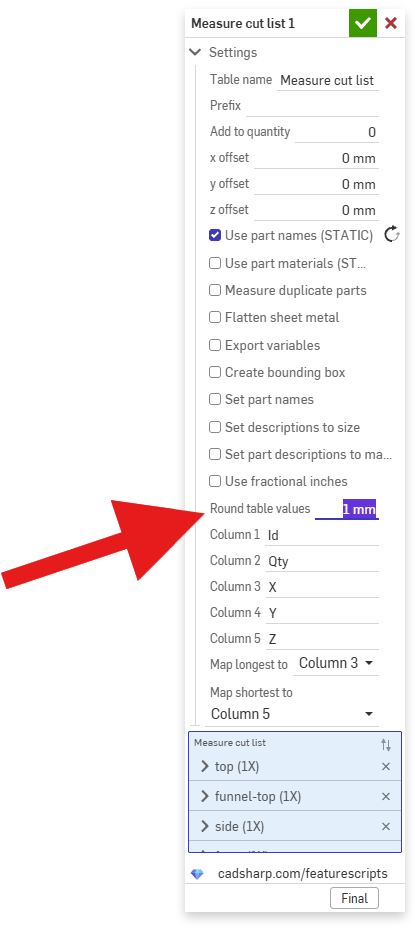
Sorry, I see rounding already exists!
@MichaelPascoe I love this feature. I do seem to get slightly incorrect figures in metric, e.g. 12.0 Z thickness becomes 11.989 in the table. Is it possible to set rounding? https://cad.onshape.com/documents/46579eb00df0aa76f85c4e84/w/56ada518491428db0b5e16cf/e/46dbe19100e1b9cb1176a77a
0 -