Manipulator Style Cheat Sheet?

Does anyone have a cheat sheet for all the manipulator styles/types? There are no illustrations in the standard docs and I had to dig around to figure out that the one I was looking for is called "tangential".
See also:
Simon Gatrall | Product Development, Engineering, Design, Onshape | Ex- IDEO, PCH, Unagi, Carbon | LinkedIn
Comments
-
Default:

Secondary:
Simple:

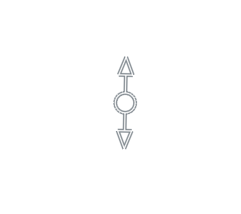
Tangential:
 www.smartbenchsoftware.com --- Renaissance --- Kestrel -- SmartLink
Experts in Onshape Automation - Custom Features and Integrated Applications0 -
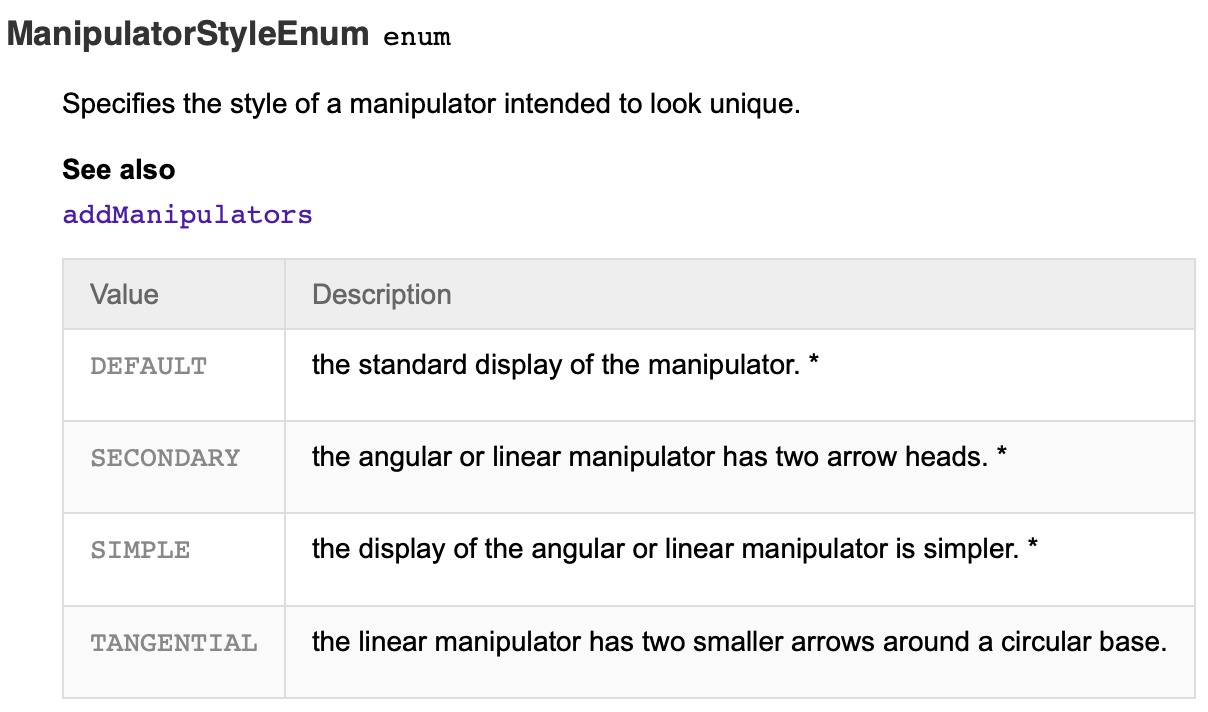
Thanks. That covers the styles:
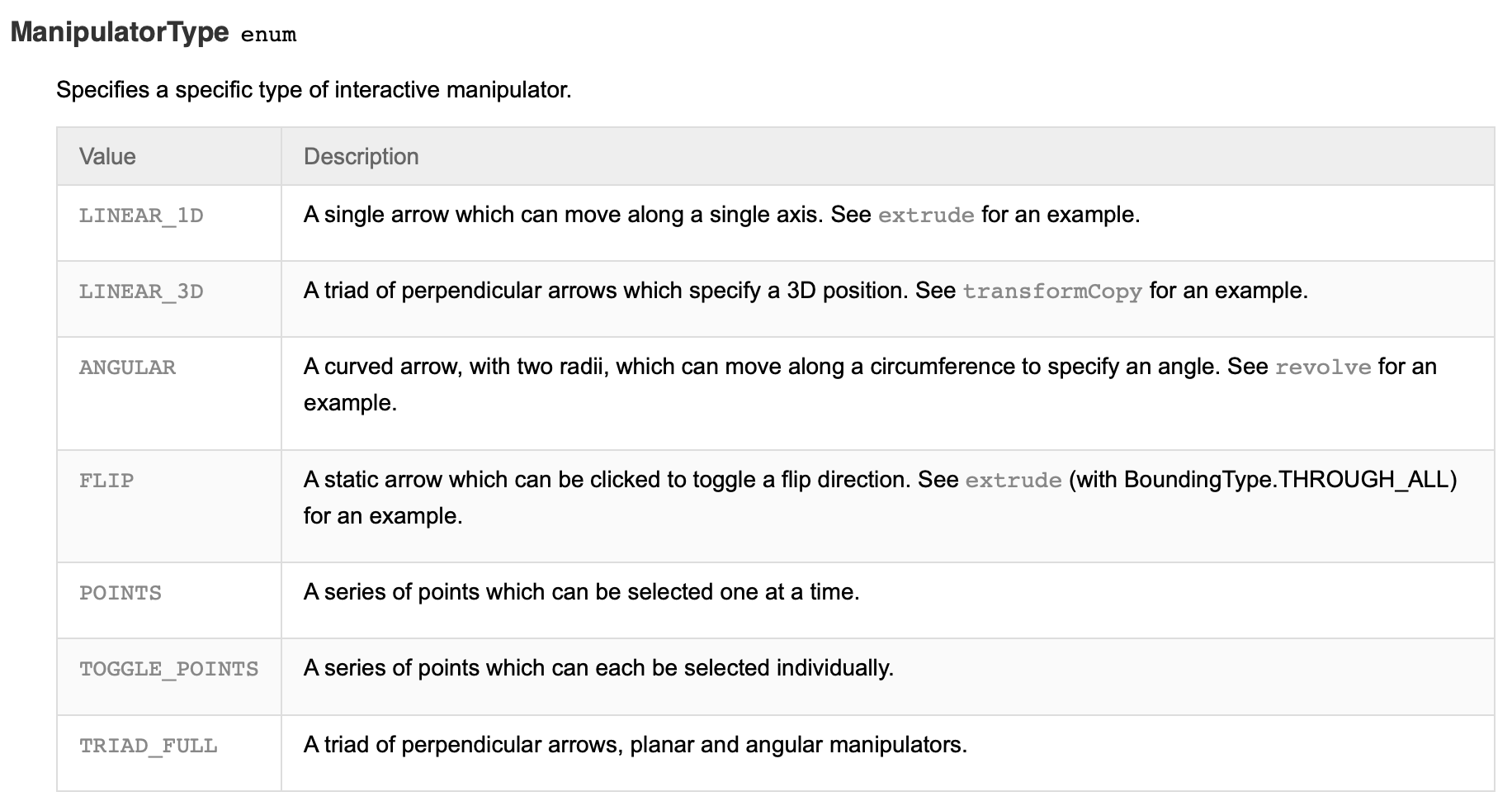
But then there are also a bunch of types:
And then, can I have a secondary/triad_full?
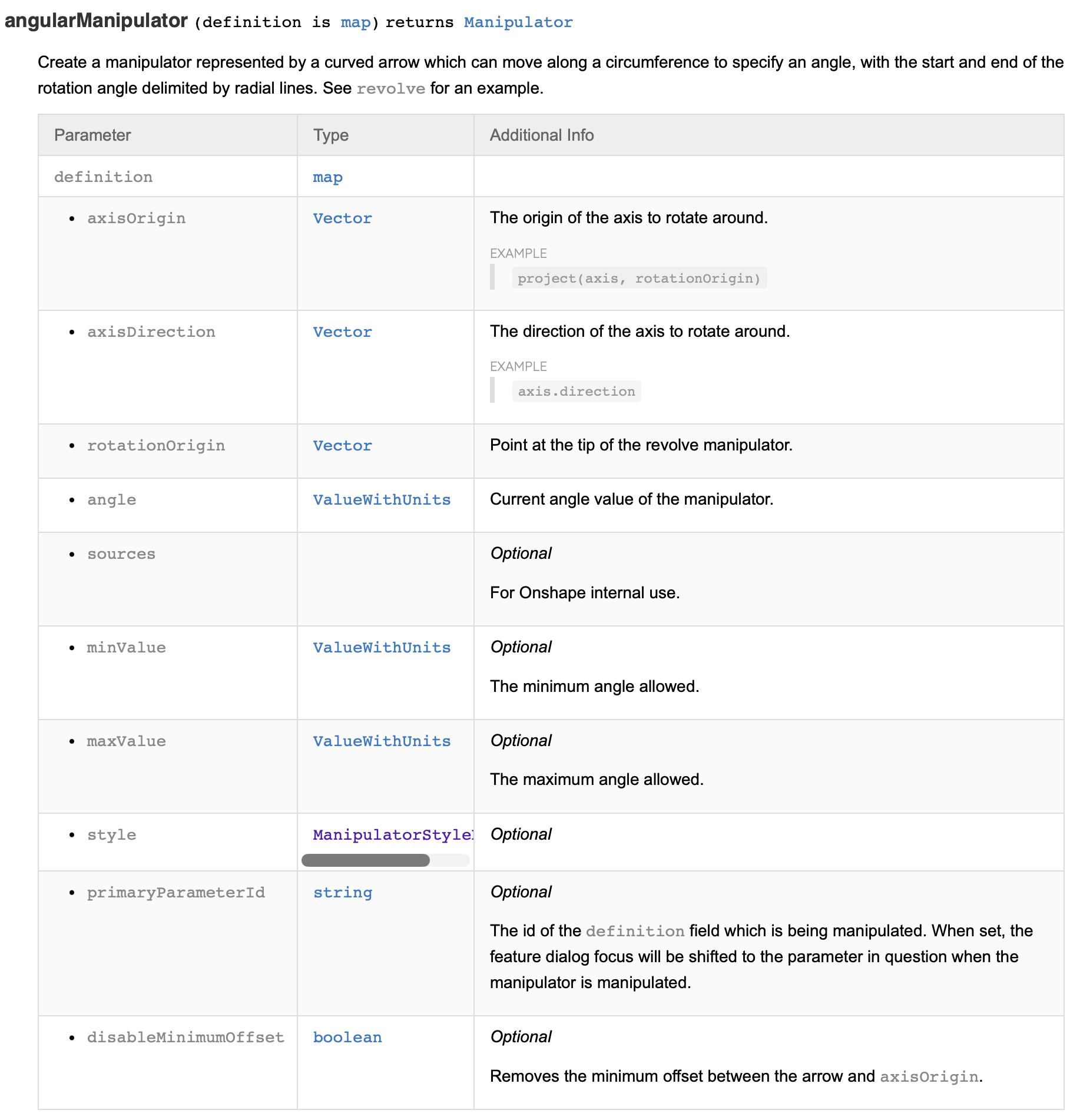
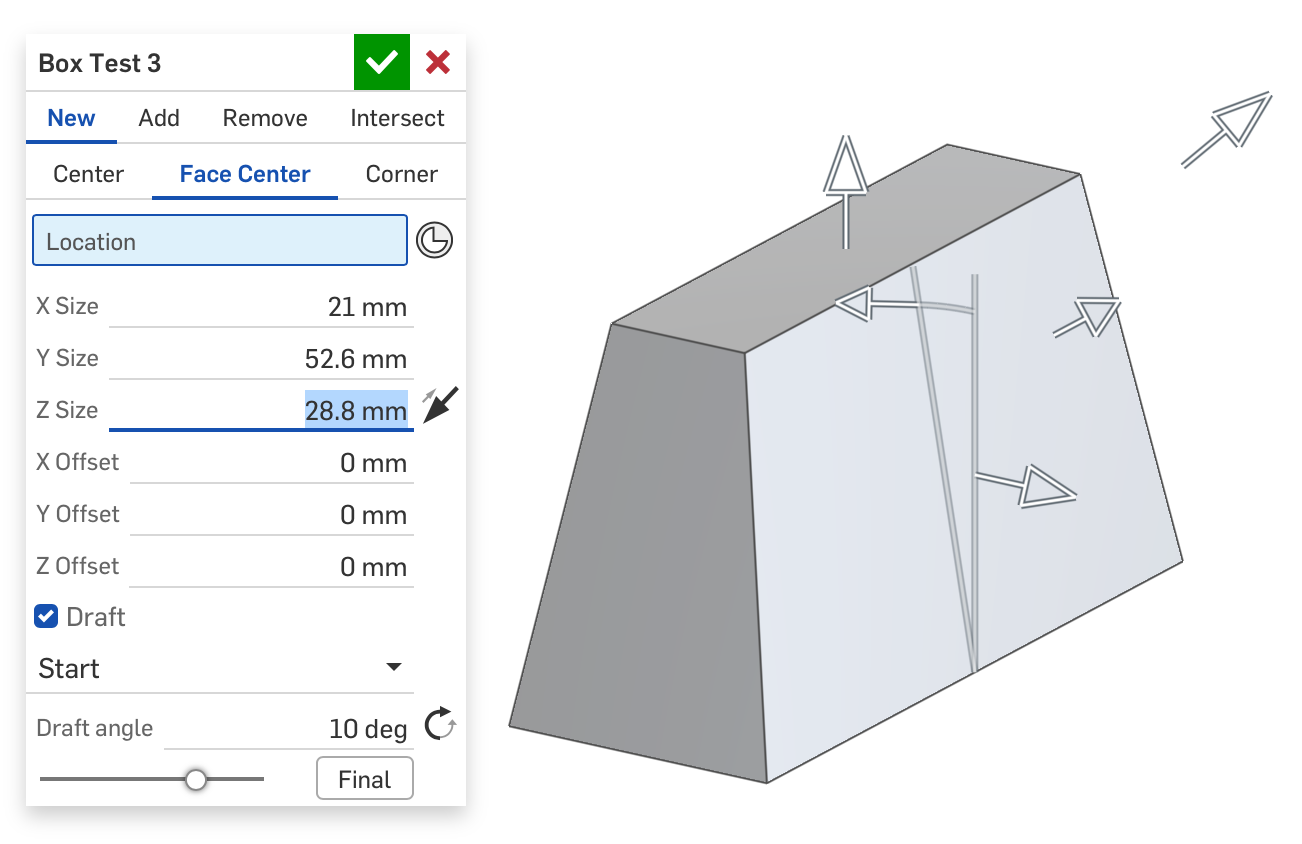
Angular is really painful without a diagram of what the various inputs mean:
When I set up a pretty simple test feature, it took me a lot of flipping and axis choices to get to the point where I finally got the draft manipulator on this in the right orientation:
Simon Gatrall | Product Development, Engineering, Design, Onshape | Ex- IDEO, PCH, Unagi, Carbon | LinkedIn
0 -
At some point in programming you just got to try it out and see for yourself.
Its part of why featurescript is great, its really easy to whip together a quick sample just to test things out.
What about the angular documentation could be improved? To me, everything looks pretty well explained.www.smartbenchsoftware.com --- Renaissance --- Kestrel -- SmartLink
Experts in Onshape Automation - Custom Features and Integrated Applications0 -
In retrospect, I guess the angular info is clear-ish. However, as I was trying to use it to drive draft, in my brain, pull direction is one of the most important "axes", and I assumed the stationary line of the manipulator was the axis. The axis is actually not a visible part of the manipulator at all. It's the axis of rotation. Again, in retrospect, I imagine that the positive z of that vector defines which way the angle winds, and the x or the y defines the stationary part. However, a simple diagram would have really made that a lot more clear.
Simon Gatrall | Product Development, Engineering, Design, Onshape | Ex- IDEO, PCH, Unagi, Carbon | LinkedIn
0
