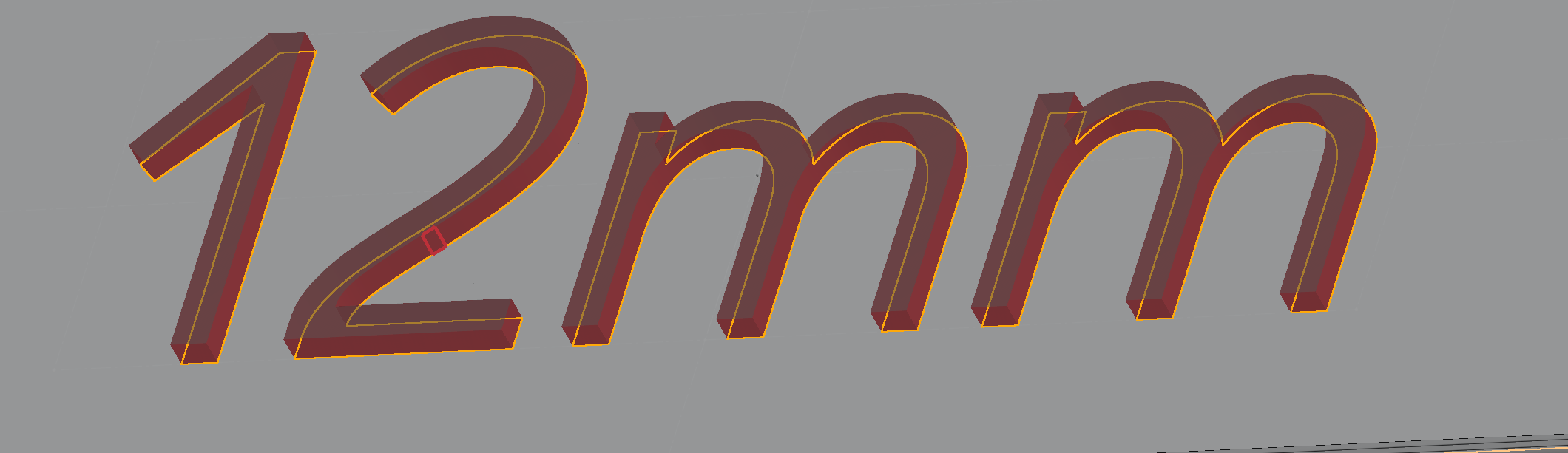
"2" text in Didact Gothic font cannot be extruded from a face as it creates a boolean error

I am trying to extrude some text up from a face for a bunch of labels. Once I got to using the number 2 it stopped working and is highlighting a square on the right hand side of the 2. If I deselect the 2 shape from the extrude then it works fine and all the other labels I've done so far have worked fine. If I make the 2 so big that the highlighted part is not touching anything when it extrudes then it works fine. If I extrude with a starting offset of 0.1mm so it has a gap between the face and the 2 it works, but I then cannot extrude the bottom face of the 2 down to the main surface. I cannot offset 0.1mm in the other direction to overlap the lower section.
Answers
-
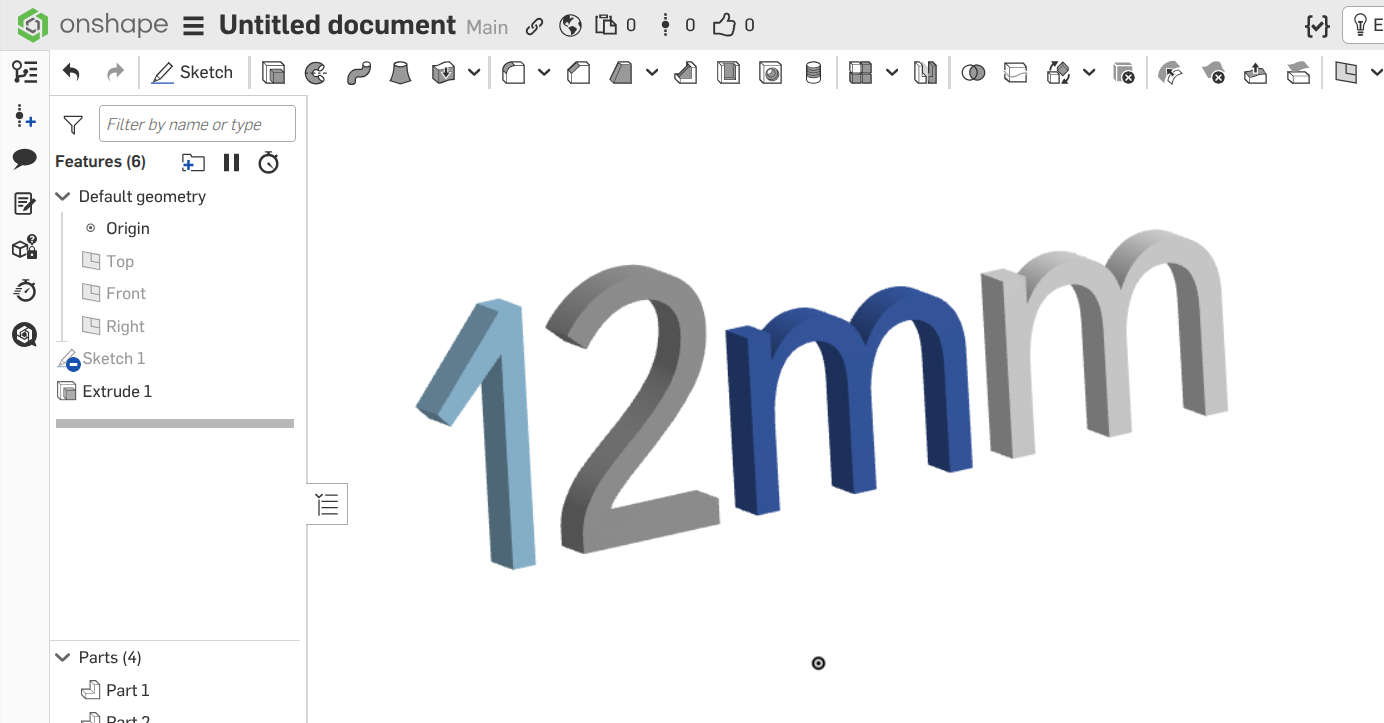
No problem for me - see below
Your text looks skewed, made to look italic, but I'm not seeing that option in the official text tool. Did you use some third-party Featurescript?
Unemployed Onshaper- Operating on European time - More of me here ➤➤ https://linktr.ee/Liam.G0 -
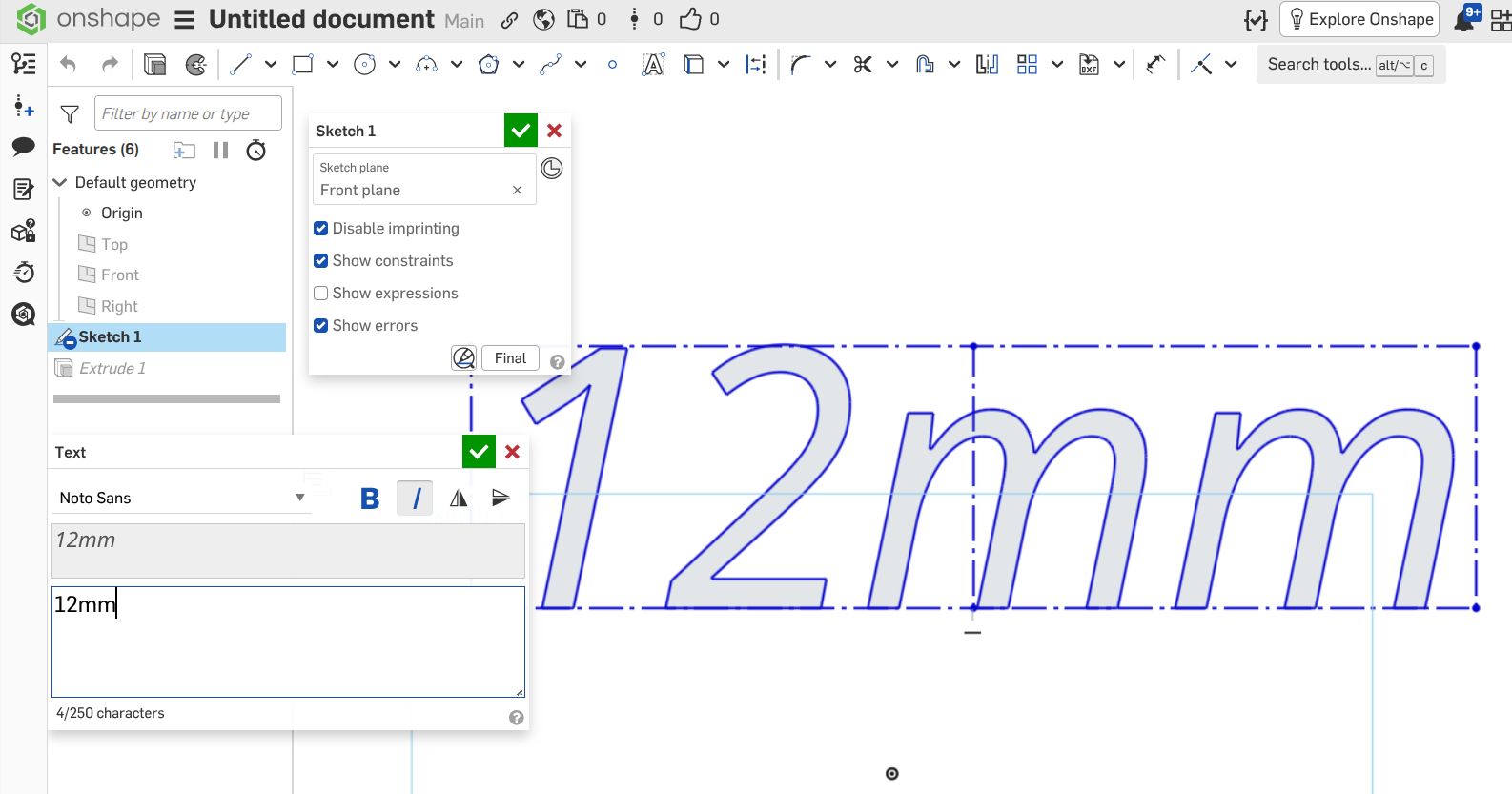
Try again using the official text tool, but use Noto Sans as your font, which looks similar but it does support Italic - not all of them do.
Bit confusing TBH - there should be an option to filter that font list in some way, or maybe make it more obvious which fonts do/don't support bold and/or italic.
Unemployed Onshaper- Operating on European time - More of me here ➤➤ https://linktr.ee/Liam.G0
