Welcome to the Onshape forum! Ask questions and join in the discussions about everything Onshape.
First time visiting? Here are some places to start:- Looking for a certain topic? Check out the categories filter or use Search (upper right).
- Need support? Ask a question to our Community Support category.
- Please submit support tickets for bugs but you can request improvements in the Product Feedback category.
- Be respectful, on topic and if you see a problem, Flag it.
If you would like to contact our Community Manager personally, feel free to send a private message or an email.
Start of a new feature: "Rotate To"

Writing this on mobile, so it's a short post, but wanted to share a simple tool I wrote this morning. Rotate To will rotate selected bodies around a selected axis FROM a line or planar entity TO another line or planar entity. Or will rotate so as to align two axis which are both parallel to the rotation axis (such as holes in two discs).
Easier than copy pasting the exact angle.
This probably exists already, but I just felt like writing.
https://cad.onshape.com/documents/9e1008d0cd3b4421e98a7539/w/a921878078ffc8acc42d7417/e/040b5dcccdfbd7d4da001468
Comments
-
Wouldn't a transform by mate connectors accomplish the same thing?
0 -
No, I want to keep the part where it is, just rotate it so some part of it lines up with some other entity. Sometimes I need to do this a few dozen times, and my FS makes it super easy.
0 -
Rotate Up To is a functionality implemented in the Spaceclaim move tool. It basically rotates something selected around an axis or edge selected until it is coincident with something else selected. "Up To" is an option available for all their move operations.
Kind of "Make it so that this aligns with that!" That was very useful and after starting with Onshape, I missed that option a lot and haven't yet found a substitute for it. Transform by mate connectors comes nowhere near. Not even a bit.
I'll give it a try ASAP. :0)
0 -
I really needed it to fix an imported part studio that had a lot of pulleys on hex shafts, and all of those things were at odd angles.
1 -
That is exactly the use case. Sometimes, I get an imported part that is modeled at some angle that made sense when modeling, but then it has a contact surface at an angle and I need it to be rotated so that this surface fits my part studio. In an assembly, I could use constraints, but in part studios it is very cumbersome to ajust it accordingly, because none of the built-in transform tools has an option to pick two independent references.
0 -
It works for me, but I don't get the meaning of the 'flip' button. It kinda flips, but not necessarily to the opposite side. What's the story here?
0 -
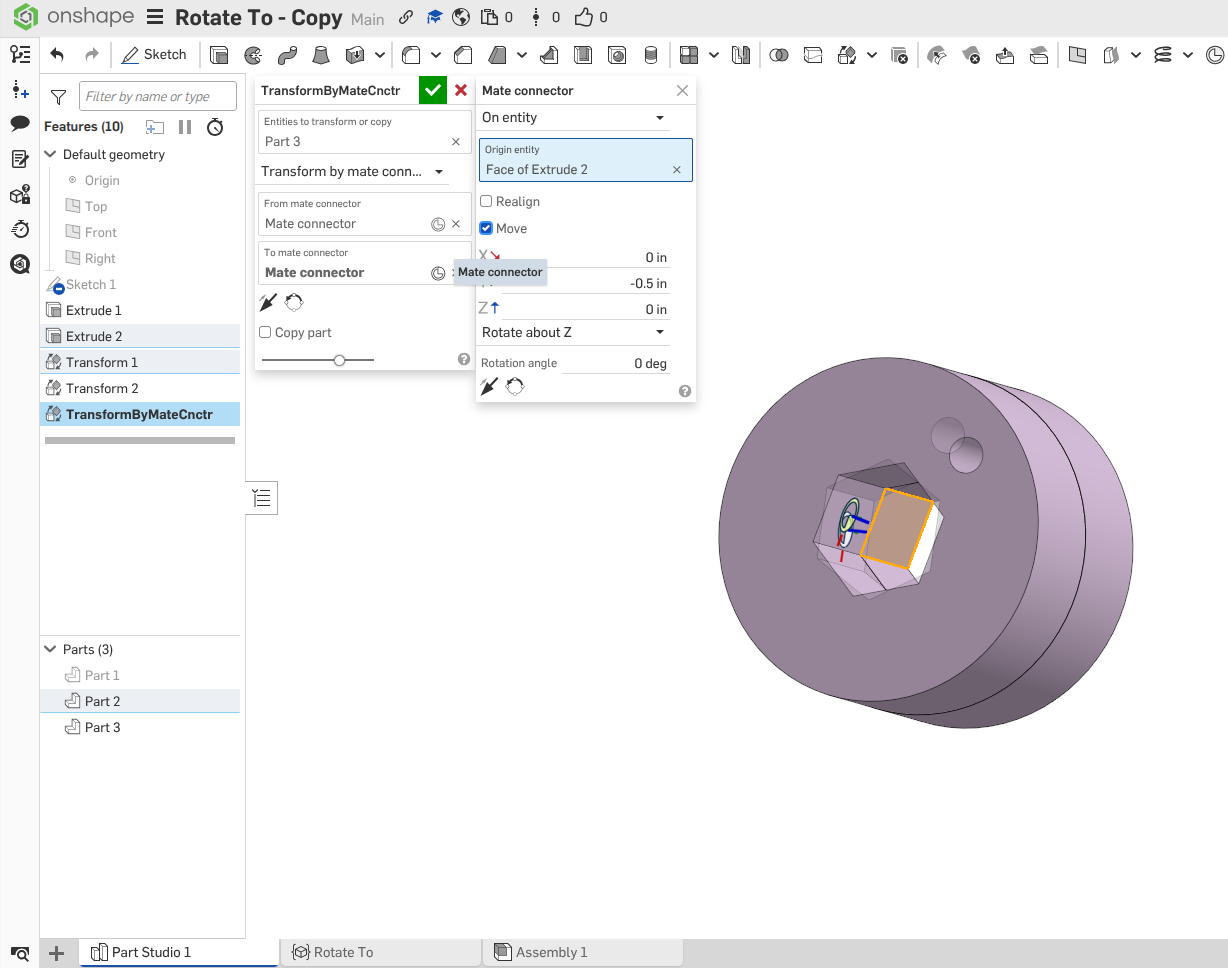
I managed to realign the two parts in your example using only Transform, with mate connectors. I did have to manually input the extrude thickness though, so I suppose your tool is a little bit faster.
Unemployed Onshaper- Operating on European time - More of me here ➤➤ https://linktr.ee/Liam.G0 -
Of course can you eventually manage to achieve the same move, using tranform by mate connectors, though then, you'd need to know (or else measure) things about the part and prepare the MCs carefully. Josh's FS is nice in that it works without any preparation, conveying design intent, and it also reacts predictably to edits in the FT.
1 -
I didn't explore rotate to yet but I know it needs to be native and not custom. 😉
1 -
I don't remember rn, I'd have to check the code (or you can). I wonder if it does 180-angle maybe.
0 -
if it measure the angle between the reference faces to be 30 deg, you can force the body to rotate 30 deg, but you can reverse clockwise/counterclockwise with the flip button in case auto-direction is wrong, or for any other reason.
0 -
No, it sticks to the nature of the tool and does some 'odd angle'! ;0) While 180° would have been to be expected and predicatble, it does somerthing I couldn't anticipate even after trying a few times.
0 -
@joshtargo Ah, I think I now have at least a clue what is going on. I was expecting it to rotate to meet the reference, or if reversed, to rotate to the opposite direction of the reference. That is, when meeting the reference takes say 30°, reverse would take it to -150°, which would be it facing 180° away from the reference.
That somehow made sense to me, because that is what a designer would most probably need: Rotate it to, or away from something.
Now it appears you based the reverse on the starting position, while I was expecting the reverse to be based on the target position.
Now, even knowing that, I cannot think of a single use case for reversing relative to the starting position: The starting position would usually be the unknown or random value in this equation, so someting one couldn't base a decision on, while the target position would be known and meaninful in the downstream design process.
I might be a good idea to change that to reverse the target position.
0 -
So just add 180 to the result. Easy. I just have to make sure it calculates the intended direction correctly every time.
1



